Most AI assistants make you go to them. You stop what you are doing, switch to a chat window, explain the context you just left, and paste in the thing you wanted help with. By the time you have set the stage, the moment is gone.
The Flood inverts that. Oasis comes to you, wherever you already are. See a time entry that reads badly? Right-click it. A calendar event you are not sure you billed right? Right-click it. A client whose trust account just went dry? Right-click the alert. Oasis is already looking at the same thing you are, and it knows what to offer.
HERO VIDEO COMING SOON
Right-click an entry, a calendar event, a task, a trust alert → Oasis is already there, with the right actions. A twenty-second loop.
What The Flood Is
The Flood is Oasis, available by right-click on nearly everything in TimeNet Law. There is no window to open and no context to re-explain. Whatever you are pointed at, an entry, an event, a task, a client, a matter, right-clicking it surfaces an Oasis submenu built for that exact thing. The crew you met in the main Oasis window is now everywhere you work, one click into a context menu.
Tell Me, Do, or Ask
Every Flood menu is organized the same way, so it is instantly familiar no matter where you open it. Three groups:
- Tell me about Analysis. Understand what you are looking at, was this billed efficiently, what is at risk, how is this relationship doing.
- Do something with Action. Put Oasis to work, rewrite this for the client, draft a retainer request letter, run a conflict report.
- Just ask Open-ended. Ask Oasis anything about this item, in your own words.
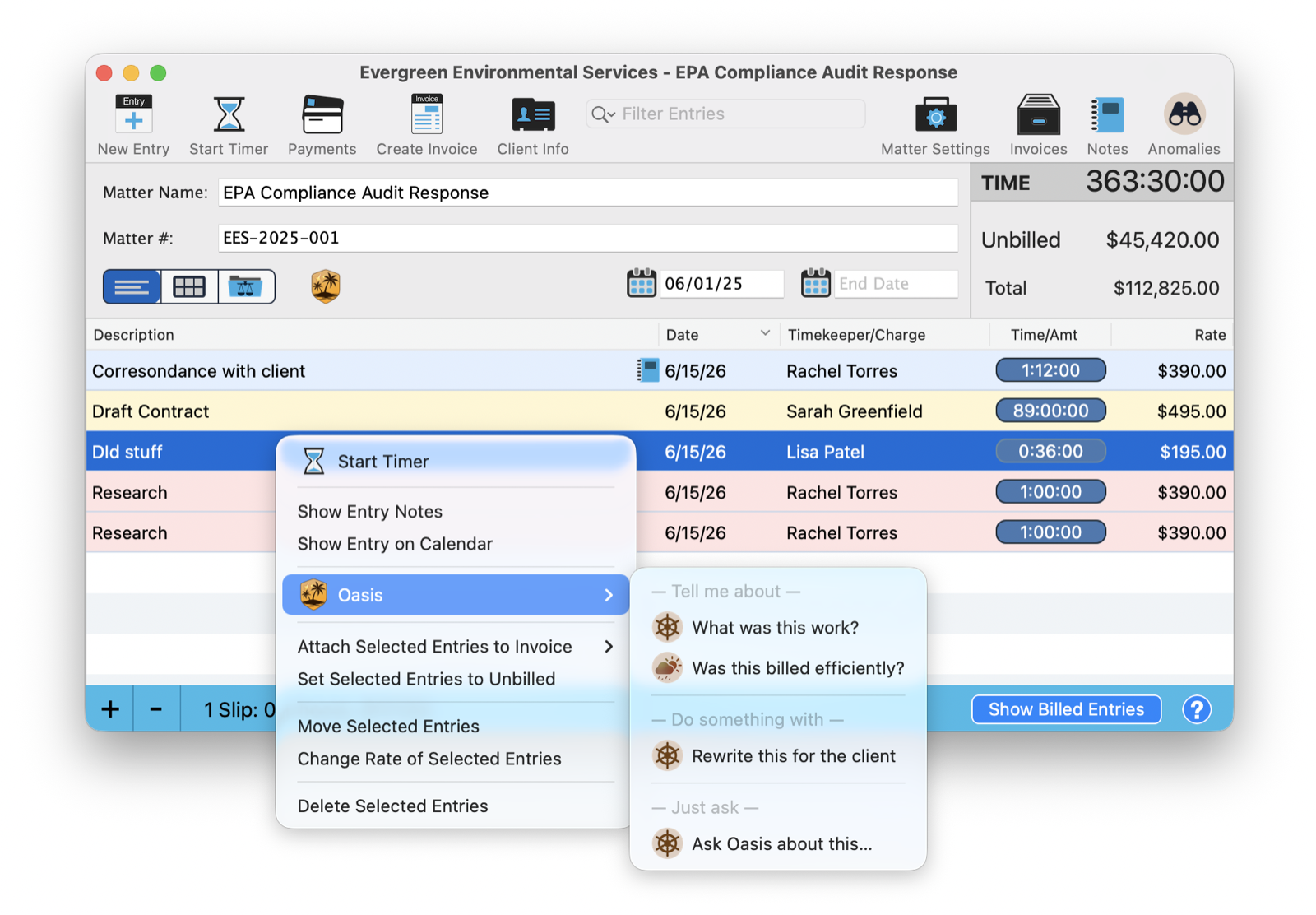
Above, right-clicking a time entry offers What was this work? and Was this billed efficiently? to understand it, Rewrite this for the client to act on it, and a plain Ask Oasis about this for everything else.
On Your Time, Wherever It Lives
Your time entries show up in a lot of places, the matter, the calendar, your daily view, and The Flood follows them everywhere. Right-click an event right on the calendar and the same Oasis is there.
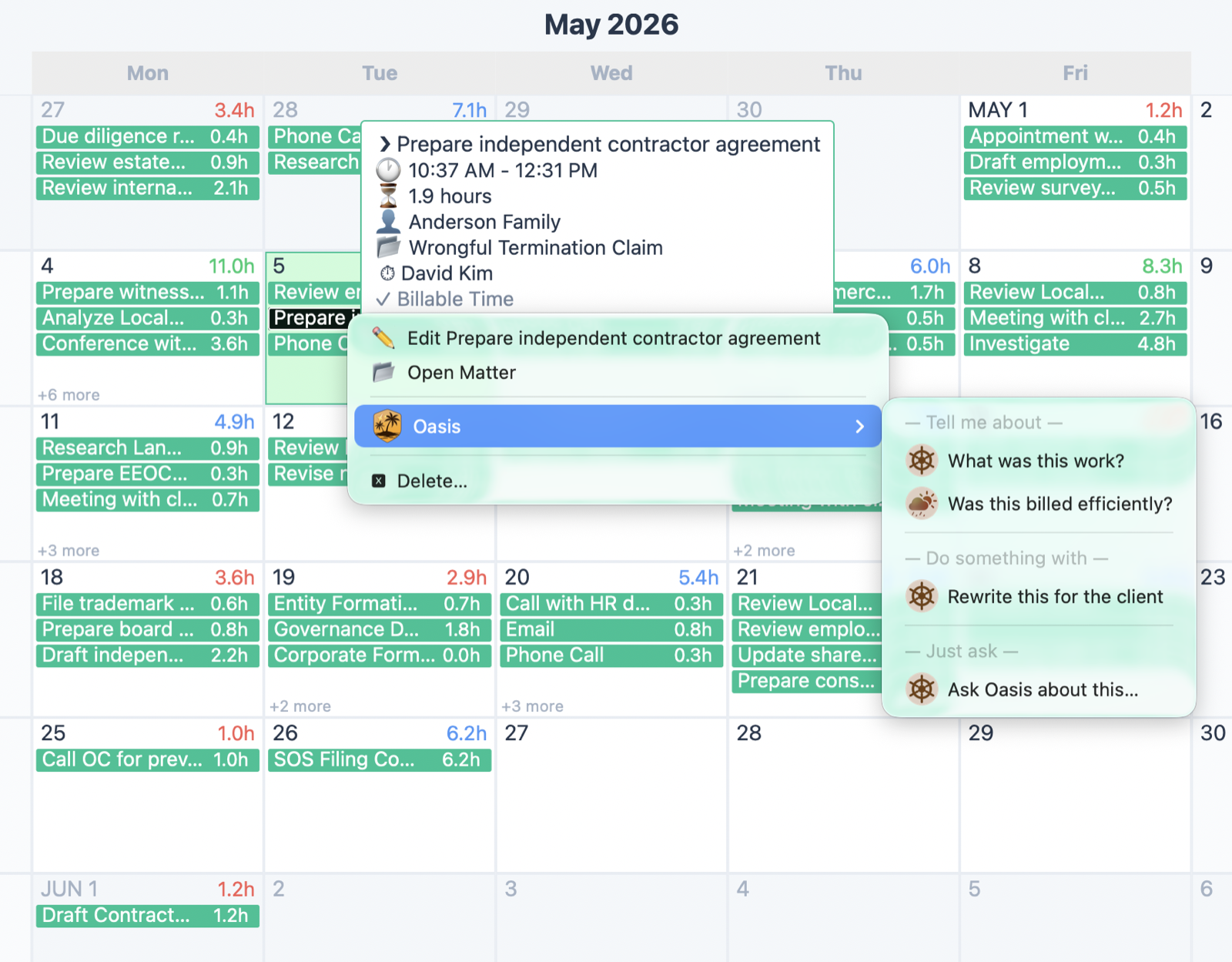
That means you can clean up a vague entry the instant it catches your eye, turn "Dld stuff" into something a client will actually pay, without leaving the calendar or breaking your train of thought. The fix happens where the problem is.
On Whatever Needs Attention
The Needs Attention panel already tells you what is urgent. The Flood lets you act on it without thinking about how. Right-click an overdue task and ask Oasis the only question that matters.
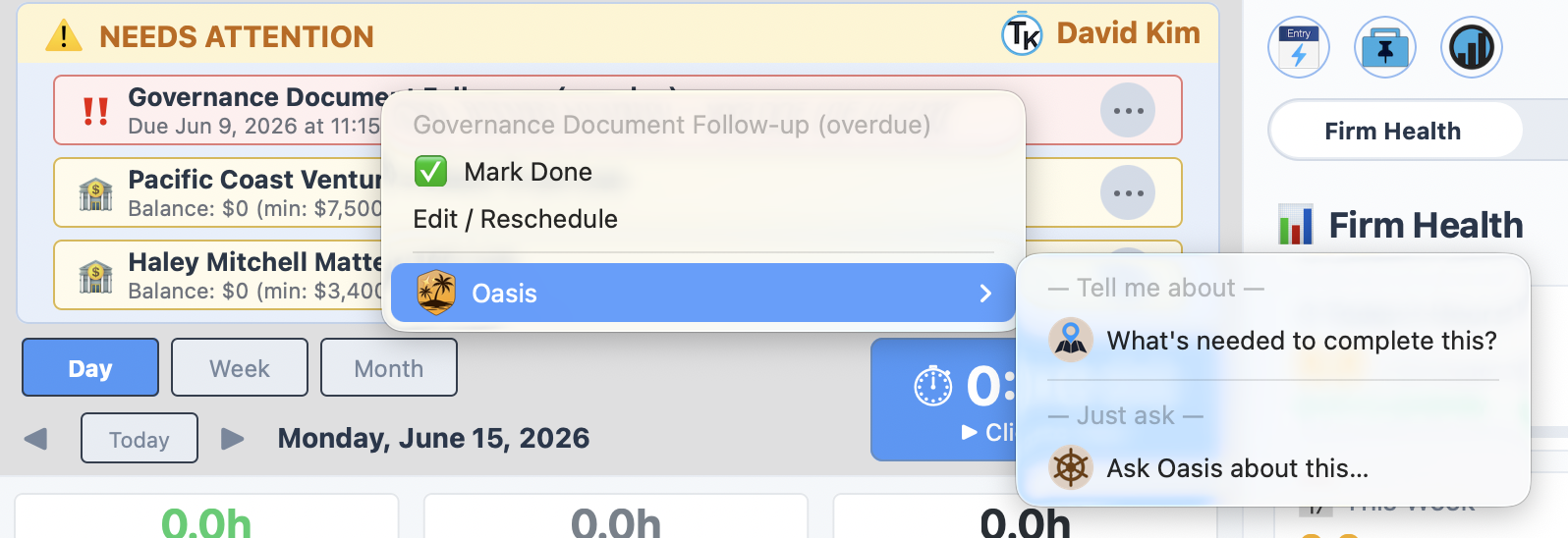
"What's needed to complete this?" turns a vague overdue flag into a concrete next step, drawn from everything Oasis knows about the matter. The item that was nagging you becomes a plan.
On a Client at Risk
This is where The Flood shows its range. Right-click a client trust alert, the kind that means a retainer has run dry, and Oasis offers a full partner's toolkit for that relationship.
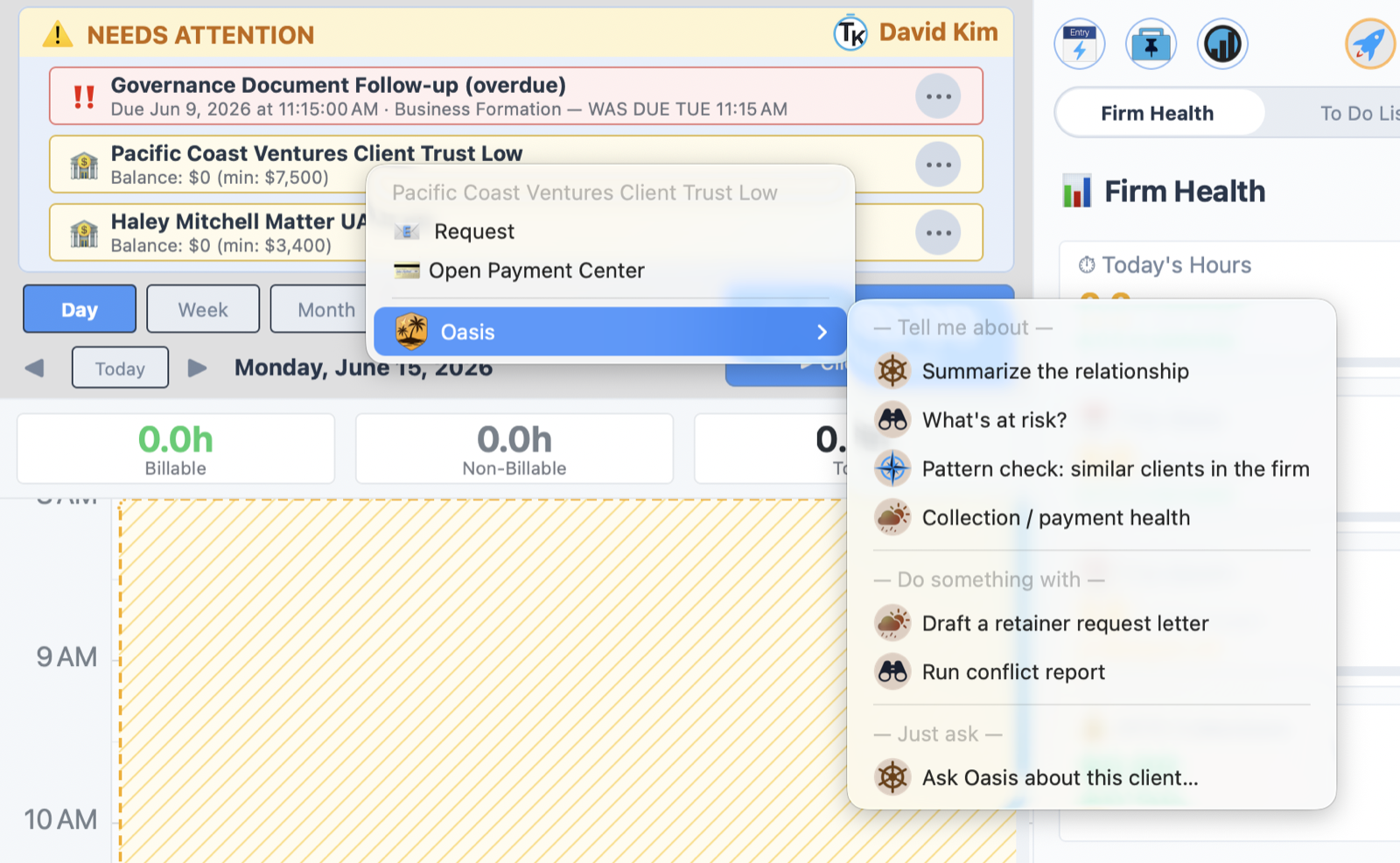
Look at the depth on offer: Summarize the relationship, What's at risk?, Pattern check: similar clients in the firm, Collection / payment health, and then the actions, Draft a retainer request letter and Run a conflict report. From one right-click on one alert, you can understand the whole client and send the letter that fixes the problem.
The Menu Reads the Room
Notice what changed across those four menus. A time entry offered to rewrite itself for the client. A task offered to tell you what it needs. A dry trust account offered a retainer letter and a conflict report. Same Oasis, completely different options, because The Flood reads what you right-clicked and offers only what makes sense for it.
You never scroll past irrelevant choices. The menu is short because it is smart, showing the handful of things actually worth doing to the thing in front of you.
An AI That Comes to You
The whole point of The Flood is that intelligence should not be a destination. It should be ambient, sitting just under the surface of everything, ready the instant you want it and invisible the rest of the time. You do not go to Oasis. You right-click, and Oasis is already there.
Start noticing the right-click. The next time an entry reads badly, a task nags, or a client gives you pause, do not switch screens. Right-click it, and let your crew take it from there.
Related Tutorials
Want to See What The Flood Offers on Your Data? Just Ask Perry.
Every right-click is shaped by your firm's real information. Call, email, or screen share and the person who built this will walk you through what Oasis surfaces on your own entries, tasks, and clients.