Some matters have more than one party responsible for the bill. Insurance co-counsel arrangements, joint ventures, and shared litigation costs all call for split billing. TimeNet Law handles this directly in Matter Settings so every invoice is divided correctly from the start.
Configuring Split Billing
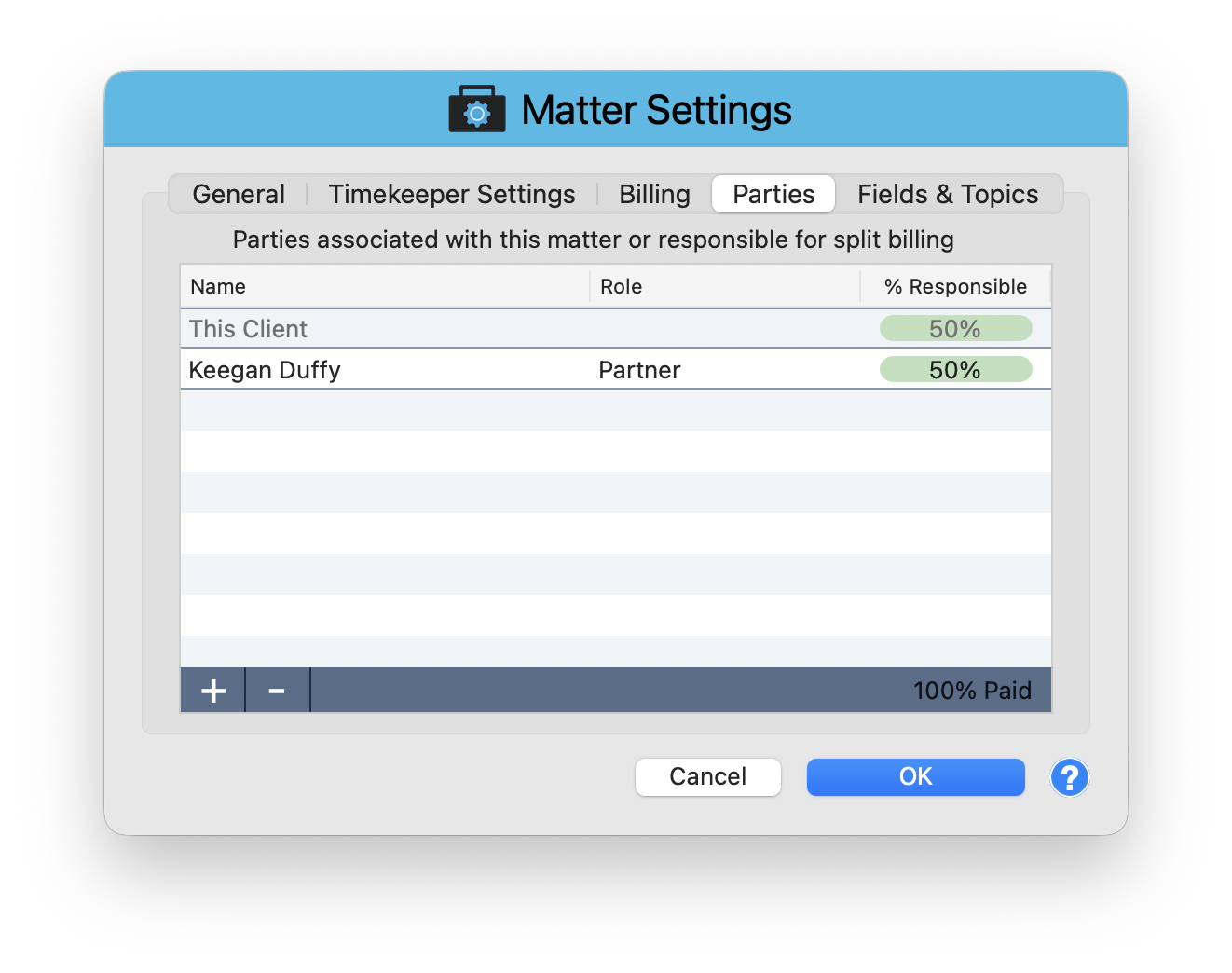
Split billing is configured in Matter Settings > Parties tab. Open the Matter window, click Matter Settings in the toolbar, then select the Parties tab.
The header reads: "Parties associated with this matter or responsible for split billing." Below it is a table with three columns:
- Name - The party responsible for a share of the bill
- Role - Their role in the matter (e.g., Partner, Co-Counsel)
- % Responsible - The percentage of each invoice this party pays
How to Set It Up
Add Billing Parties
Click the + button to add a party to the split. Select from your contacts or enter a new one. Assign a role for reference.
Set Percentages
Enter the percentage each party is responsible for. For example, "This Client" at 50% and a partner like Keegan Duffy at 50%. The footer shows "100% Paid" when percentages total correctly.
Generate Invoices
When you invoice the matter, amounts are automatically split according to these percentages. Each party receives their portion of every charge.
The validation footer ensures percentages always add up to 100%. If they do not, you will see a warning before you can save. This prevents billing gaps or overlaps.
Managing Split Parties
Use the + and - buttons to add or remove billing parties at any time. Adjusting the split mid-matter is fine. Future invoices use the updated percentages while past invoices remain unchanged.
When to Use Split Billing
- Co-counsel arrangements - Two firms share the cost of litigation
- Insurance defense - The insurer pays a portion and the insured pays the rest
- Joint ventures - Multiple business entities share legal costs
- Family matters - Divorcing parties each responsible for a percentage of fees
Fair Shares, Every Invoice
Split billing removes the manual math from multi-party matters. Set the percentages once and every invoice is divided correctly. Combined with the Bill To dropdown on individual entries, you have complete control over who pays for what.
Keep exploring:
- Expense Tracking - record and bill expenses with per-party billing
- Matter Budgets - set spending caps and track progress
- Contingency Billing - track matters where fees depend on case outcome
Split Billing Confusing? Perry Can Help.
Perry can walk you through setting up even the most complex multi-party billing arrangements.