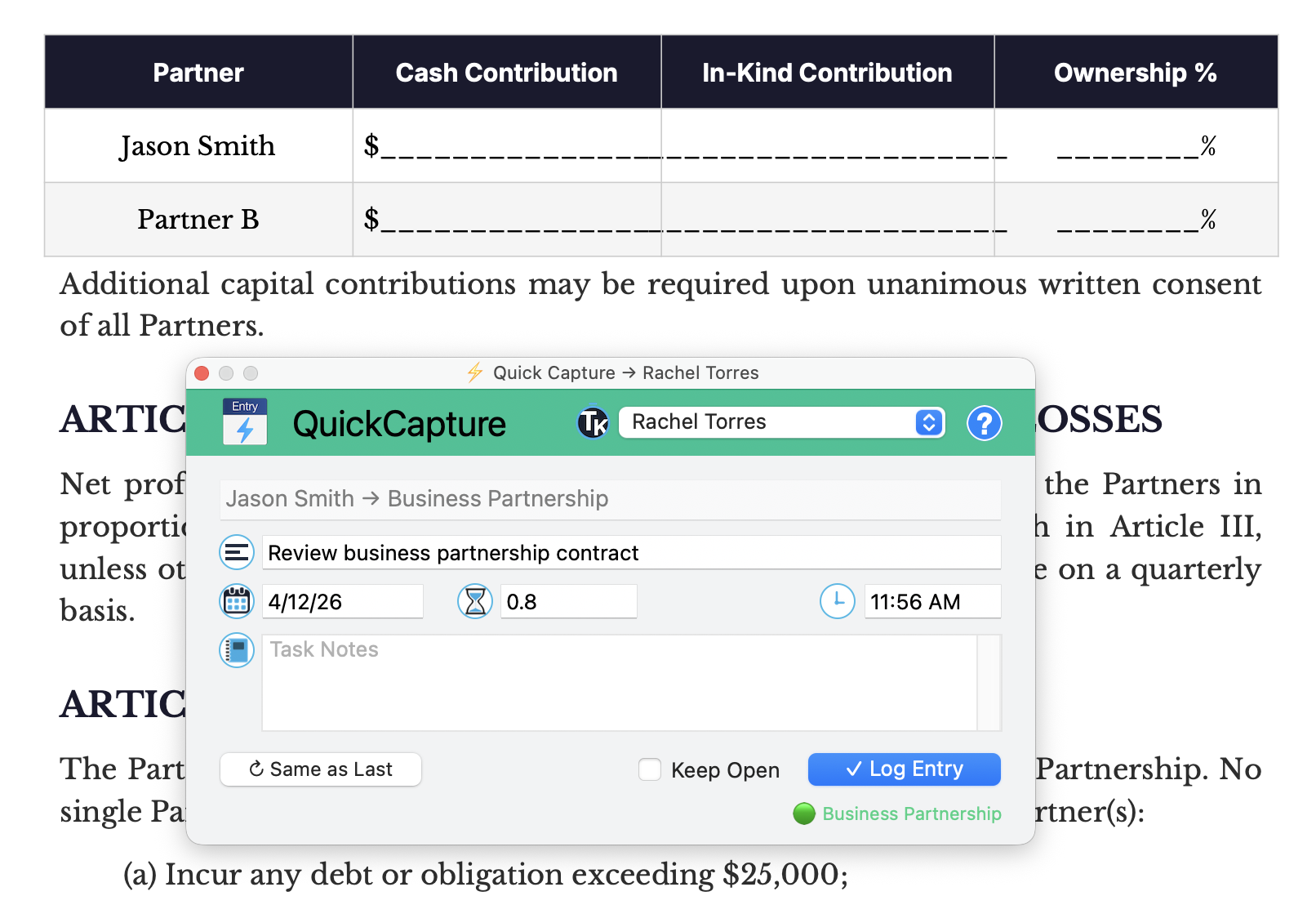
QuickCapture is one of the fastest ways to get data into TimeNet Law. Hit a keyboard shortcut from anywhere, and a floating command window appears. Type naturally — client names, matter names, durations, descriptions — and fuzzy matching figures out what you mean. No clicking through menus, no hunting for the right matter. Just type, confirm, done.
Opening QuickCapture
QuickCapture is always one keystroke away.
- ⌥ + C — Opens the QuickCapture window from anywhere in the app
- Just press C from Launchpad
- Also accessible from the menu bar: File → New QuickCapture or globally from the TimeNet Law status menu.
- On iOS: tap the + New Entry button in the toolbar
The window floats above everything else, so you never lose context. Create an entry and get right back to what you were doing.
Unified SmartSearch
One text field does it all. SmartSearch understands multiple input types:
Time Entry (most common)
Type:
36 minutes→ duration (understands m, h, mins, hrs, minutes, hours, and decimal formats)Jacobs→ fuzzy matches to "Alexander Jacobs - Litigation" matterresearch memo for motion to dismiss→ becomes the description
Expense Entry
Type:
$38→ expense amountGonzalaz→ fuzzy matches to Maria Gonzalez, prompts for matter choicecab fare→ becomes the description
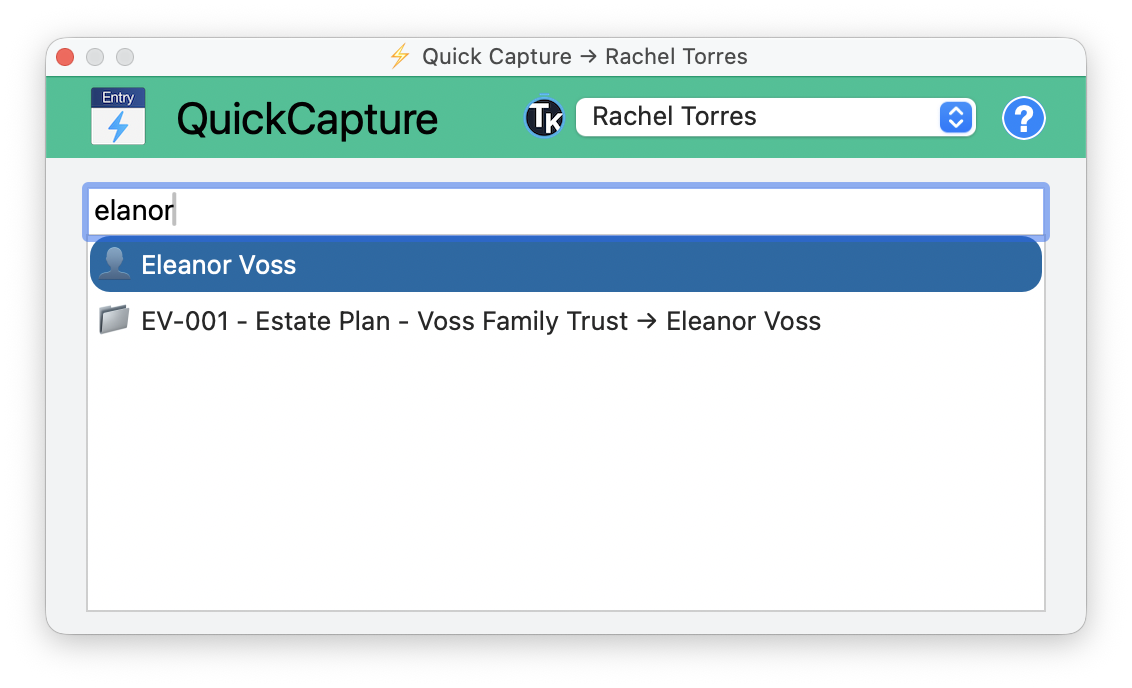
Search Clients & Matters
Type:
Fuzzy Match will find Smith, Eleanor, Gonzalez, and Jacobson (or Jacobsen) every time.
Fuzzy Matching & Disambiguation
You don't need to remember exact names. QuickCapture uses intelligent fuzzy matching:
- Partial names work — "Gar" matches "Garcia", "Garfield", etc.
- Matter numbers work — Type a matter number and it matches instantly
- Client or matter — It searches both simultaneously
- Ranked results — Best matches appear first based on frequency of use, recency, and match quality
When multiple matches are found, a dropdown appears with the top matches. Use arrow keys to navigate, Enter or Tab to select.
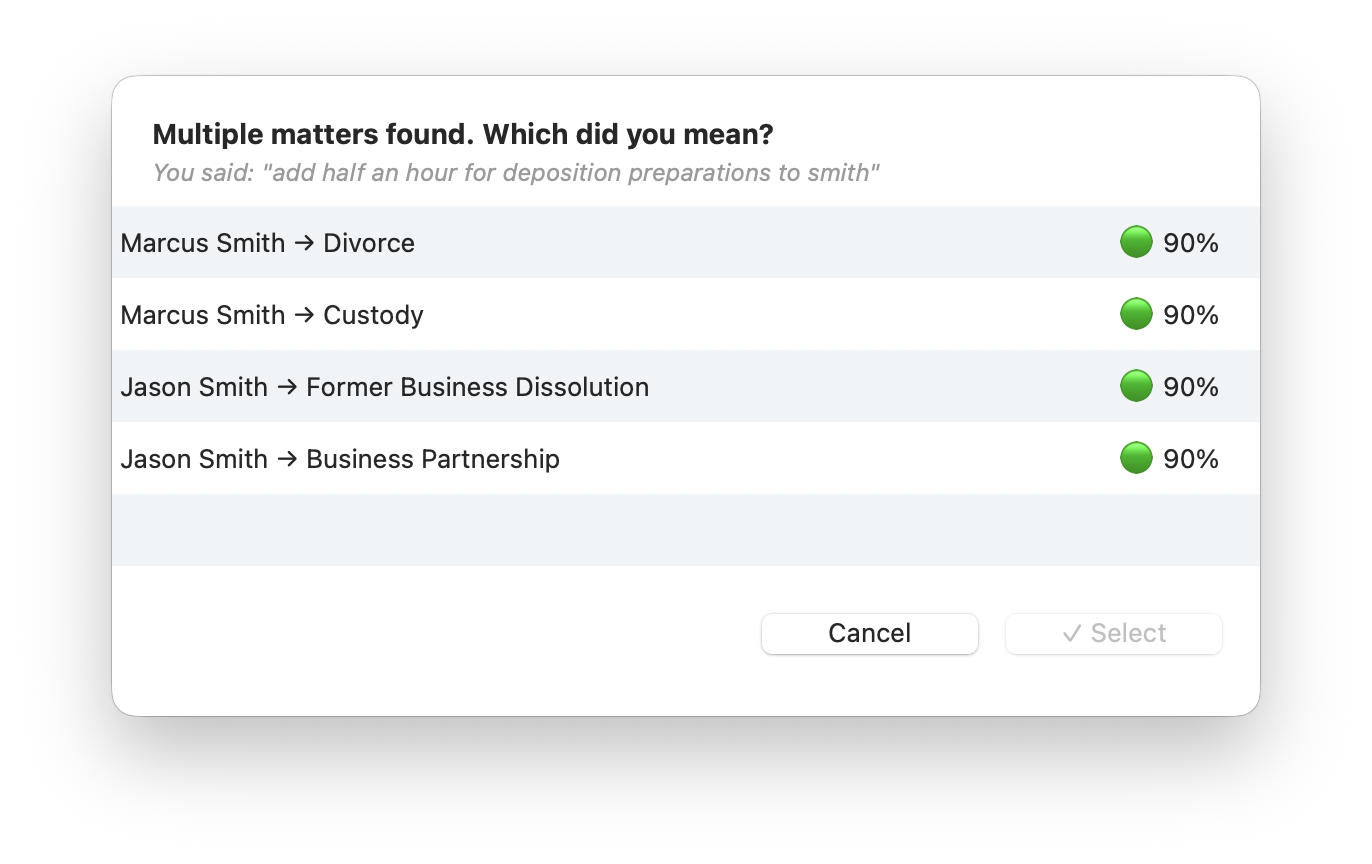
"add half an hour for deposition preparations to smith" — four matches across two clients, all at 90% confidence
If there's only one match, it auto-completes without asking. Speed for the common case, precision when needed.
Your most recently used matters appear first. After a few days, QuickCapture basically learns your workflow — your regulars are always one or two keystrokes away.
Entry Creation Flow
After fuzzy matching resolves the client/matter, QuickCapture shows a compact creation form:
Client/Matter
Pre-filled from your fuzzy match. Already locked in.
Date
Defaults to today. Editable if you're logging something from yesterday.
Duration
Pre-filled from the number you typed. Change it if you need to.
Description
Pre-filled from your typed text. Edit or expand as needed. Click the entry icon or start typing to select or prefill from your list of Shortcuts.
Notes
Optional notes field.
Everything is pre-filled from what you typed. Most entries need zero additional editing — just press Enter to save.
Keep QuickCapture open. If you're logging multiple entries, check the Keep Open checkbox. You can also click ↻ Same as Last to pre-fill in all the details of your last entry, make small changes, and log again.
Voice Mode
QuickCapture also supports voice input:
- Press F5 to toggle to voice mode using Apple's on-device dictation engine
- Speak naturally: "Two point five hours research for summary judgment motion on Garcia"
- Same fuzzy matching, same disambiguation, same result
- Editable transcript lets you fix any speech recognition errors before confirming
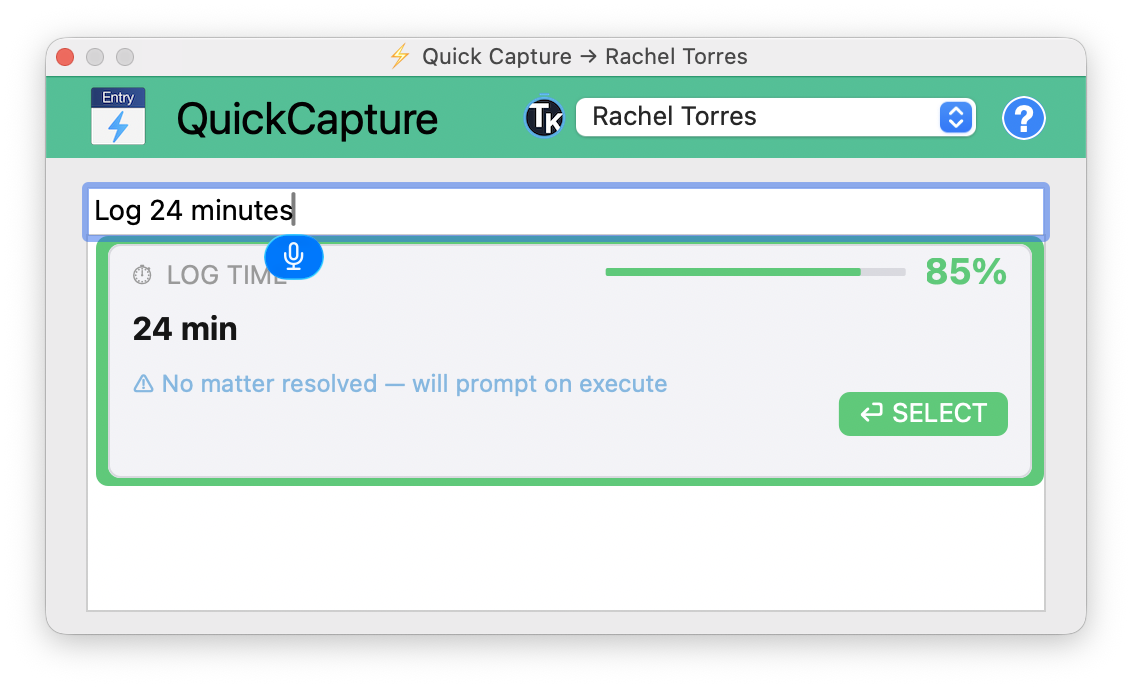
This is the same voice engine that powers the dedicated Voice Commands feature and the iOS app's Siri integration — same intelligence, different entry point.
iOS QuickCapture
On iPhone and iPad, QuickCapture adapts to touch:
- Tap the floating Microphone button to open
- Same unified text field with fuzzy matching
- Keyboard autocomplete integrates with iOS suggestions
- Voice mode works with the device microphone
- Siri shortcut: "Hey Siri, QuickCapture in TimeNet"
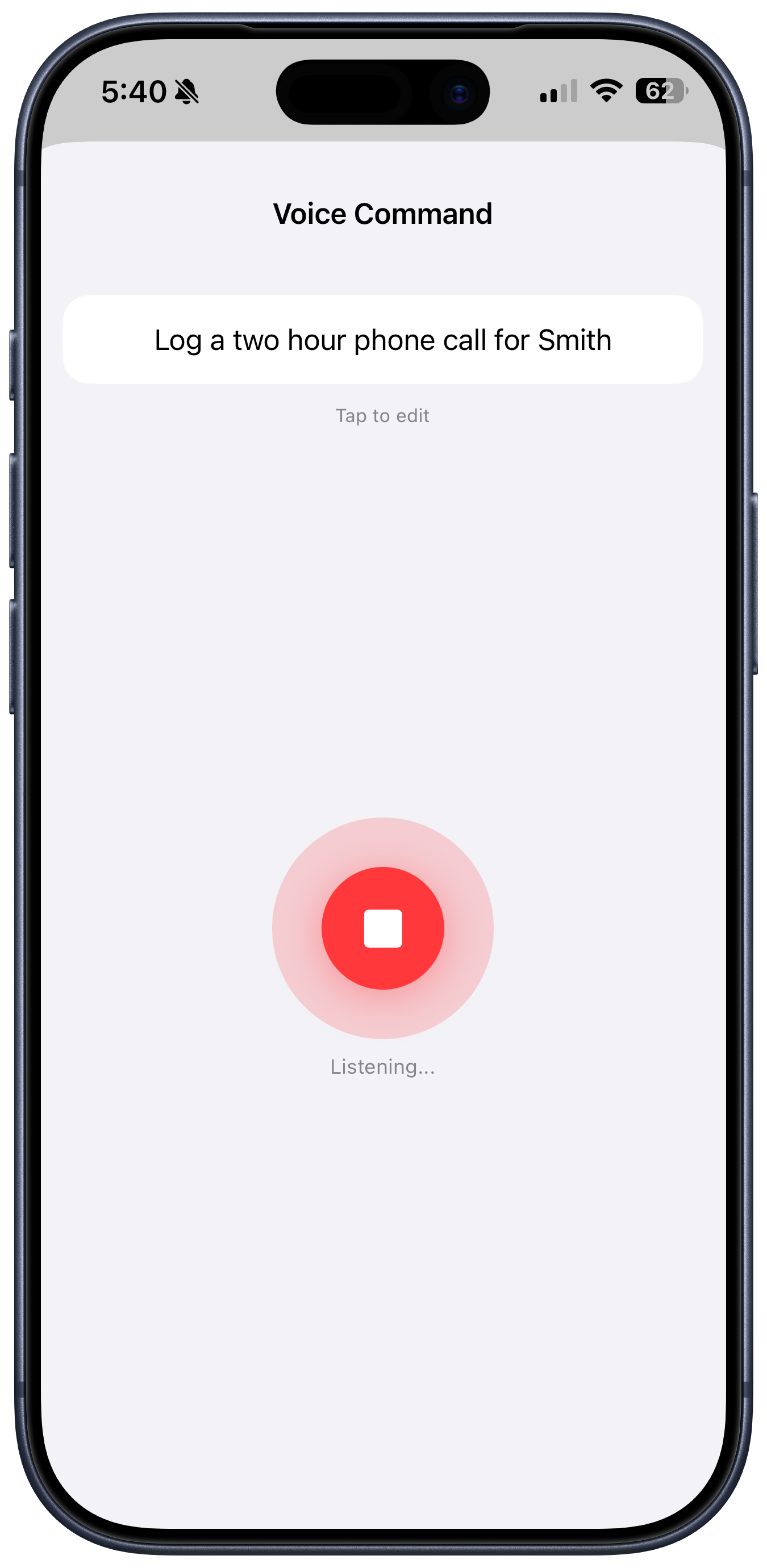
Speak naturally
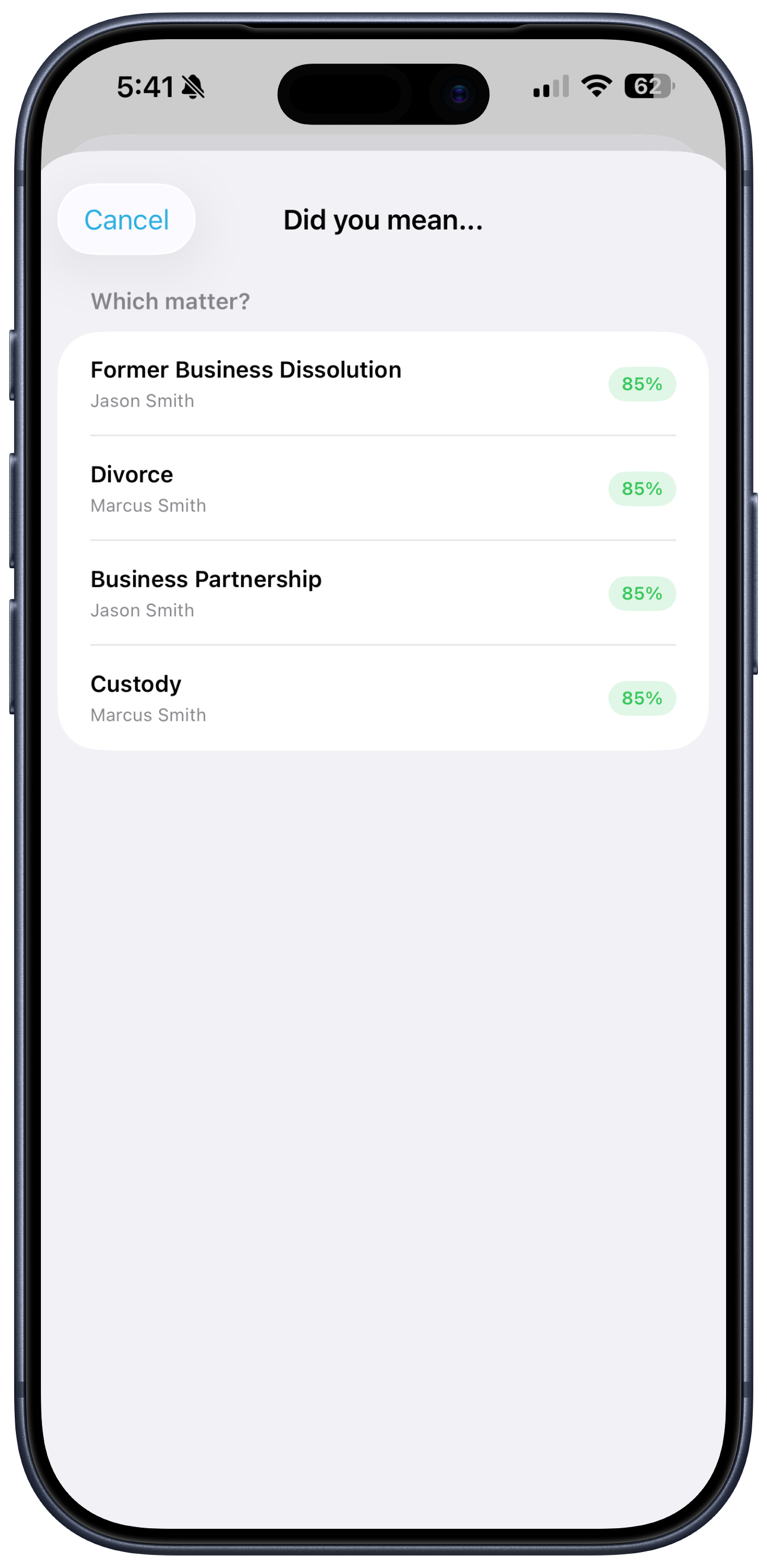
Disambiguate matches
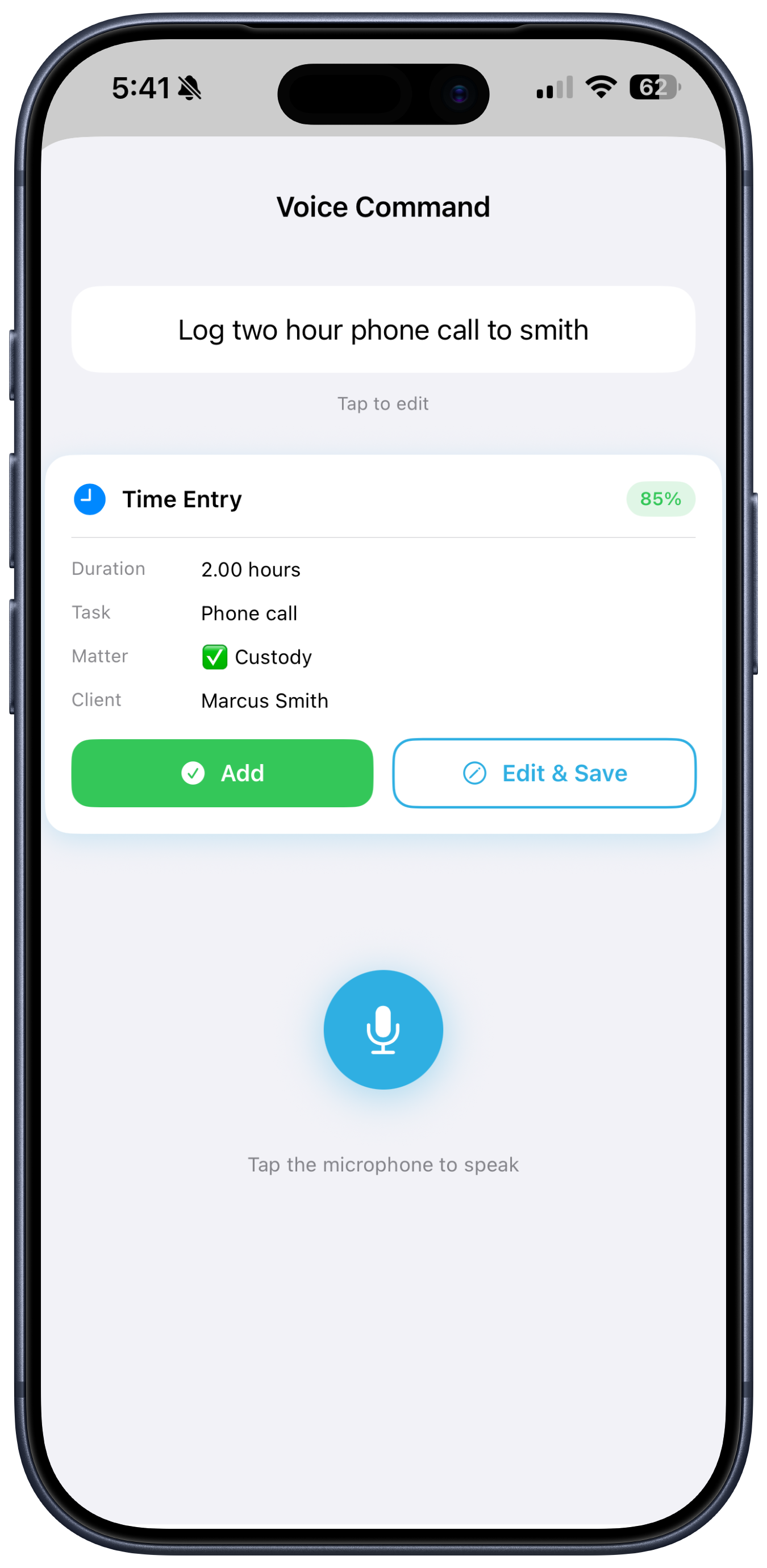
Entry pre-filled, ready to log
Tips for Maximum Speed
- Learn the shortcut — ⌥ + C becomes muscle memory fast
- Use abbreviations — You only need enough characters to uniquely identify a matter (often 2–3 letters)
- Include everything in one line —
bill 1.5h research memo to garciacreates the entire entry in one shot - Don't capitalize — Fuzzy matching is case-insensitive
- Use it for expenses too — Prefix duration field with
$to switch to expense mode
Power users report that QuickCapture cuts their average entry creation time from 30 seconds (with menus) to under 5 seconds. That's 25 seconds saved per entry × hundreds of entries per month = hours saved.
Stay in Flow
QuickCapture is where speed meets precision. It's the difference between "I'll log that later" (and forgetting) and "logged it in 5 seconds without leaving what I was doing." Capture everything, lose nothing, stay in flow.
Keep exploring:
- Voice Commands — dedicated voice entry for hands-free billing
- Launchpad — where your entries appear after QuickCapture
- iOS App — QuickCapture on mobile
QuickCapture Not Clicking? Perry Can Help.
Screen share with the guy who built it. He'll have you flying in five minutes.