Quick Answers
I need to deposit money for a client
In Payment Center, click New Payment and enter the amount. Leave every invoice unchecked, click Deposit, choose Trust, Escrow, or Unapplied Credits, and click Deposit. A deposit is held for the client and does not lower what they owe.
I need to edit a payment
Double-click the payment in Payment History. Correct the amount, date, or type, click OK, and click OK again to confirm a new amount. If the fields are gray, uncheck Prevent Edits first.
I need to delete a payment
In Payment History, select the payment, click −, and click Delete. The invoice balance goes back up, and a payment made from Trust, Escrow, or UAC returns to that account. This cannot be undone.
I need to delete a deposit
Click the account's balance (Trust, Escrow, or UAC) and choose View Transactions. Select the deposit, click −, and click Delete. A fully spent deposit shows only when Show Depleted Deposits is checked. This cannot be undone.
How Billing Works
Billing runs one way: work becomes an invoice, and an invoice gets paid. Money you hold for a client waits beside that path until you use it to pay an invoice. Every amount you see in TimeNet Law is one stop on that path, or money waiting beside it.
Unbilled
Time and expenses you have logged. Not owed yet.
Draft
A preview of an invoice. Changes nothing. Not owed.
Finalized
A real invoice with a number. Now the client owes it.
Paid
Payments applied bring the invoice to zero.
Invoices
Each finalized invoice is a bill for one stretch of time. It holds only the work done since the last invoice.
When money comes in, you apply it to an invoice. That lowers what the client owes.
Trust, Escrow, and UAC
Money the client gave you that has not paid an invoice yet. It does not lower what the client owes.
It only pays a bill when you apply it, or when the Automatic Bookkeeper applies it for you.
The one rule that answers most billing questions
A client can owe you money and have a credit at the same time. Both numbers are true. The credit does not pay the bill until it is applied.
Six Words, in Plain English
| Unbilled | Work that is not on an invoice yet. Shown as Unbilled at the top right of the matter window. |
|---|---|
| Billed | Work that is on a finalized invoice. It is hidden from the matter window until you click Show Billed Entries. |
| Invoice | A bill for one stretch of time. Older unpaid invoices come forward as one Previous Balance line, not as their work. |
| Balance | What the client still owes on finalized invoices. It does not include unbilled work or drafts. |
| Credit | Money received but not used to pay a bill yet. It sits in UAC (Unapplied Credits), Trust, or Escrow. |
| Applied | Money that has paid an invoice. Only applied money lowers the Balance. |
Bill the Month
Do this once a month for each matter, or for every matter at once with One Click Billing.
Step by Step
- Open the matter. Unbilled, at the top right, is the work that goes on this invoice.
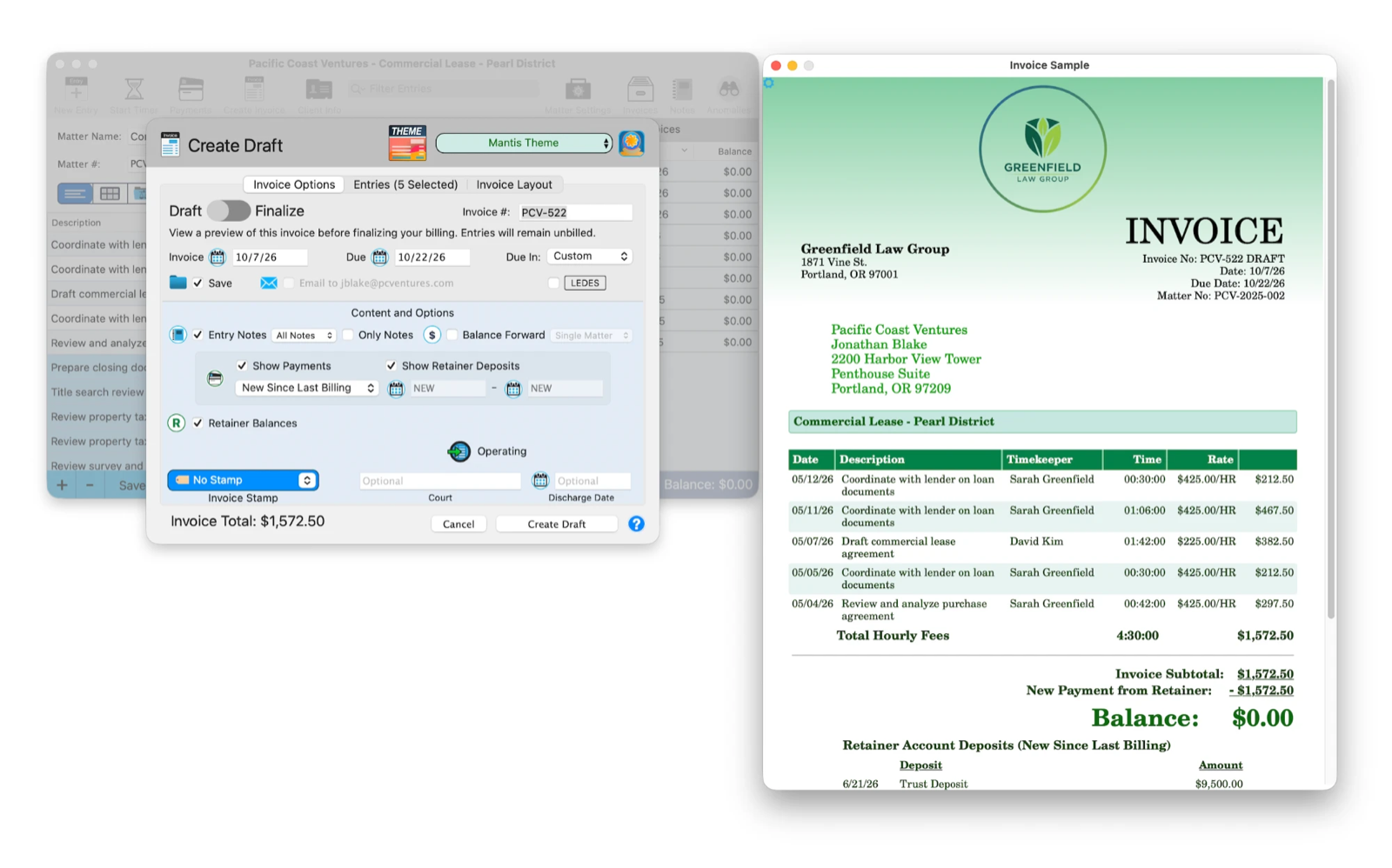
- Click Create Invoice. The window opens as a draft, with a live preview beside it. A draft changes nothing, so look as long as you like.
- Read the preview from top to bottom. The entries are the new work only. Previous Balance is what older invoices still owe. Below the total, the invoice lists payments and the client's account balances as they stand today.
- To send it, check Email to.
- Flip the switch from Draft to Finalize and click Create Invoice. The invoice gets its number, its work becomes billed, and the client owes it.
Last month's work is not on this month's invoice
That is by design. Each invoice holds only the work since the last one. Last month's unpaid amount comes forward as Previous Balance. To show the client every invoice together, send a client statement.
If an invoice is paid the moment you finalize it
That is the Automatic Bookkeeper. When it is on, finalizing an invoice pays it right away from the client's credit, then trust, following your rules in Settings > Billing. Payment History lists that payment with ABK Payment in Details.

Record a Payment
When a check, card, or transfer arrives, record it the same day. The Payment Center tutorial covers every payment type in detail.
Step by Step
- Choose Window > Payment Center (Cmd+3) and choose the client.
- Click New Payment. Choose the type, such as Check, and enter the amount and date.
- Check each invoice this payment pays, oldest first. Amount Left shows what is not used yet.
- Click Apply Payment.
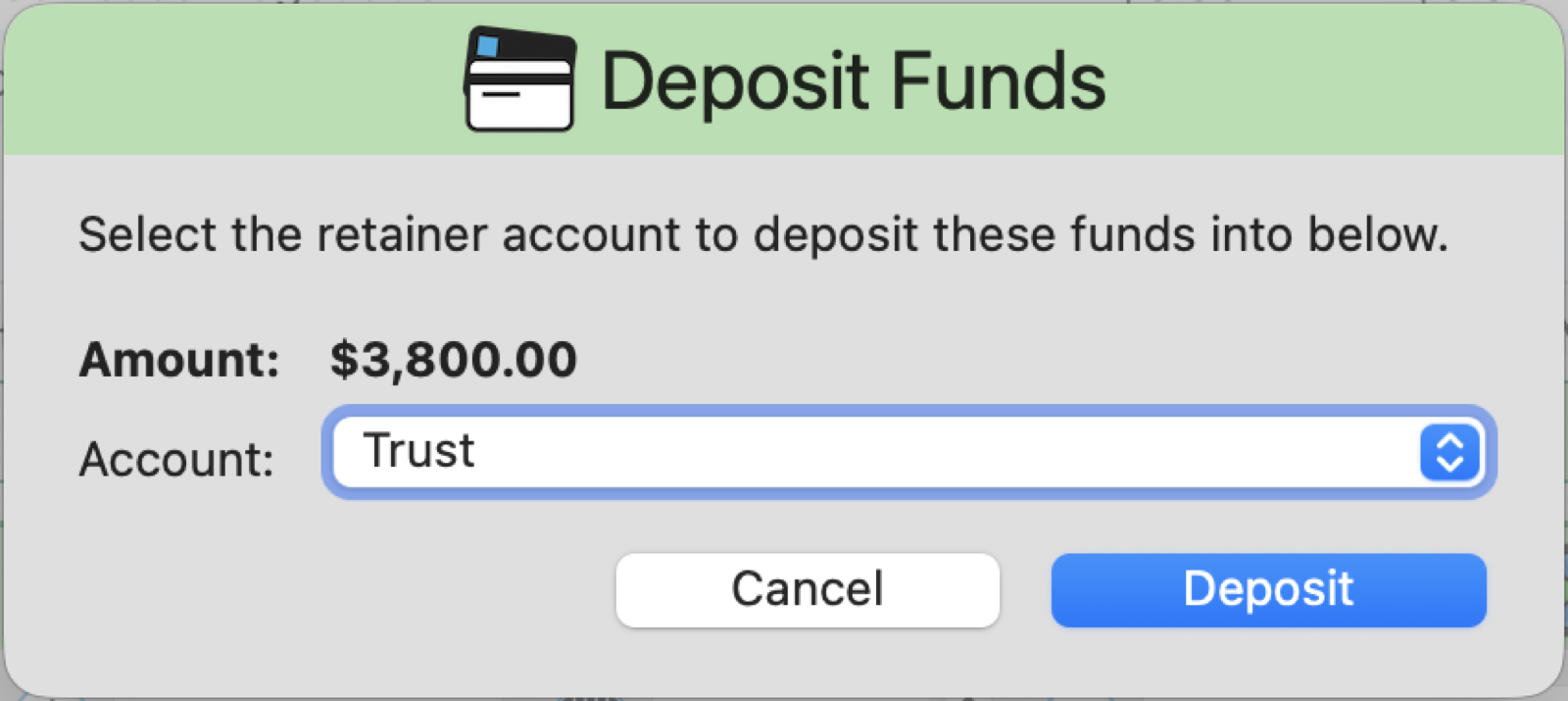
- If the payment was more than the invoices, Deposit Funds asks which account holds the rest. That money becomes a credit. It does not pay anything until you apply it.
What Does This Client Owe?
Two numbers answer this: what the client owes, and what you hold for them. Both live at the top of Payment Center.
Step by Step
- In Payment Center, read Balance. That is what finalized invoices still owe.
- Read Trust, Escrow, and UAC. That is money you hold, not yet used.
- To pay open invoices from that money, click Apply Available Funds. It pays the oldest invoice first.
- To see every invoice, paid or not: Window > Billing Center (Cmd+2), click Invoices, and uncheck Hide Paid.
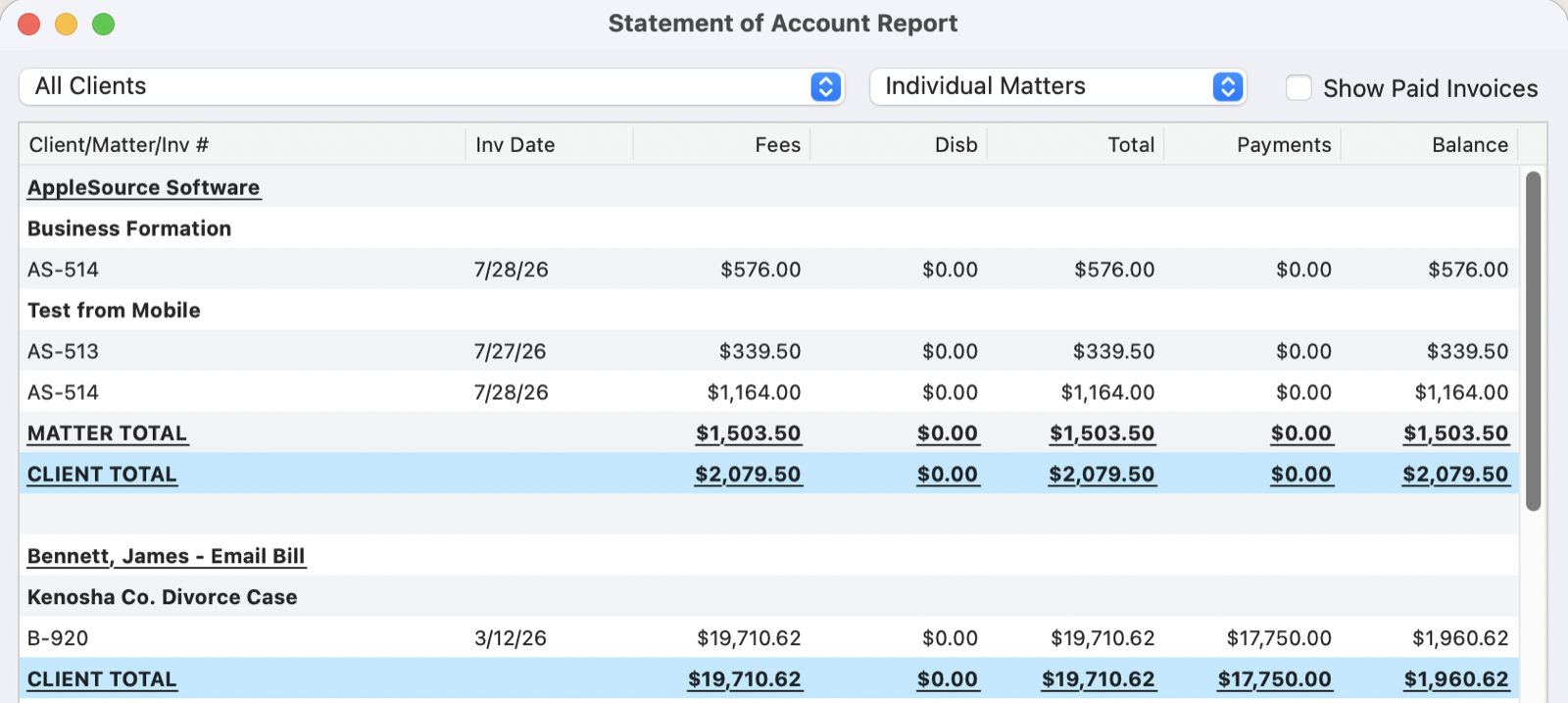
- For every invoice with its payments and balance on one page: Report > Billing & Invoicing > Statement of Account Overview Report.


Why Does It Say That?
The questions we hear most at month end, with straight answers.
The same credit shows on every invoice
Each invoice prints the client's account balances as they stand that day. Three invoices showing a $59 credit means one $59 credit, printed three times. Nothing is charged three times. To leave it off an invoice, uncheck Retainer Balances when you create it.
The client owes money, but UAC shows a credit
Both are true. A credit is money the client paid that has not been applied to an invoice, so it does not lower what they owe. In Payment Center, click Apply Available Funds, or click New Payment, choose From UAC, and check the invoice.
An invoice says paid, but I didn't record a payment
The Automatic Bookkeeper paid it from the client's credit or trust when you finalized the invoice. Payment History shows it with ABK Payment in Details. To stop this, turn it off under Global Automatic Bookkeeper Rules in Settings > Billing.
The balance says zero, but the client still owes
Balance counts finalized invoices only. Work that is unbilled, or on a draft, is not owed yet. Check Unbilled in the matter window and finalize the invoice. If an invoice was paid that you did not expect, see the answer above.
An invoice disappeared
Paid invoices are hidden, not deleted. In Billing Center > Invoices, uncheck Hide Paid and set the date menu to All Dates. In the matter window, click Invoices to list every invoice for the matter.
The new invoice doesn't show last month's work
Each invoice holds only the work since the last one. Last month's work is on last month's invoice, and its unpaid amount comes forward as Previous Balance. To show every invoice together, send a client statement.
The payment was more than the invoice
The extra went into the account you chose in Deposit Funds, usually UAC. It is now a credit and prints on the next invoice as an account balance. Apply it to that invoice once it is finalized.
I made an invoice by mistake
In the matter window, click Invoices, right-click the invoice, and choose Cancel Invoice. Its work goes back to unbilled, and payments taken from Trust, Escrow, or UAC return to that account. This cannot be undone.