You sit down already behind, not knowing which fire to fight first.
Your day already has a plan.
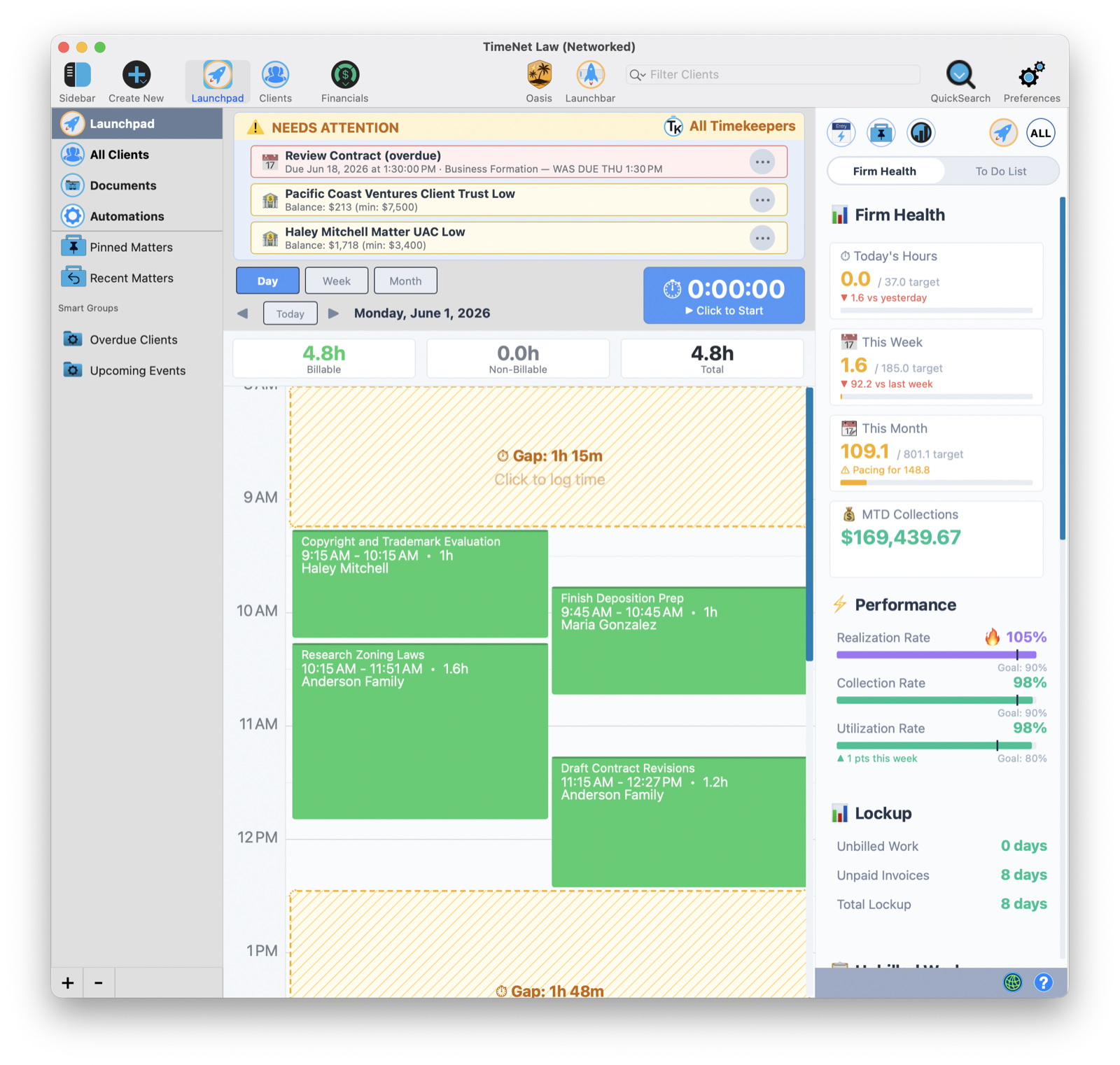
Oasis wrote your briefing at dawn, from your own data, on your own machine. What's overdue, what's drifting, important meetings and deadlines, and the three things that need you today. Read your briefing. Talk to your data. Handle your day.
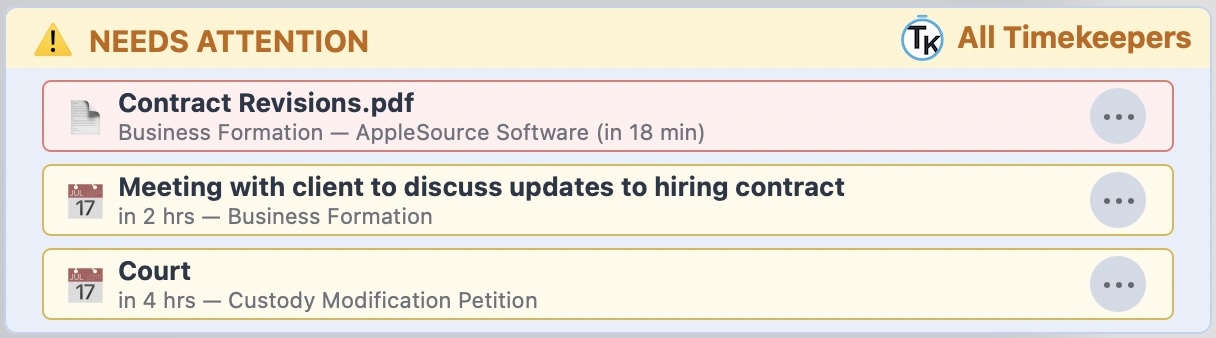
1 · Start with Launchpad2 · Needs Attention surfaces the 3 things that can't wait3 · The most urgent items float to the top automatically
9:15 a.m.
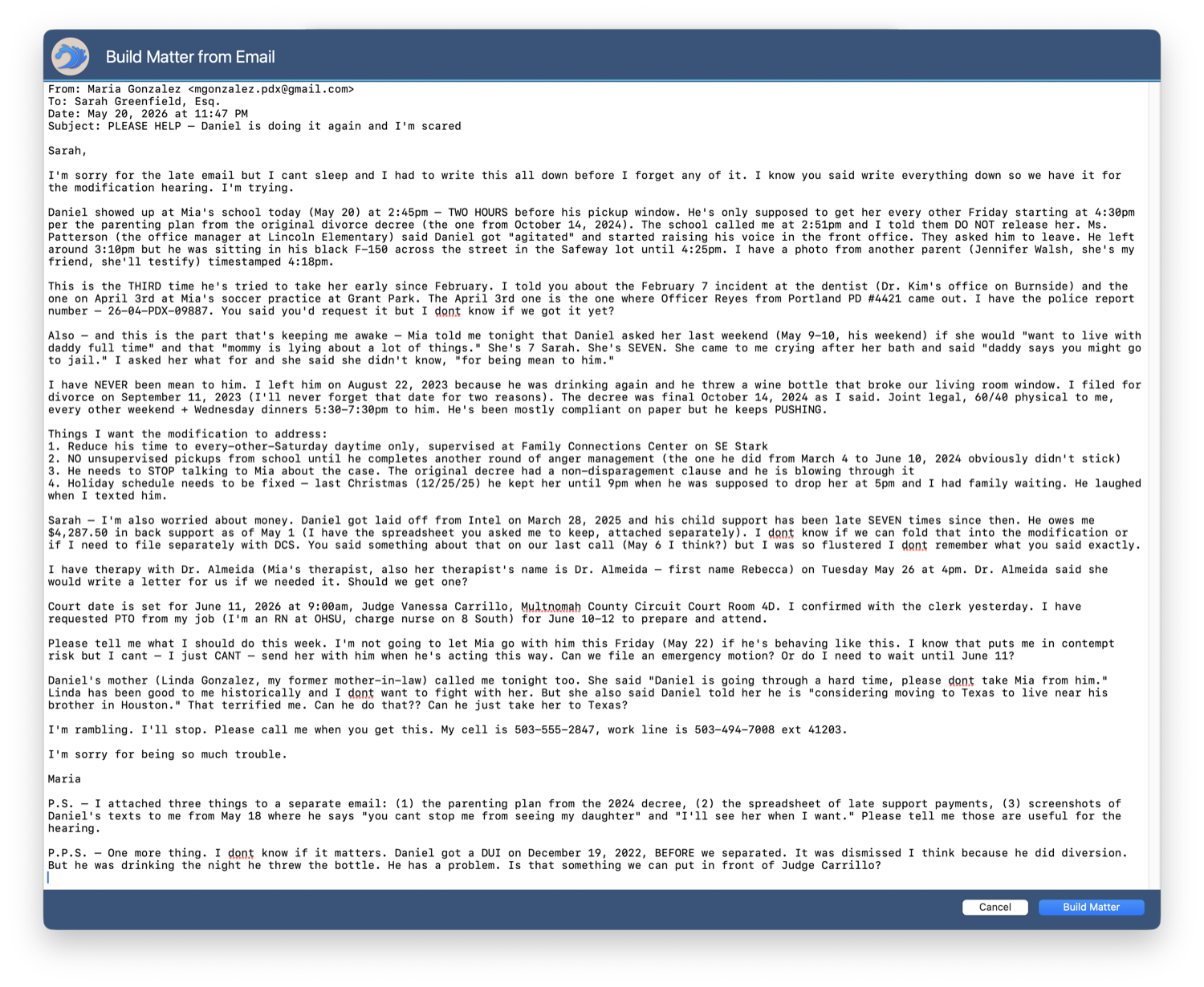
A panicked new-client email lands. Can you even take it? What do you charge? Where do you start?
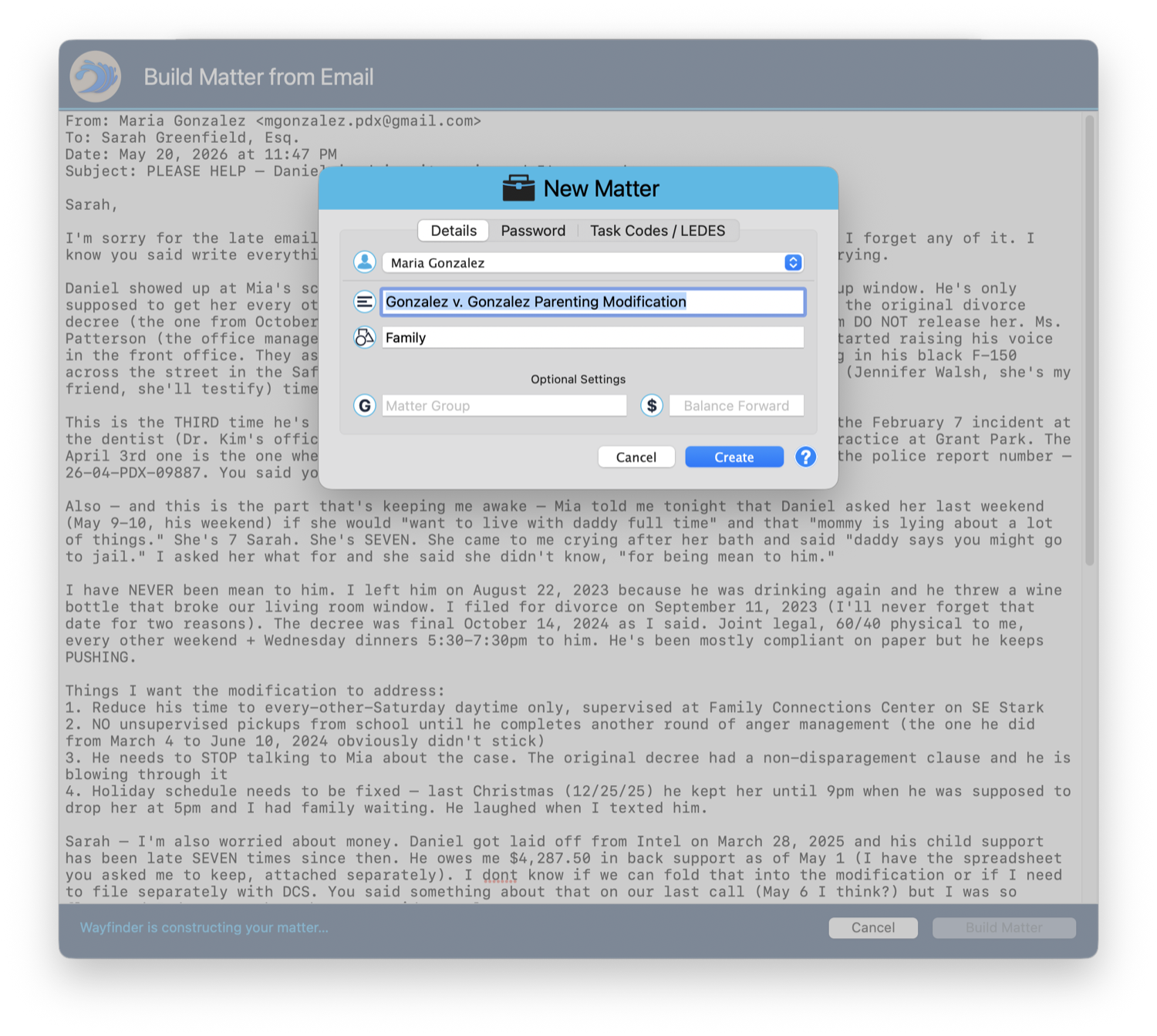
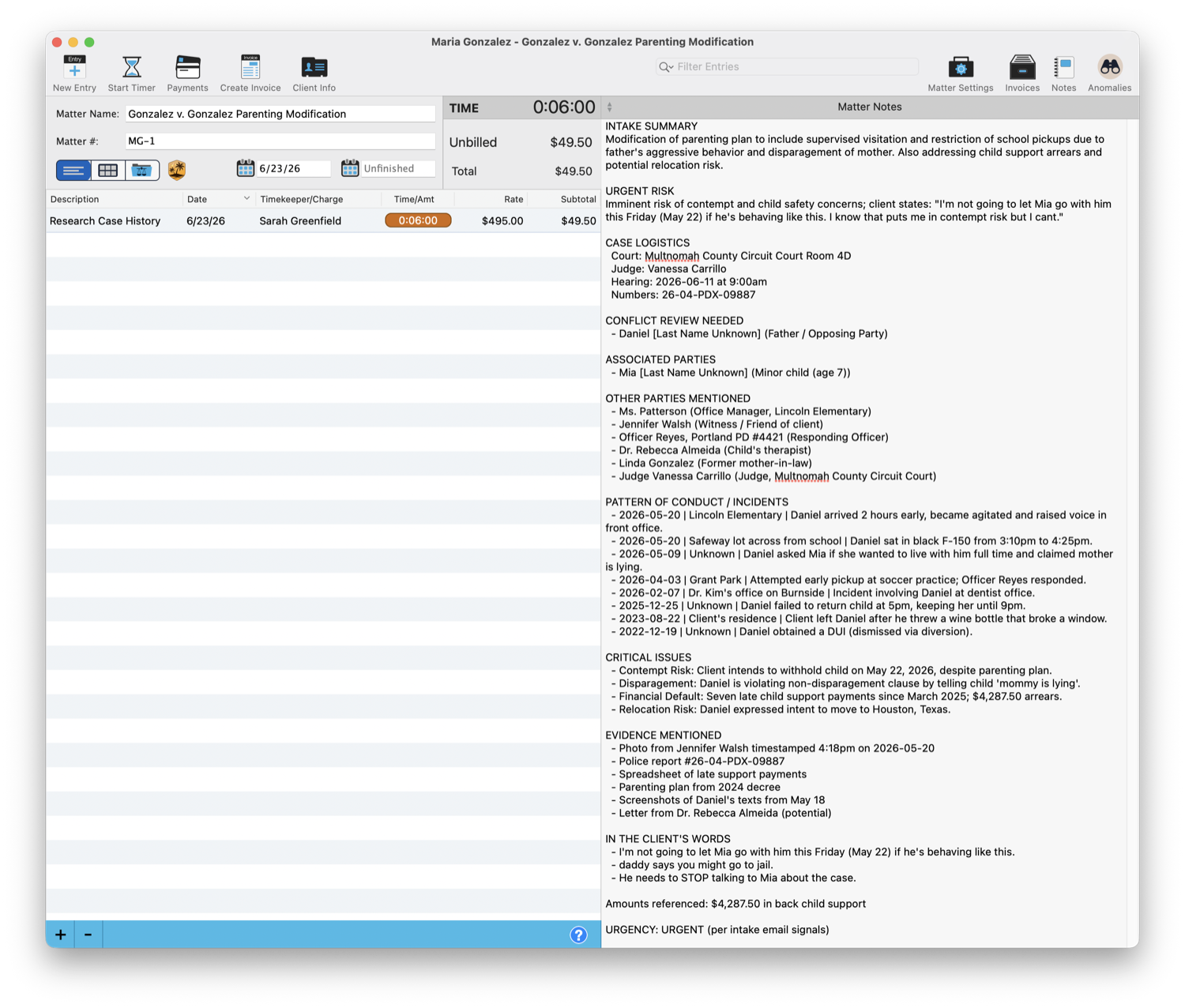
Drop the email in. Walk away with the whole matter.
Oasis reads it on your Mac and hands back a structured matter: the parties, the timeline, the evidence, the conflict review, the urgent risk. An hour of triage you dreaded is a drag-and-drop.
1 · Drop in the messy, panicked email2 · It drafts the whole matter for you3 · And a full intake summary, conflicts and all
Tuesday
11:00 a.m.
You're about to take on a new matter. Did anyone run the conflict check?
It already ran. Live. Every single time.
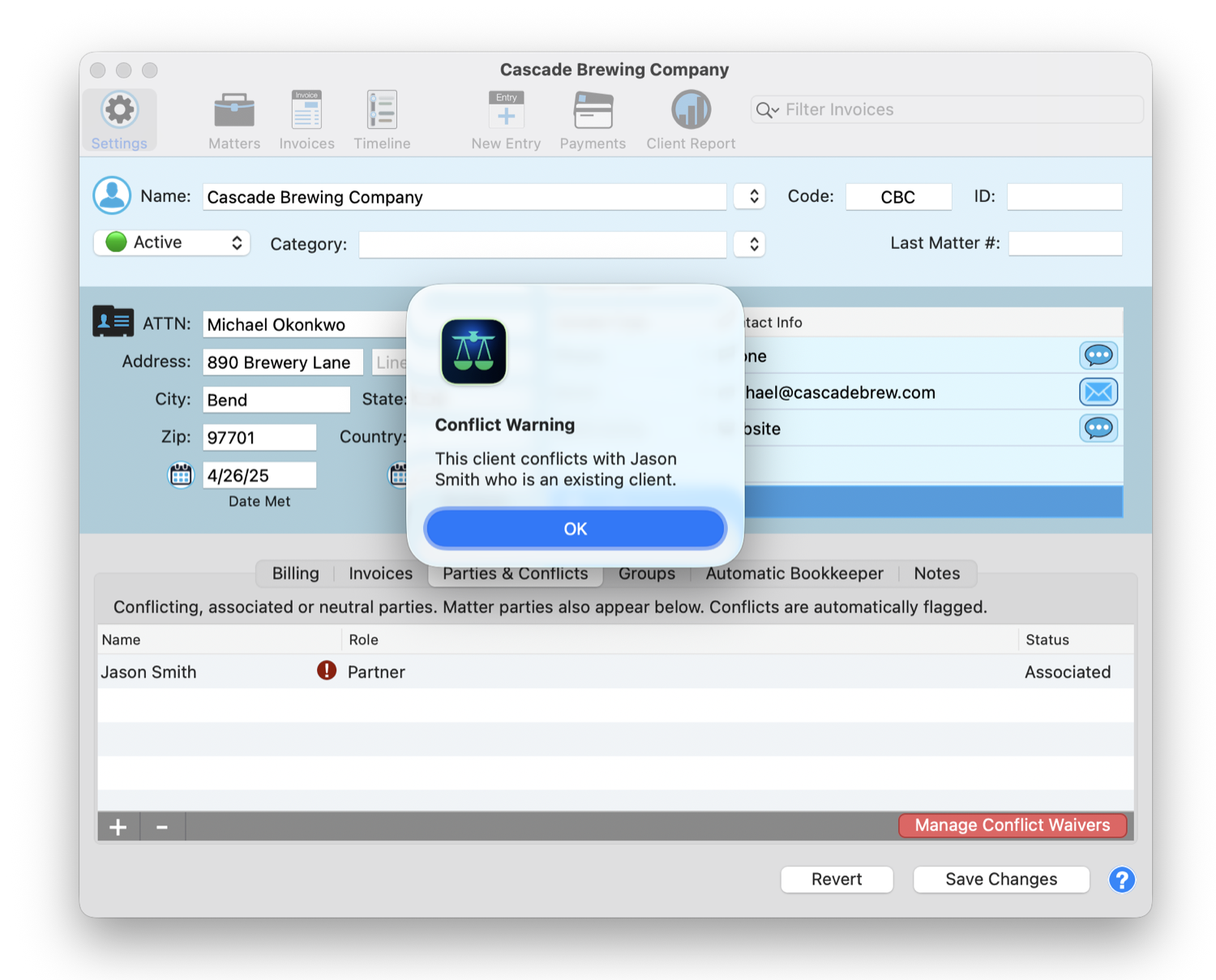
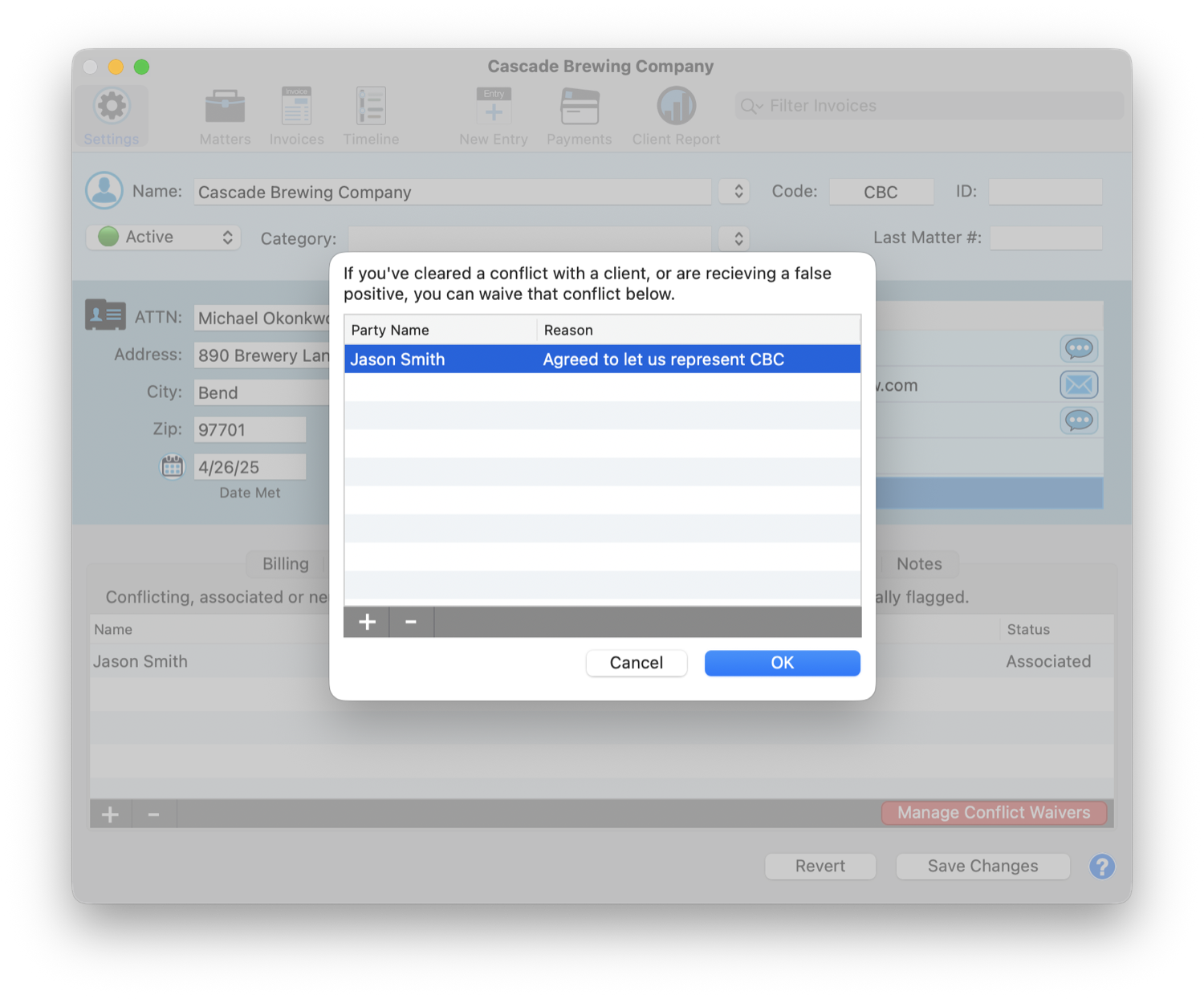
The instant a party touches your database, TimeNet Law re-checks the entire firm and flags it with a red badge. False positive? Waive it with a reason, on the record. The thing you "always mean to do" is just done, and defensible.
1 · It flags the conflict the instant it appears2 · Waive a cleared conflict, reason on file
Wednesday
10:00 a.m.
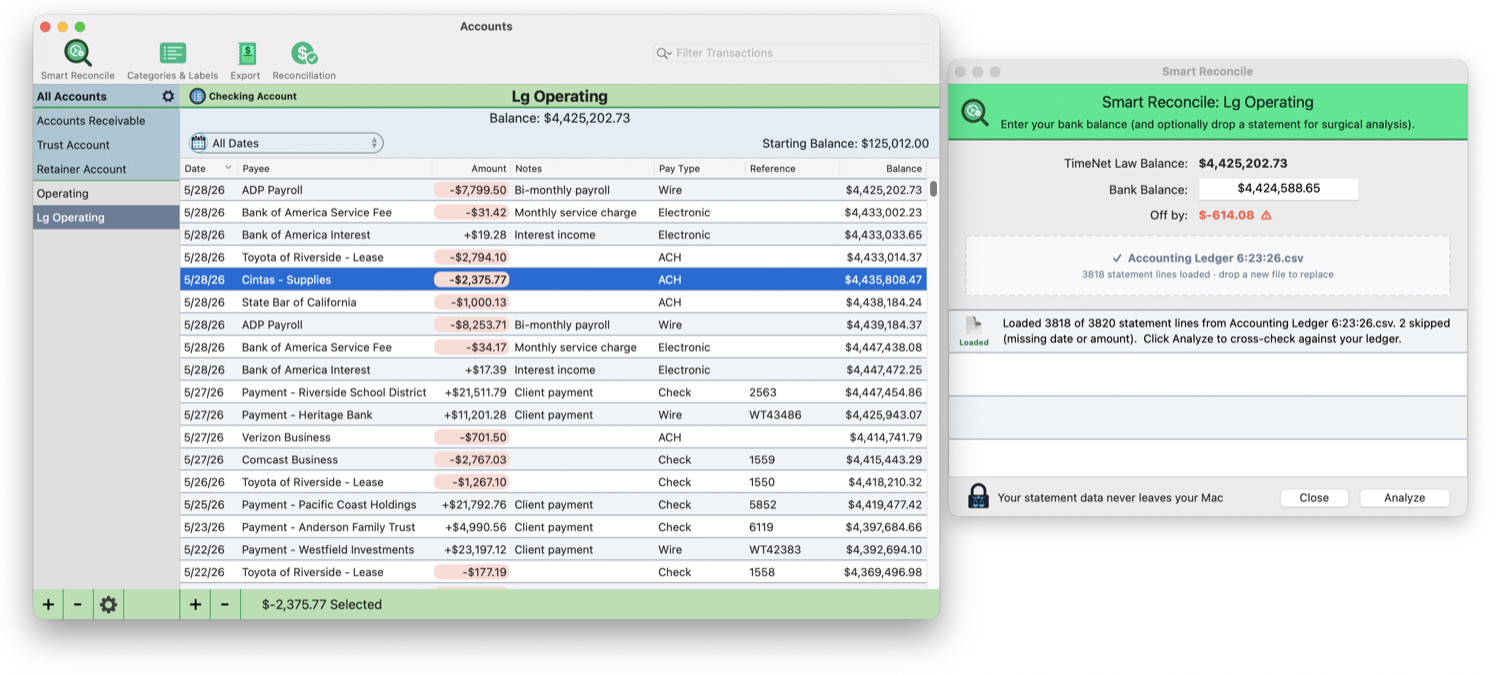
The bank statement needs reconciling and you'd rather do literally anything else.
Drop the statement. Your bookkeeper is built in.
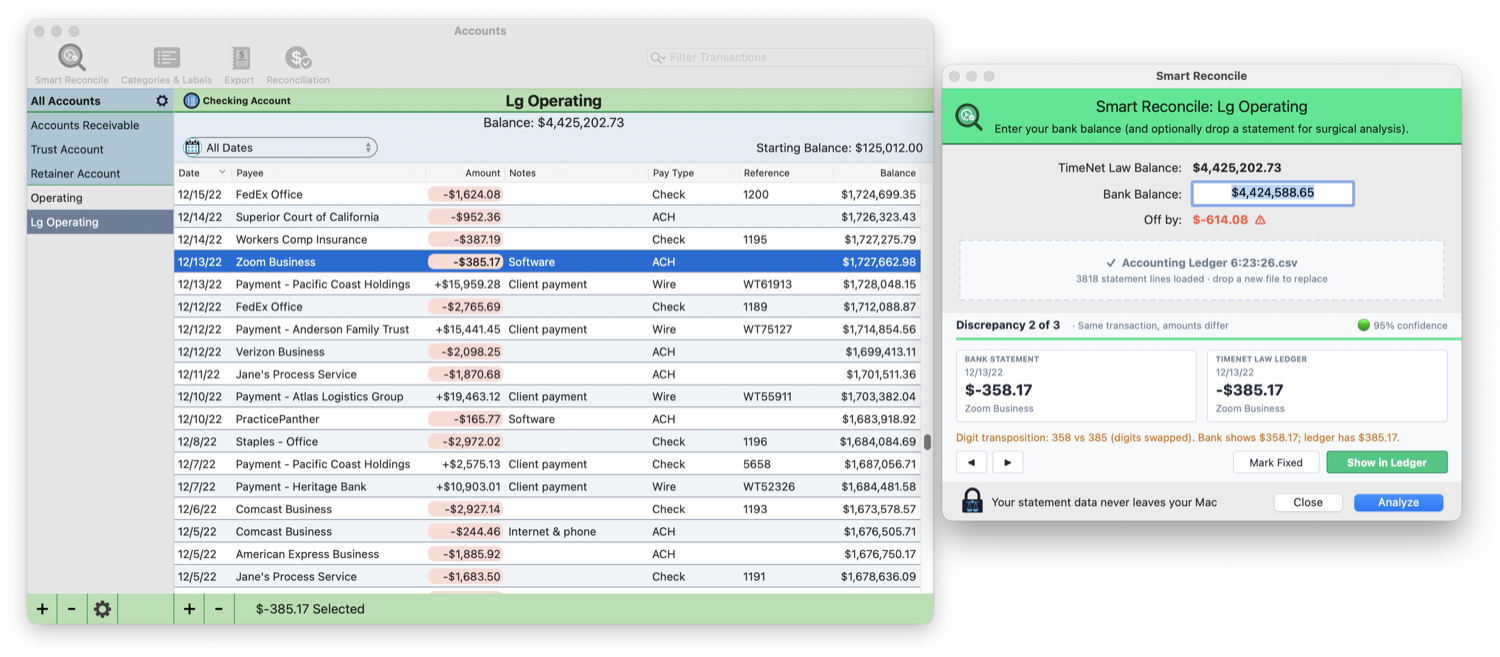
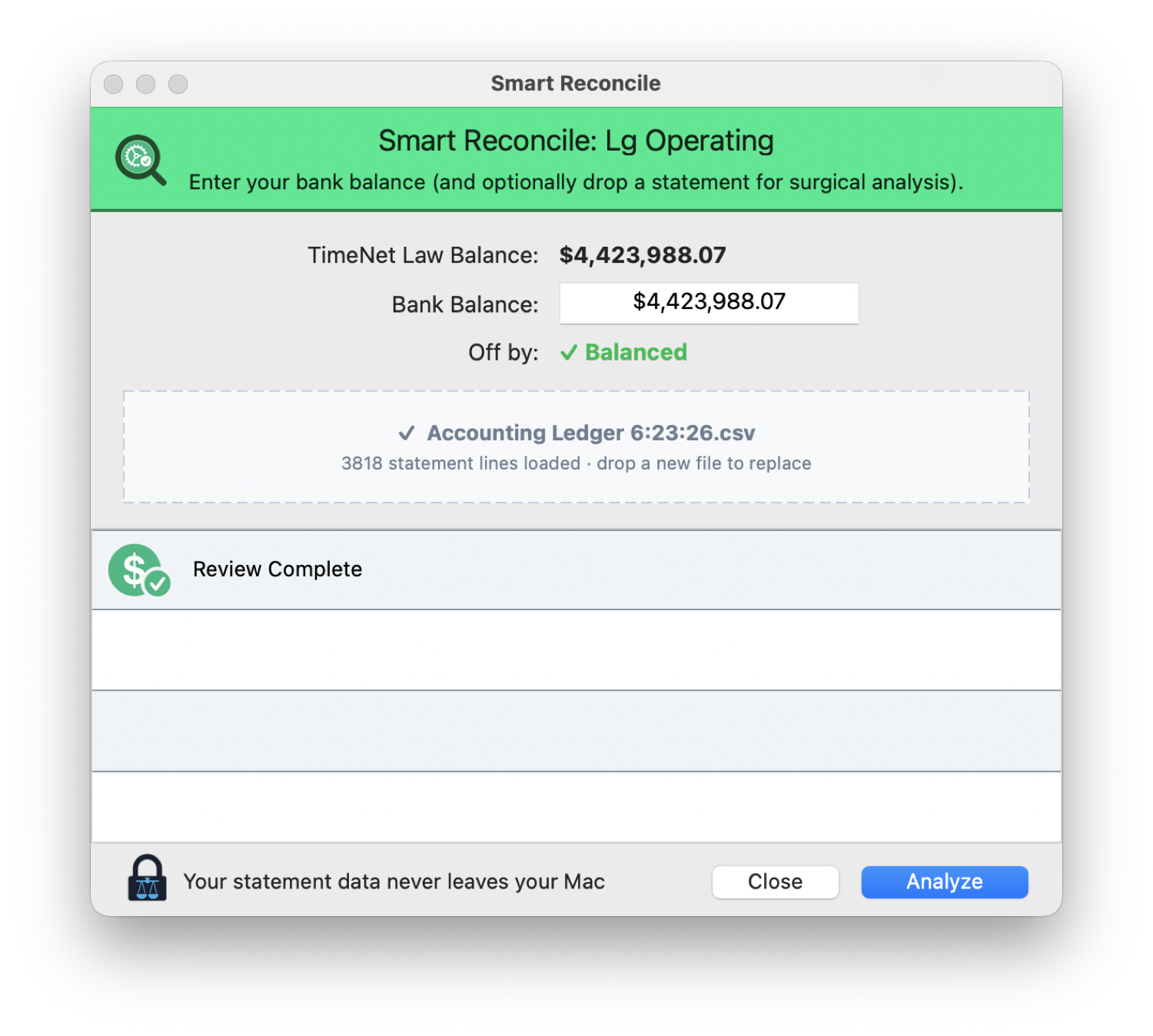
TimeNet Law reads thousands of lines against your ledger, finds every discrepancy, and walks you to balanced, on your Mac, your bank data never leaving it. The job you dread and pay someone else for, finished in minutes.
1 · Drop a bank statement2 · It surfaces every discrepancy, with a fix3 · Until you're balanced
Thursday
9:00 a.m.
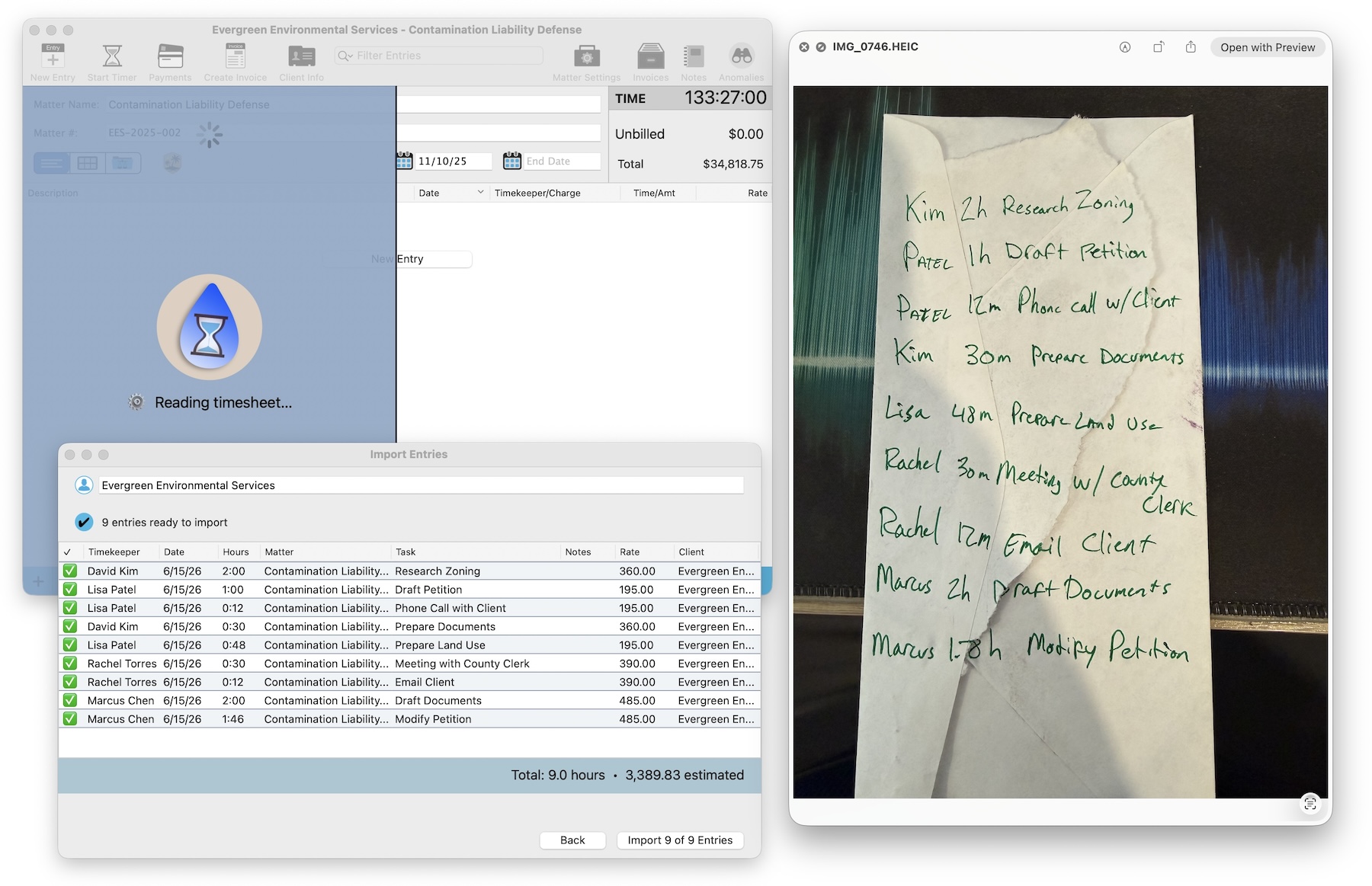
A legal pad of scribbled hours you never entered, from a week you barely remember.
Snap the page. Watch it become billable entries.
Photograph the pad and drop it in. Oasis reads every line, matches each to a matter, and hands you clean entries to approve. A week of money you'd have written off, recovered in a minute.
2:00 p.m.
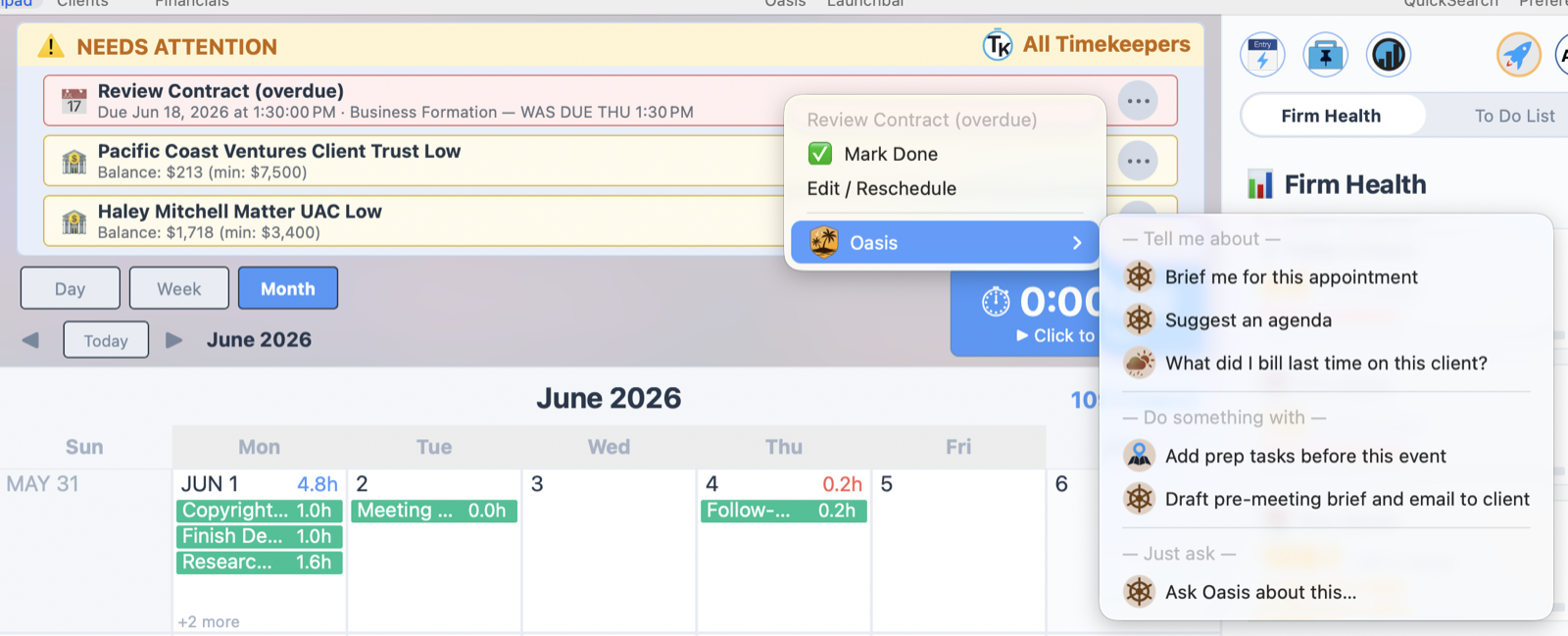
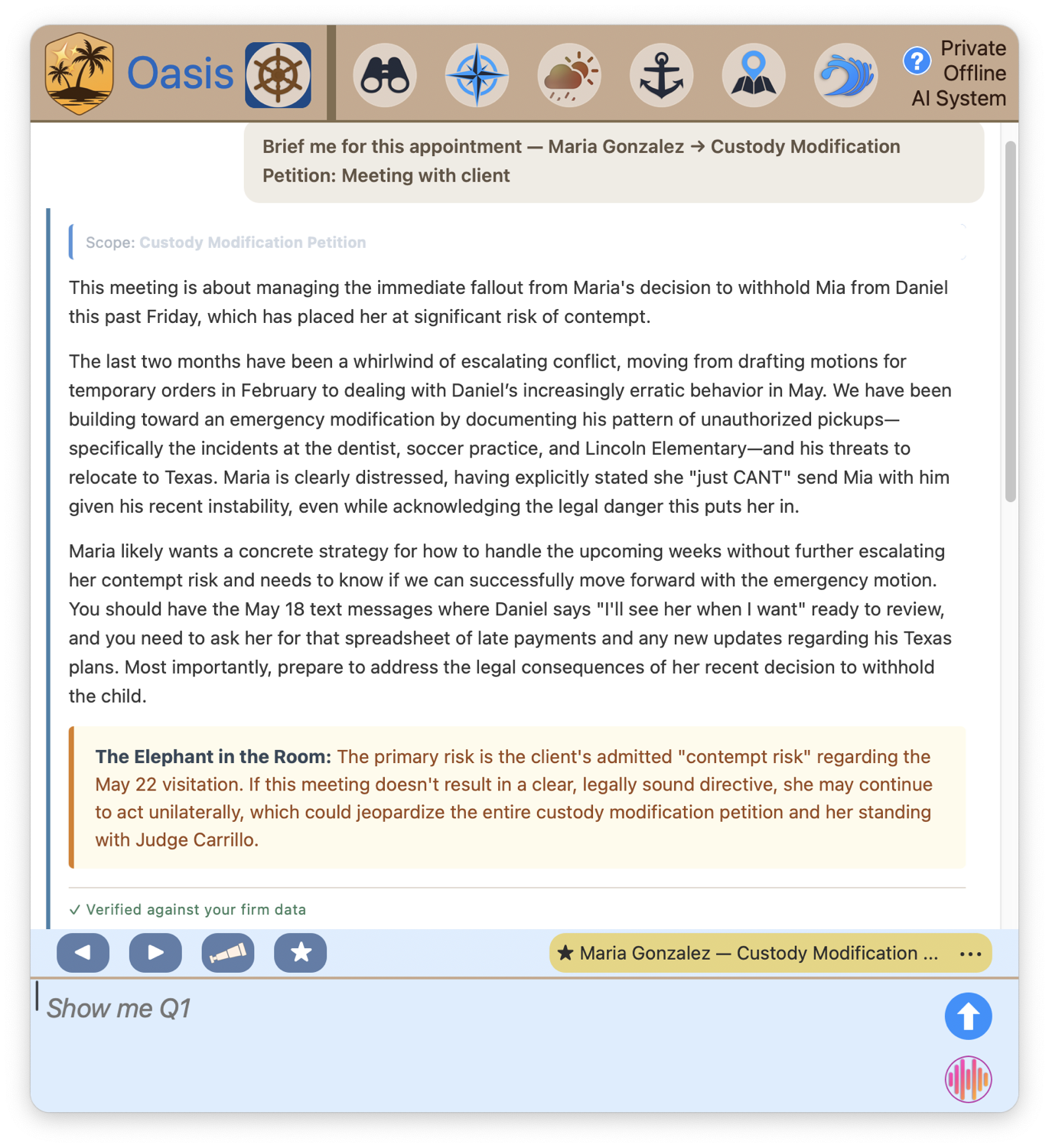
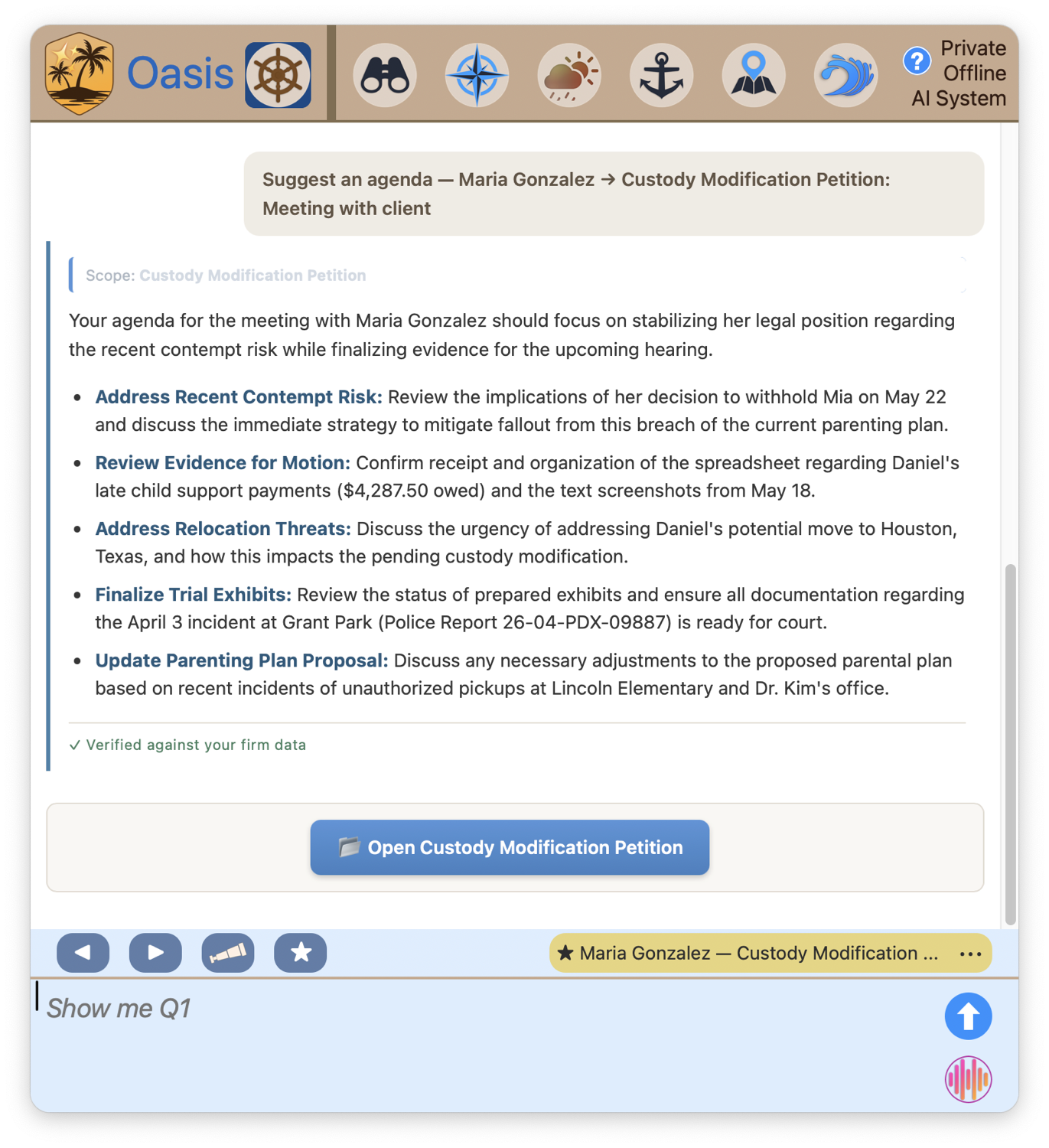
Needs Attention flags a 3:00 with Maria. You haven't opened that file in weeks.
Walk in like you read it last night.
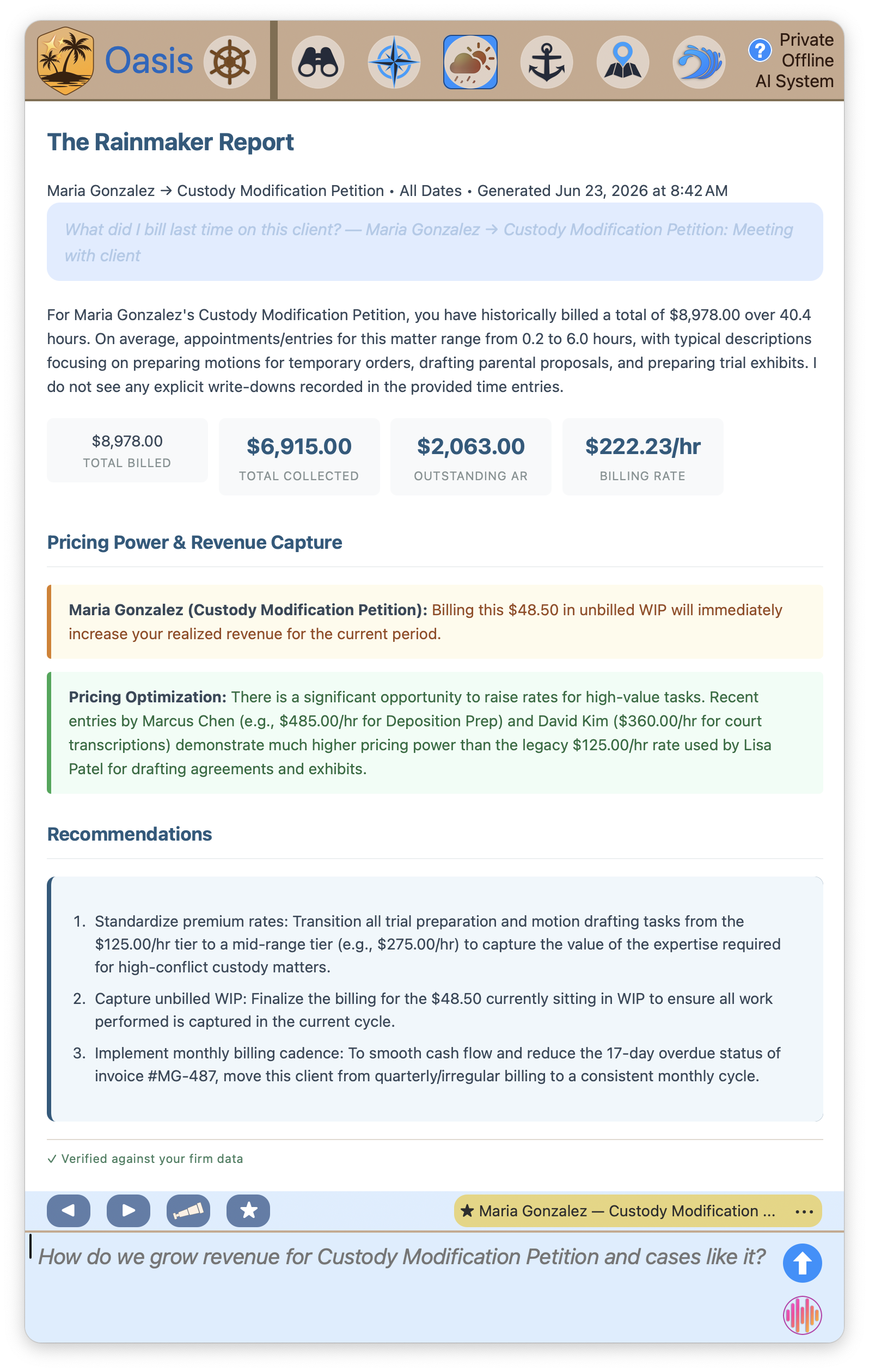
Tap the alert and ask Oasis to prep you. It reads everything, the matter, the money, the history, and hands back a brief, an agenda, and the one thing nobody wrote down. The associate who read the whole file on the elevator. Except it actually read it.
1 · A brief, with the elephant in the room called out2 · A working agenda for the conversation3 · And exactly where the money stands
Friday
11:00 a.m.
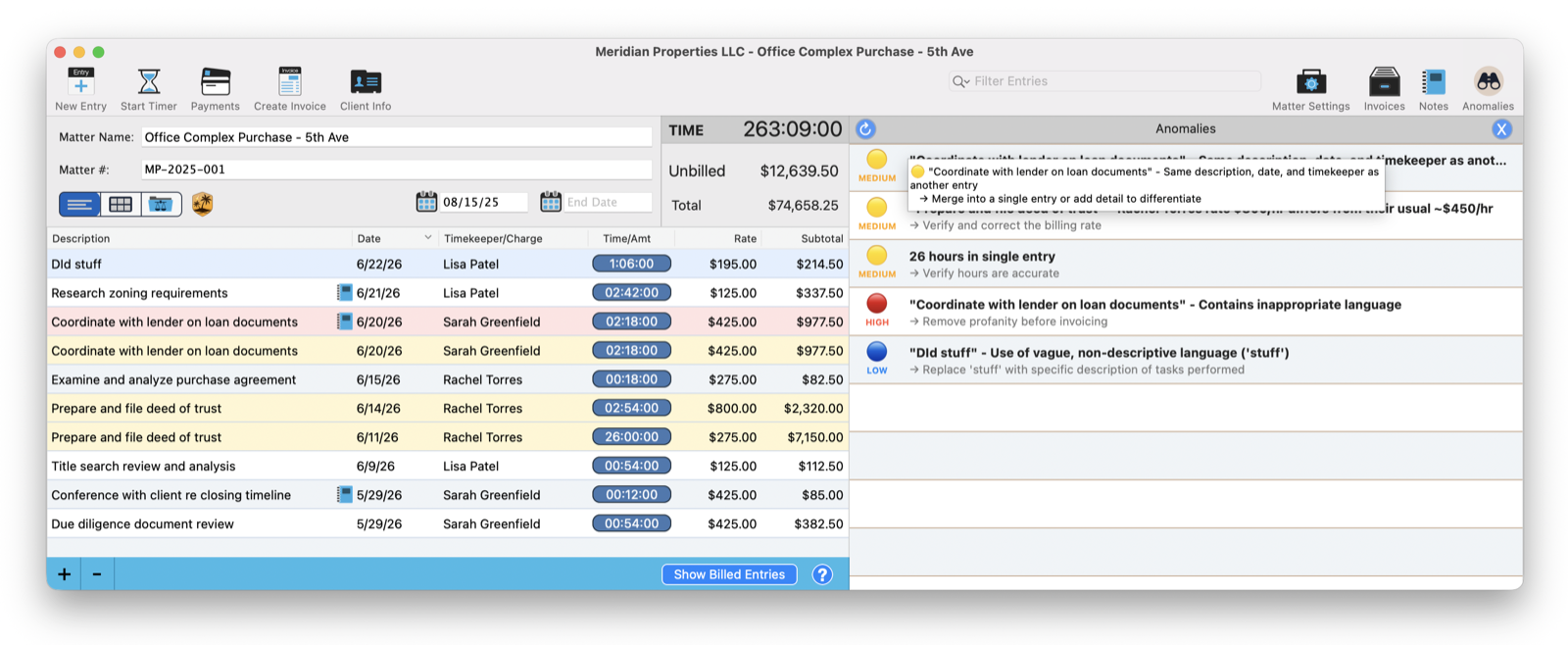
An associate's entry just says "worked on stuff." It's about to land on a client's bill.
Caught before your client ever sees it.
Before a single invoice goes out, TimeNet Law flags the vague line, the duplicate, the rate that's double the usual, and offers a clean rewrite for each. Your bills stop leaking credibility.
3:00 p.m.
Billing. The part of the week every lawyer on earth dreads.
Bill one matter, or the entire firm, in a single click.
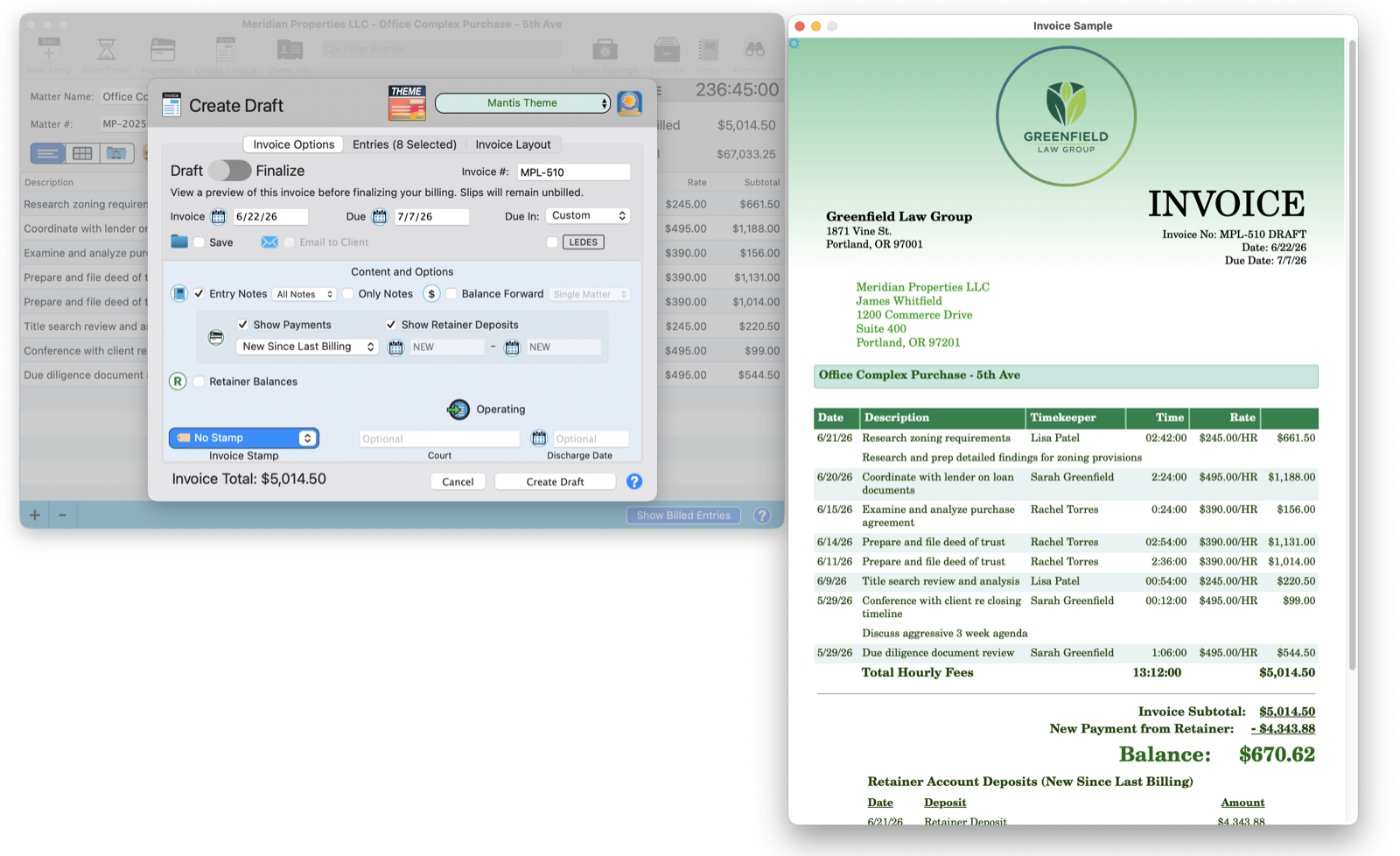
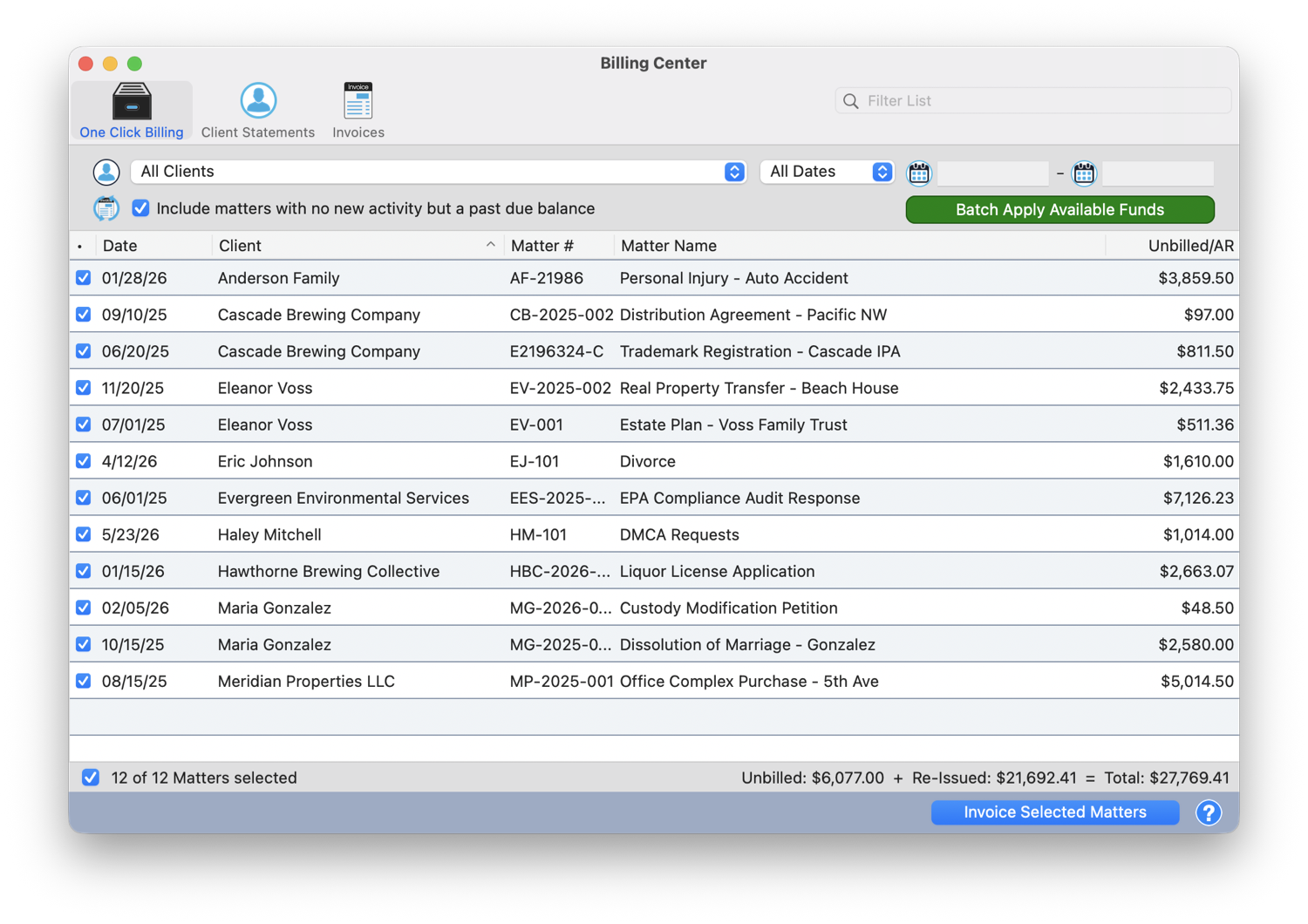
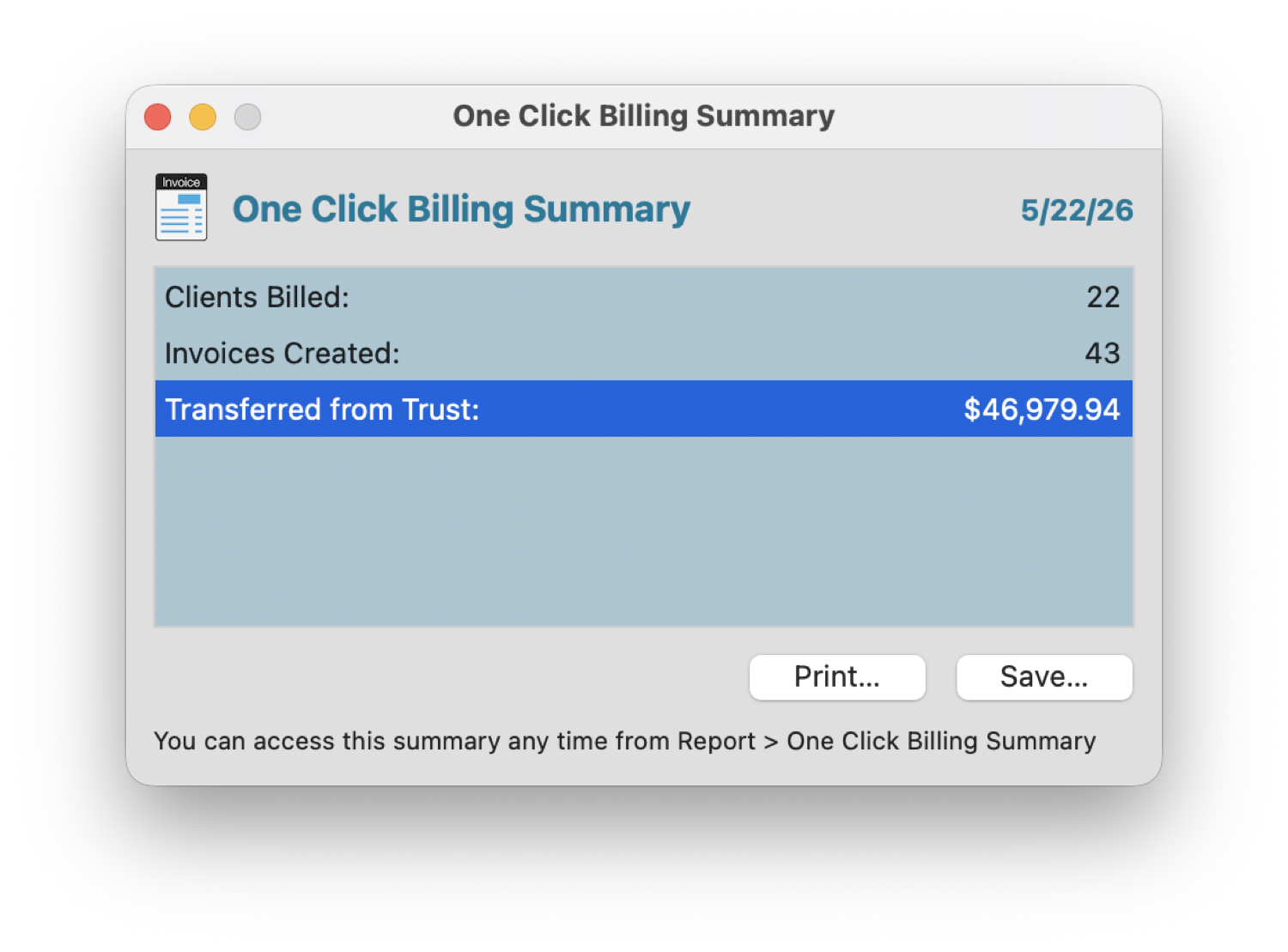
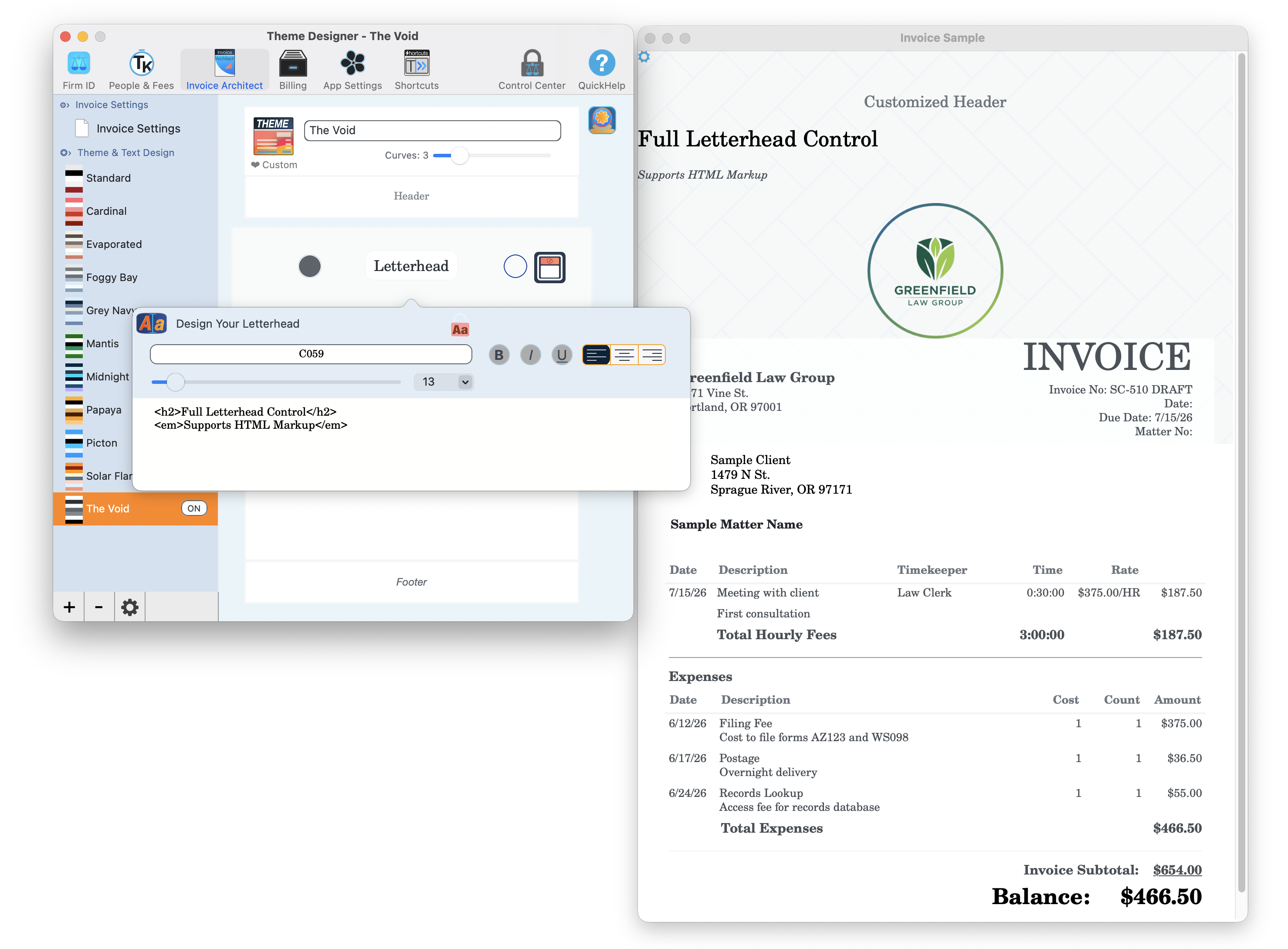
Watch an invoice form on screen, your letterhead and all. Or select every matter and let One-Click Billing run the whole month at once. 43 invoices, $46,979 drawn from trust, out the door before the coffee's cold.
1 · Design the invoice as you build it2 · Or bill every matter at once3 · 43 invoices, $46,979 from trust, one click
3:30 p.m.
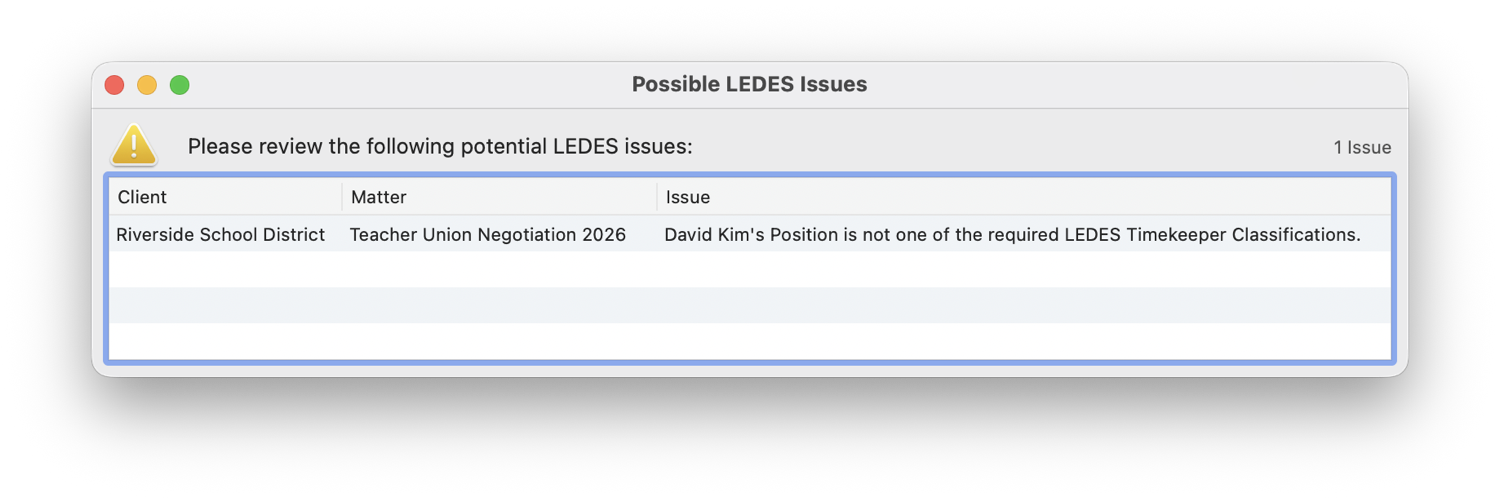
"We only accept LEDES 98B going forward." For most solos, that email is a quiet heart attack.
You just saved a client you were about to lose.
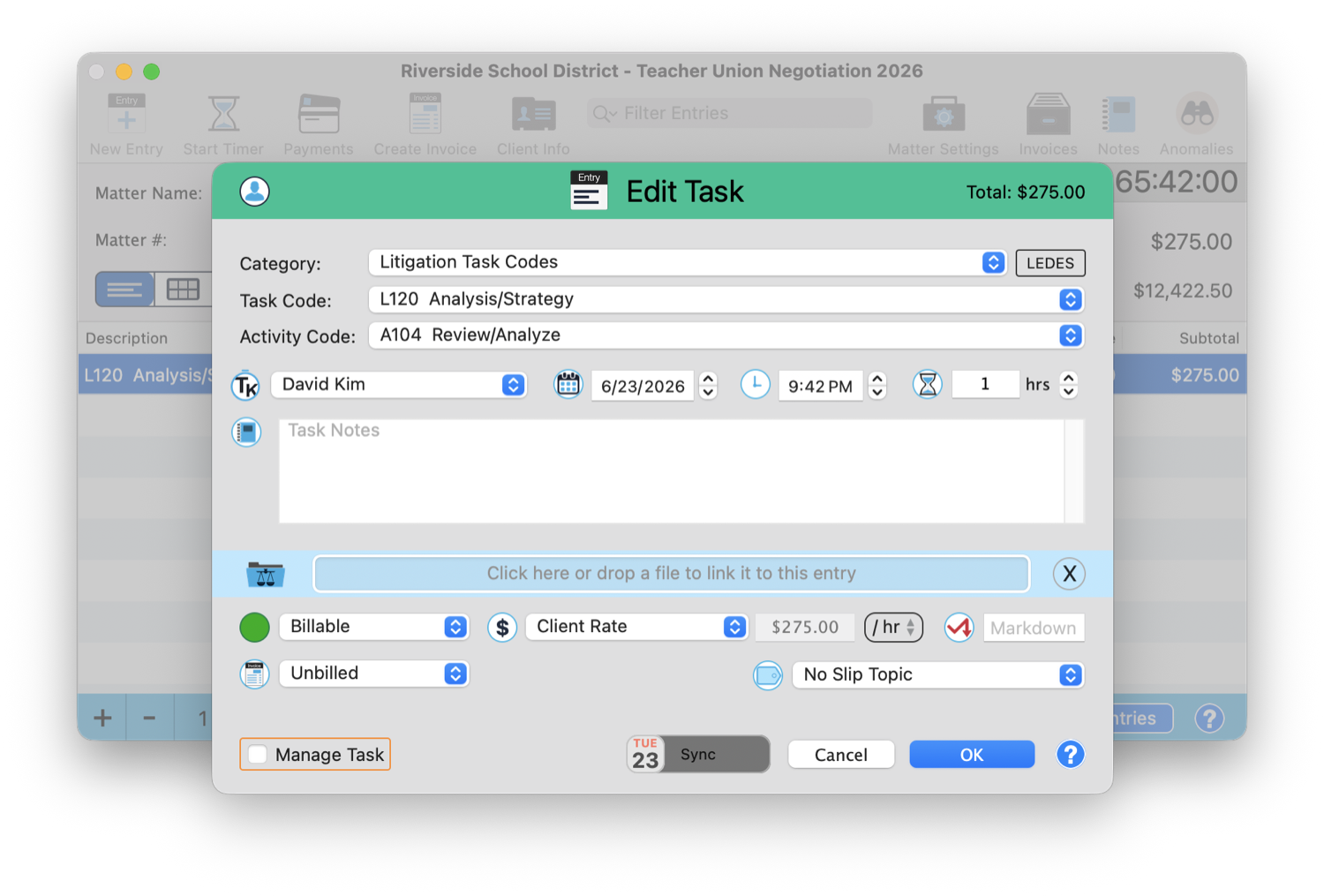
Switch the matter to LEDES and TimeNet Law bills with ABA task codes and validates every field before the file reaches their portal. No rejected submission. The client never knows it was ever a question.
1 · Full UTBMS task & activity codes2 · Validated before the portal ever sees it
4:00 p.m.
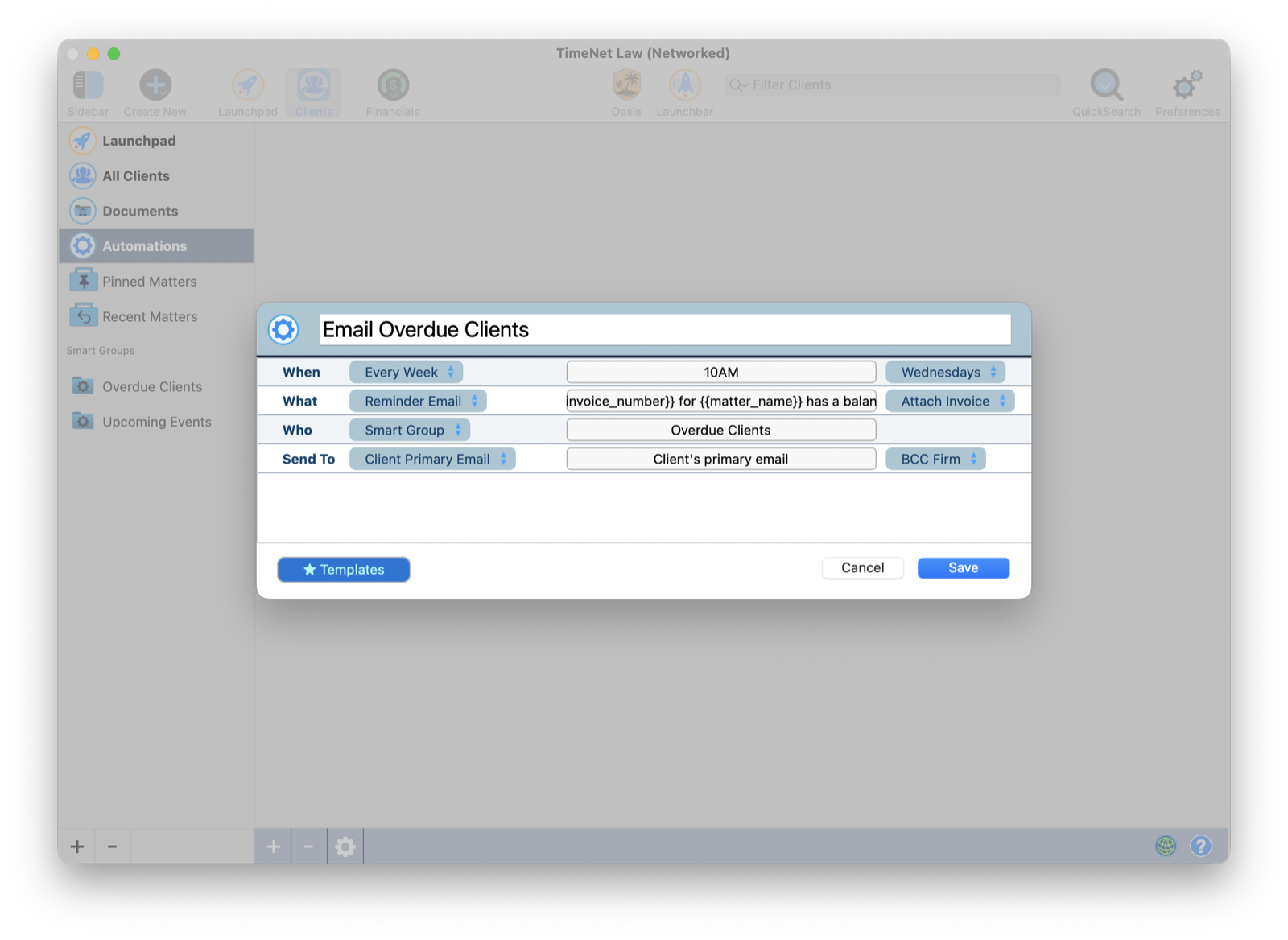
Three clients are 90 days past due. You keep "forgetting" to send the email nobody wants to send.
Now your firm chases the money for you.
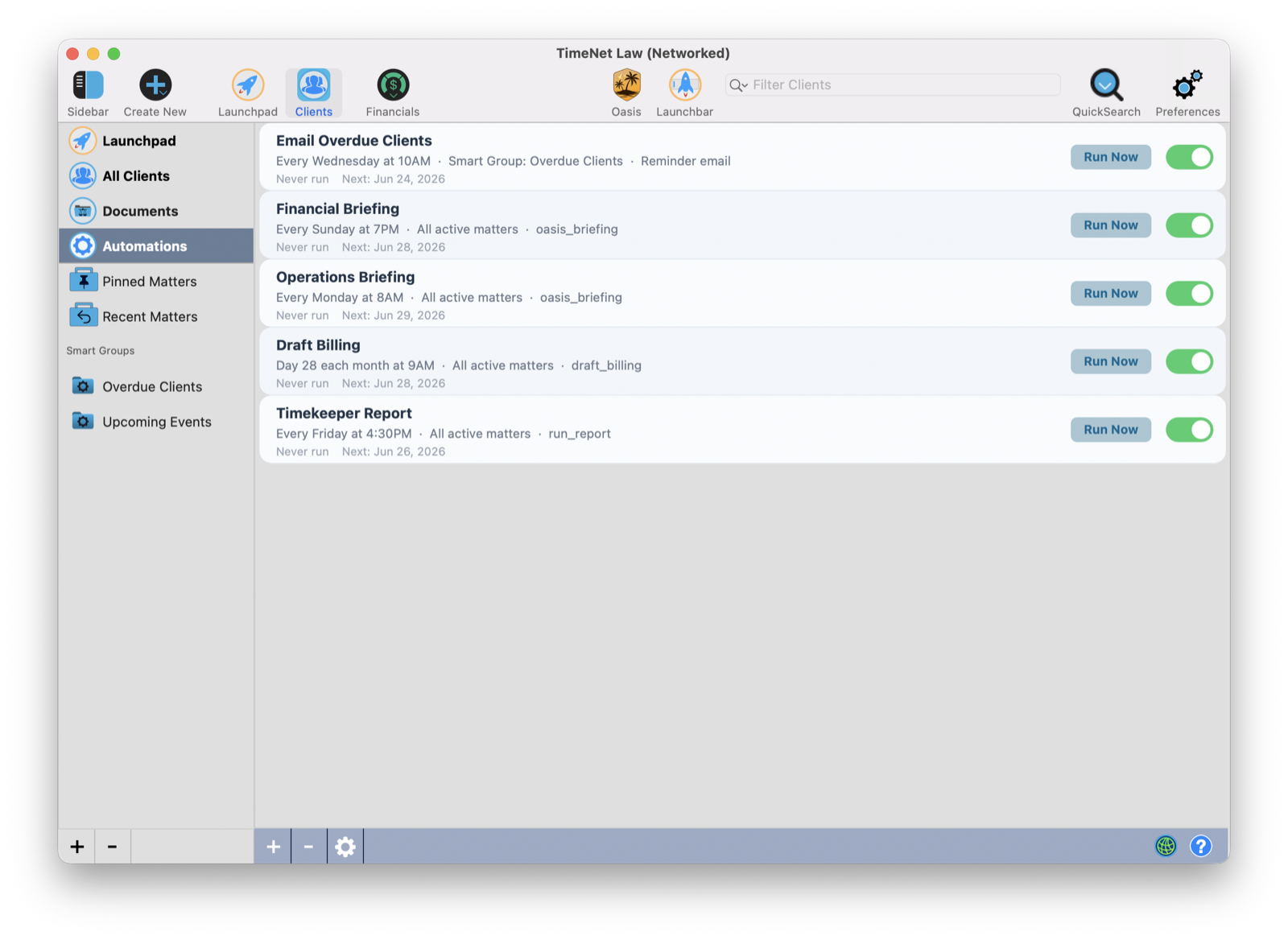
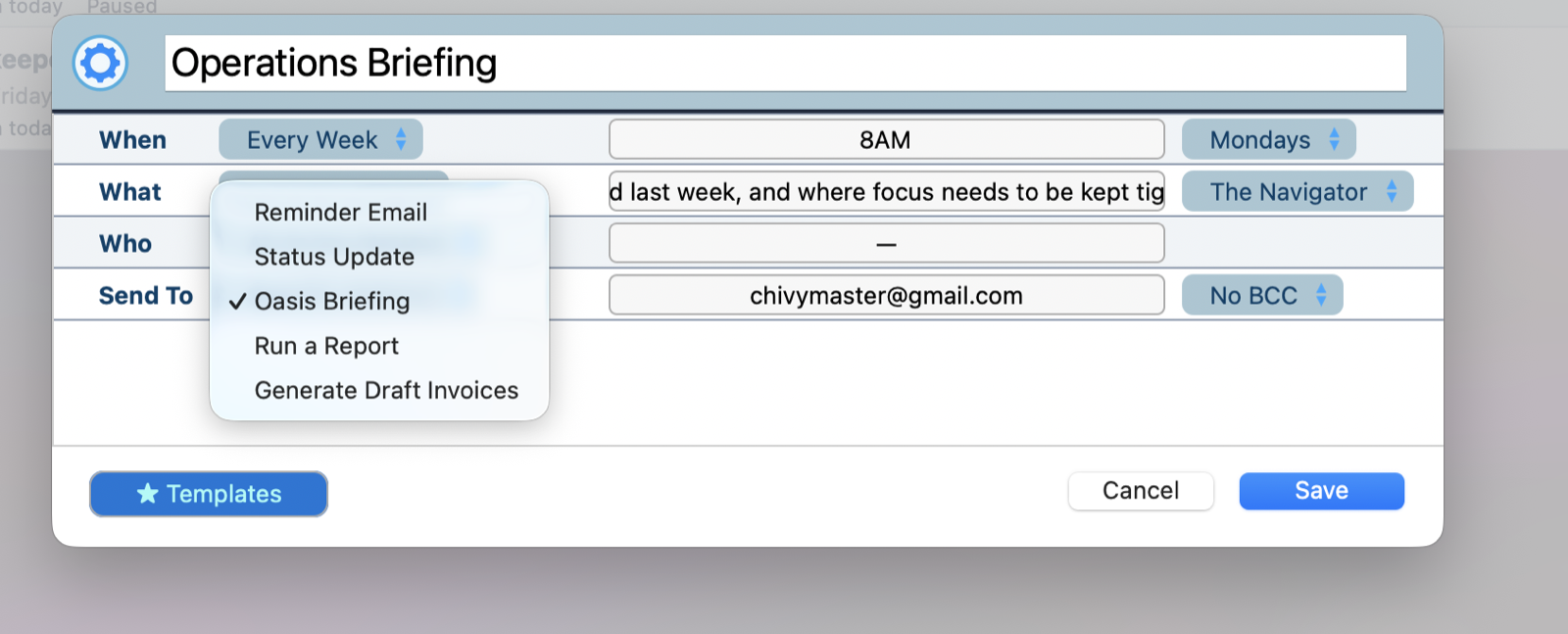
One click on Email All Overdue sends a polished, firm-voiced reminder to every past-due client at once. Or hand it to Automations: briefings, draft invoices, evergreen-retainer top-ups, reports, and the overdue chase, all running on a schedule while you sleep. The collections work you dread, done, whether you show up for it or not.
1 · Your firm on a schedule: briefings, draft bills, AR requests, reports, the overdue chase2 · Pick from everything that can run itself3 · Build any automation in a few clicks
4:15 p.m.
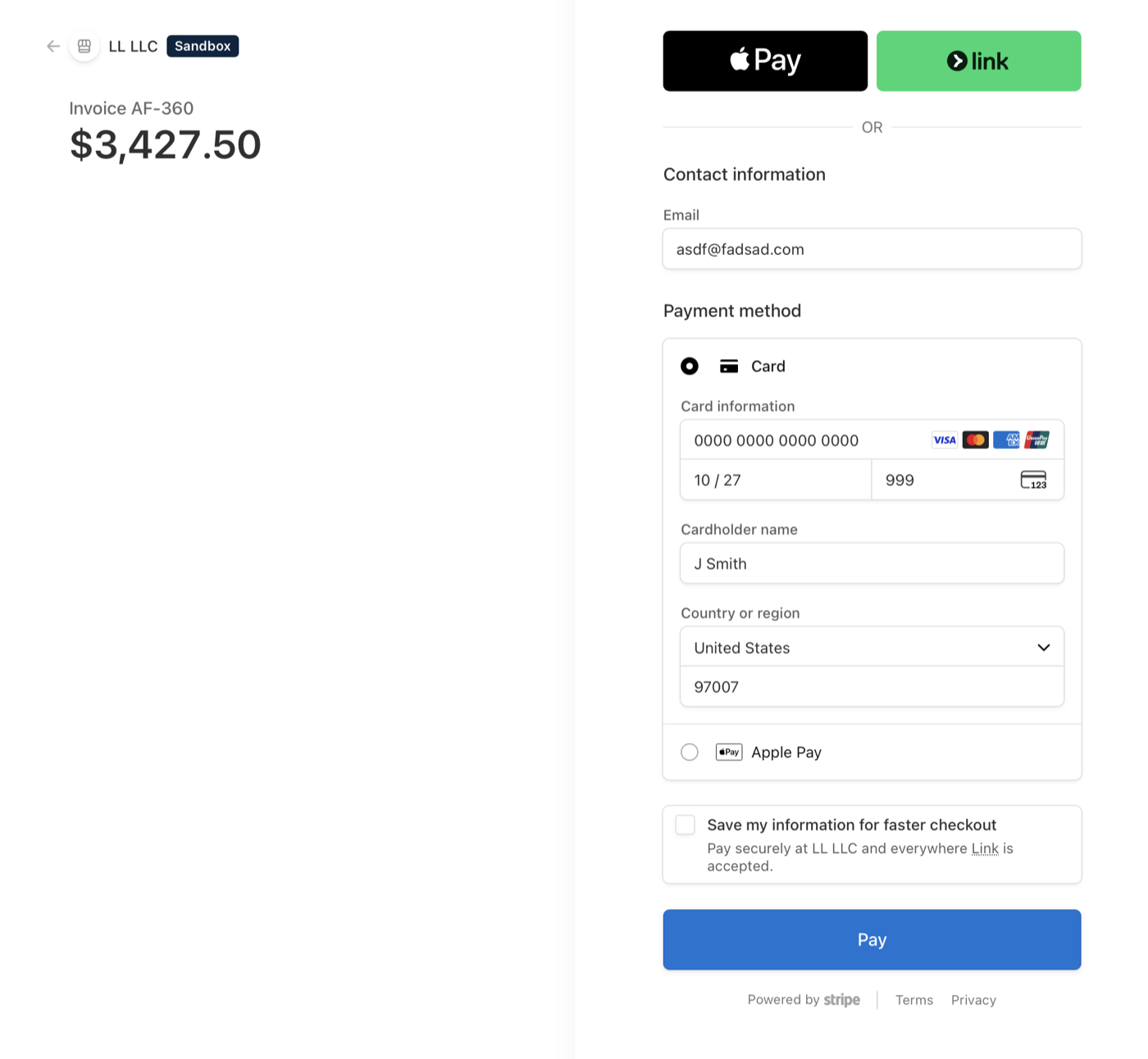
The reminder email lands. Your client wants to pay right now, and "mail us a check" is where good intentions go to die.
They pay from their phone. It posts itself.
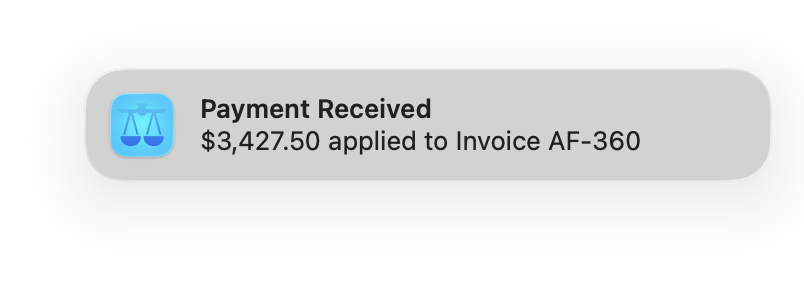
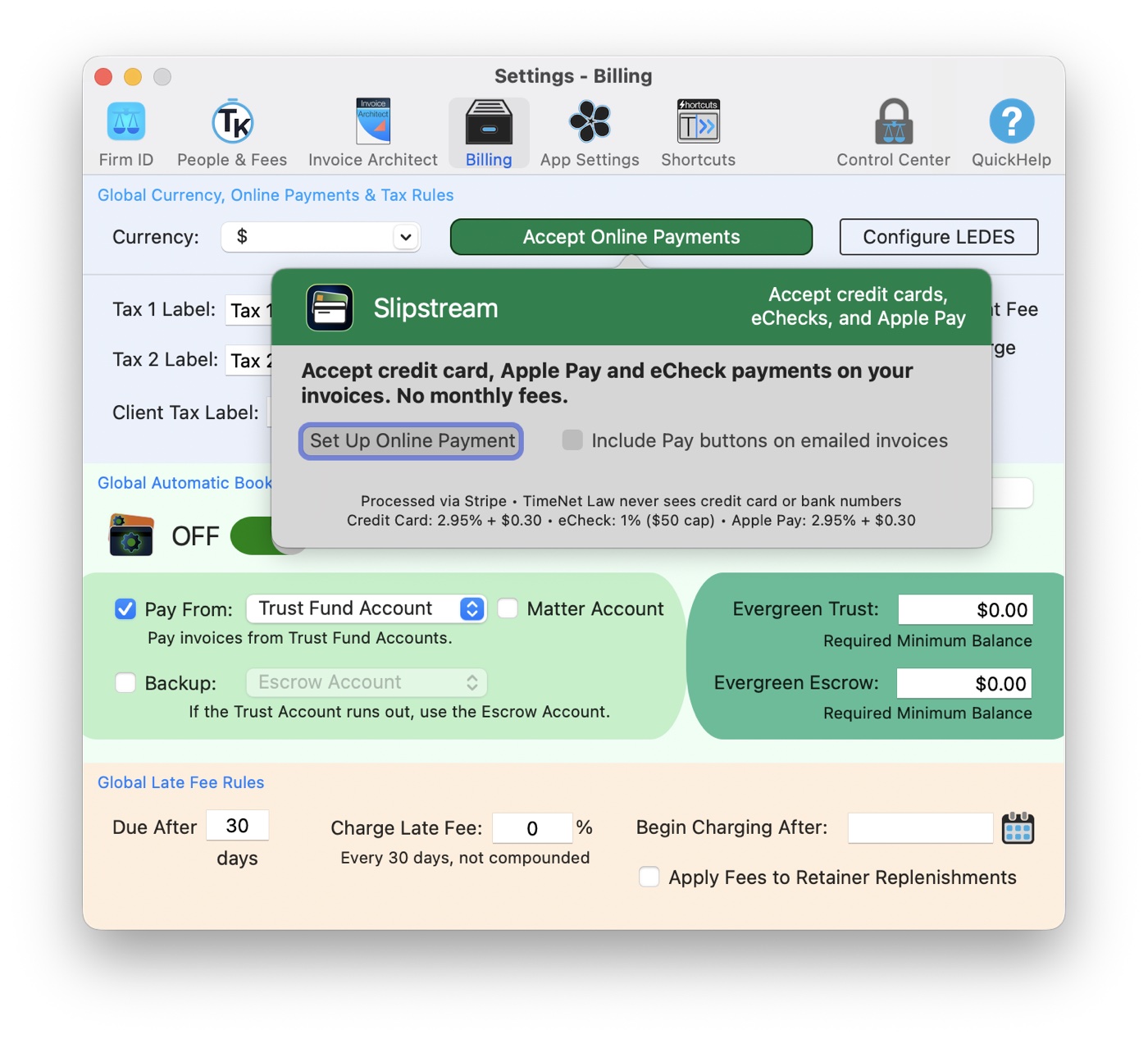
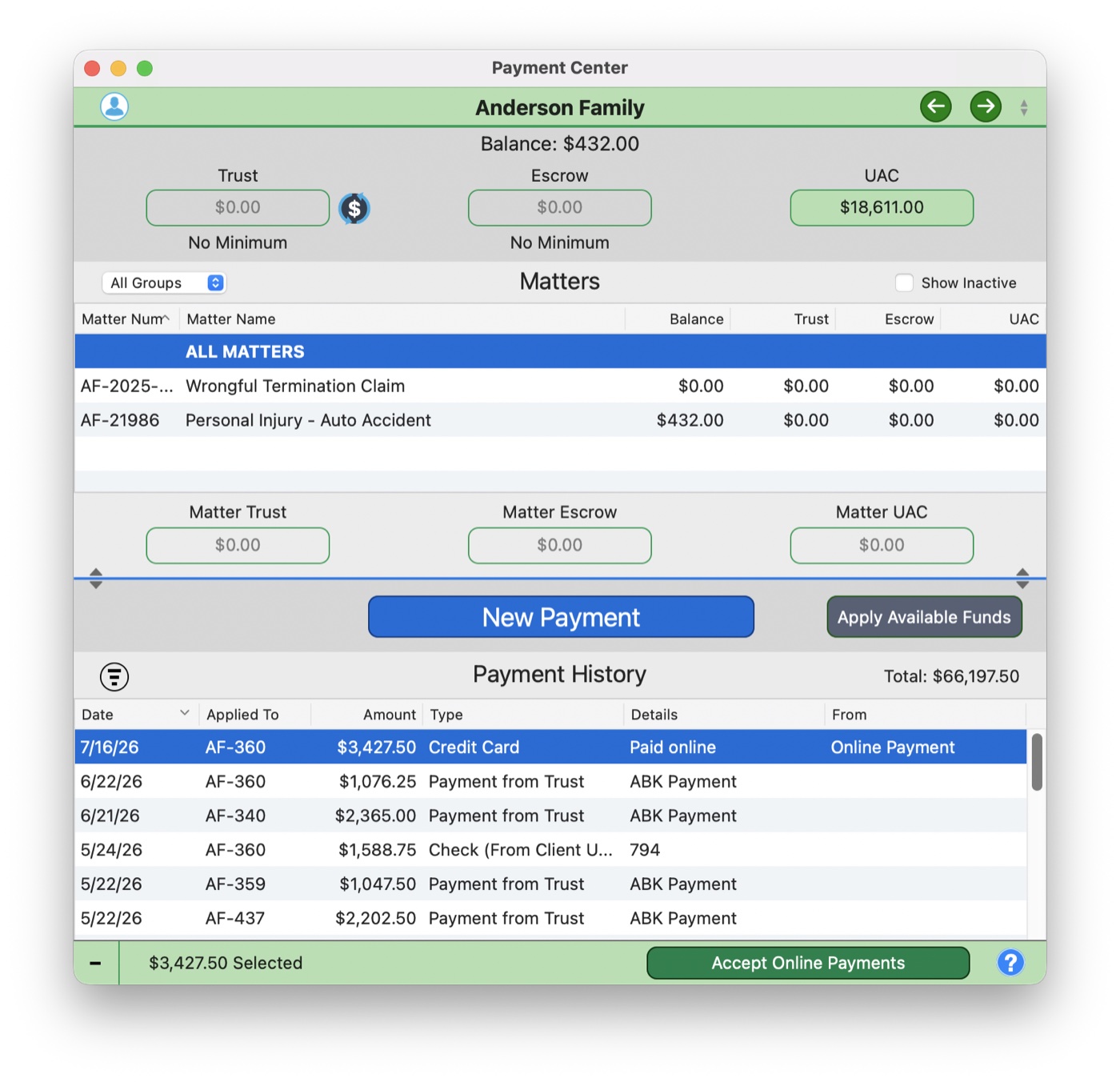
Every invoice you email carries Pay by Card and Pay by eCheck buttons, courtesy of Slipstream. Your client pays by card, Apple Pay, or their bank account on a secure page, and the payment walks itself onto the right invoice in the right matter while your Mac pings you the good news. The check that was "in the mail" is in your account instead.
1 · Two buttons in the invoice email, one secure checkout2 · The payment posts itself, and you get the good news
6:00 p.m. · the disaster that wasn't
Someone deletes the wrong matter. At 6 p.m. On a Friday.
Take it back. Even after you've quit the app.
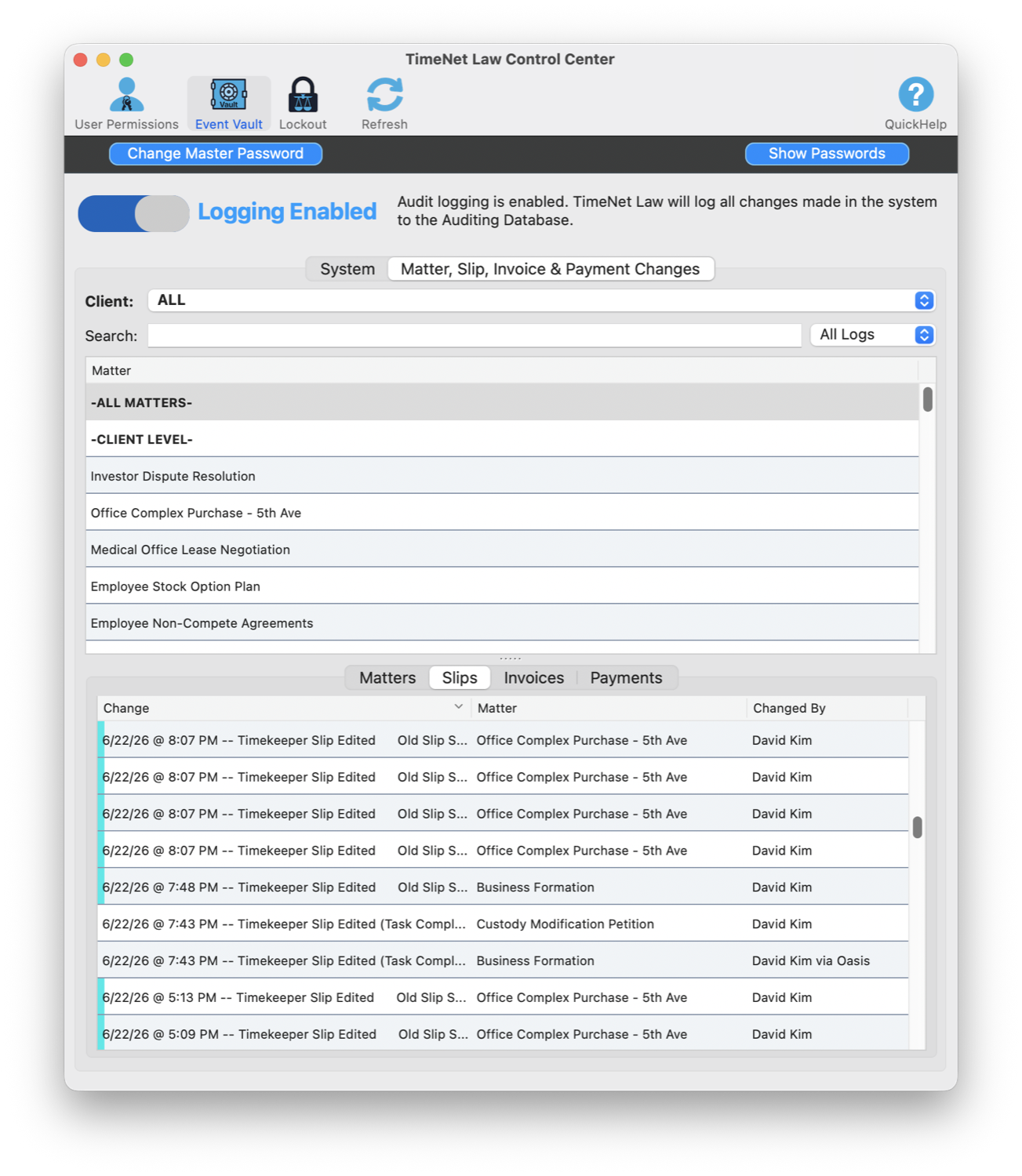
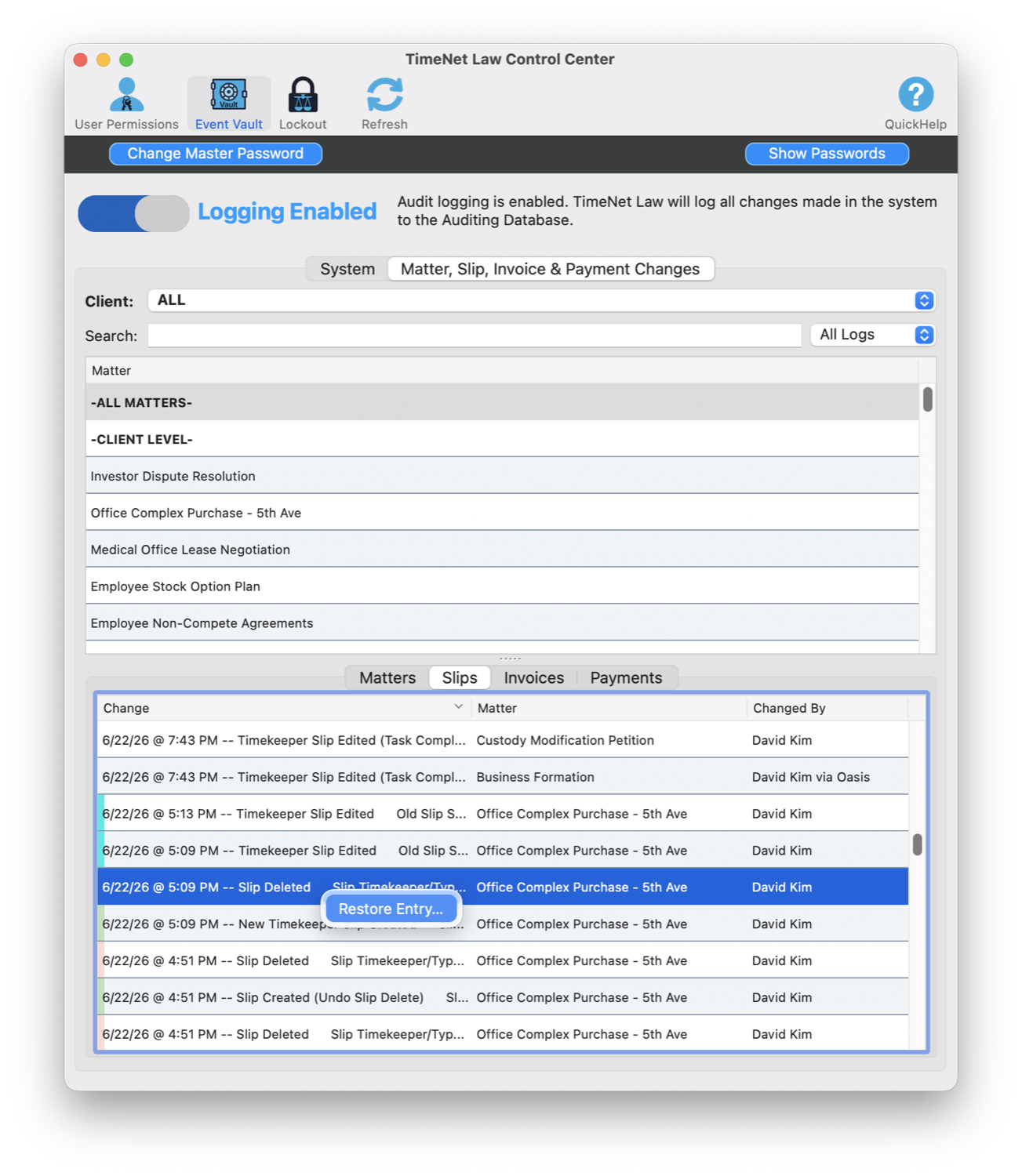
The Event Vault logs every change, who made it, even "via Oasis," and restores anything with one click. Tamper-proof. Bar-defensible. The mistake that would have torched your weekend is a five-second fix.
1 · Every change, logged and attributed2 · Restore any of it, one click
“TimeNet Law has reduced our twice-monthly billing time from several hours to several minutes… TimeNet Law is making us money by improving our efficiency.”
The week is the highlight reel. Under it sits a true firm operating system: billing, trust accounting, business intelligence, a private AI, the works. Twenty-three years. One developer. Still answering the phone.
The dozen tools your firm rents from a dozen companies: billing, time tracking, trust accounting, documents, business intelligence, a private AI, scheduling, and tasks. Rebuilt as one native Mac app you own. Here's the arsenal.
17subsystems
130+features
25+reports
23years independent
See Oasis run a real firm, entirely on the Mac. No cloud, nothing metered.
The Flagships
The handful of things that, the first time you see them, make you wonder how the rest of the industry got away with charging you monthly.
Slipstream · integrated payments
Your invoices, paid online. Your ledger, updated by itself.
Clients pay any invoice by credit card, Apple Pay, or eCheck from the email you already send. Payments post to the right matter automatically, you get a notification the moment money arrives, and every payer gets a receipt. Right-click any invoice for an instant payment link, for the client on the phone with a card in hand.
Cards at 2.95%. eChecks capped at $50, and the cap never goes up. Monthly fee: nothing. See how it works →
The whole fee schedule, printed in the appPaid online, posted by itself
Invoice Architect
A design studio for the bill itself.
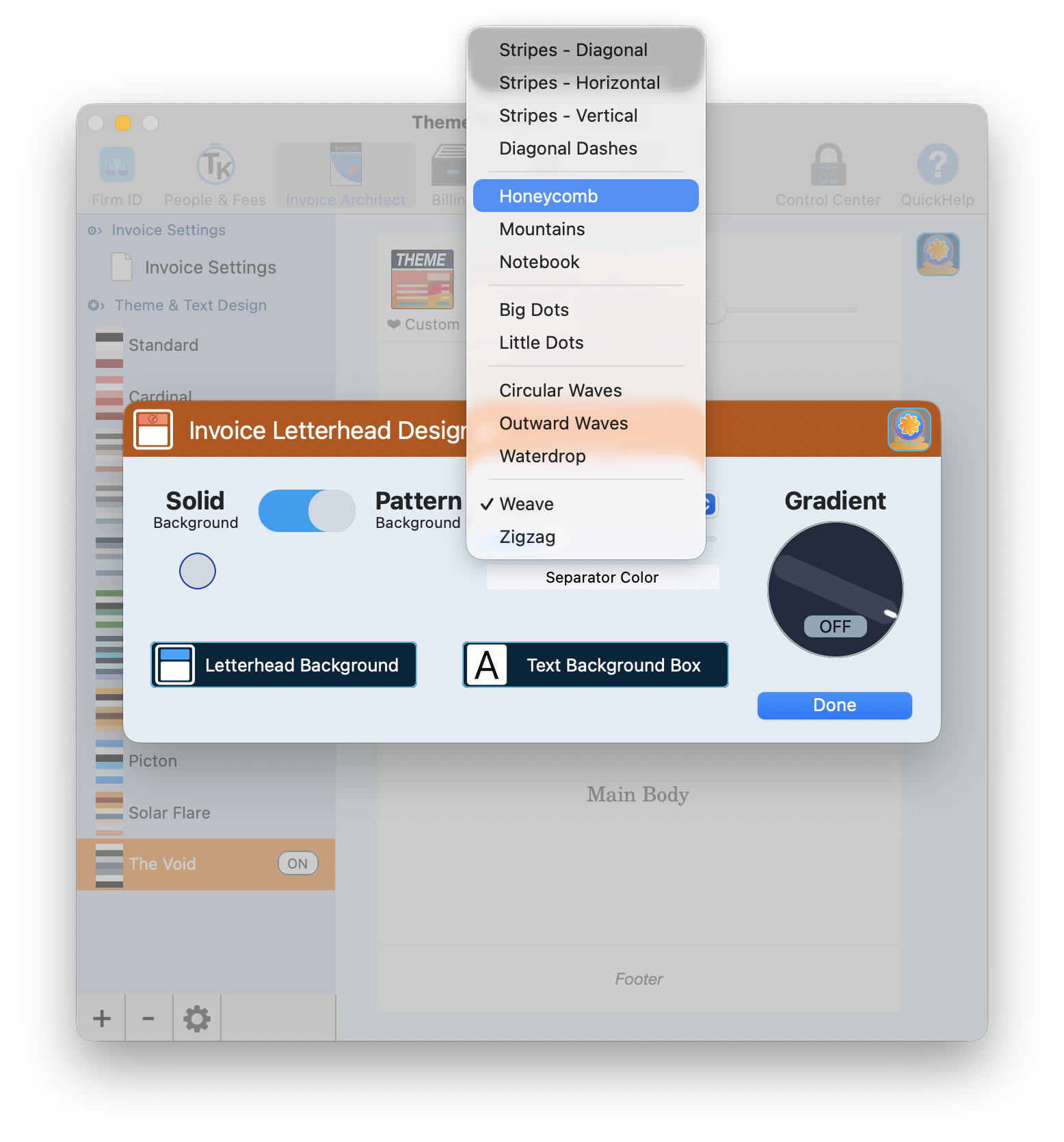
Eleven themes, a per-region theme designer, full HTML letterhead control, background and gradient designers, a stamp designer, and a live preview of the real invoice as you build it. Your invoice should look like your firm.
The only legal app that lets you design the bill, right down to the stamp.
Design the letterhead, watch the real invoice updatePatterns, gradients, full control
Launchbar
Spotlight for your law firm.
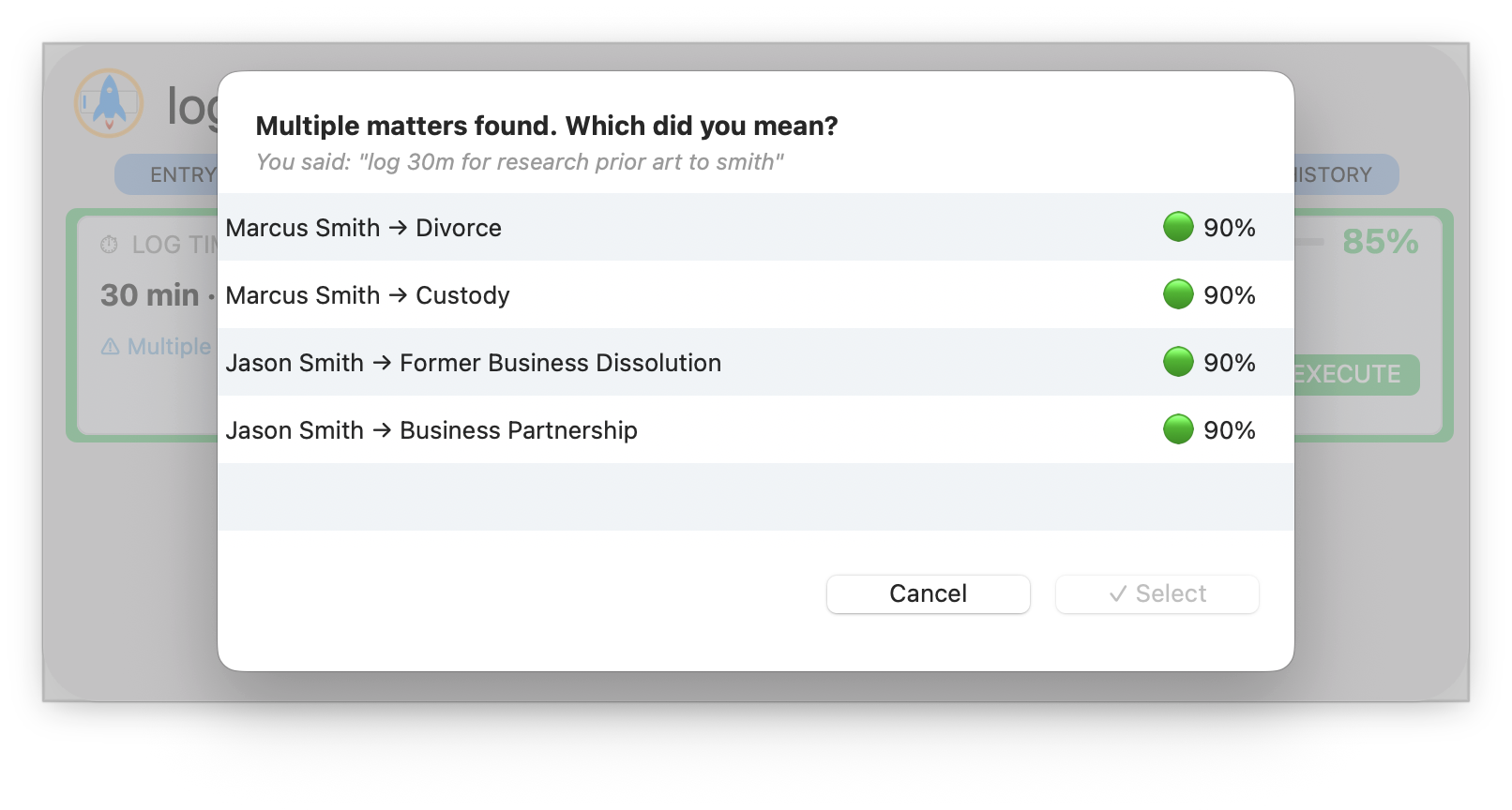
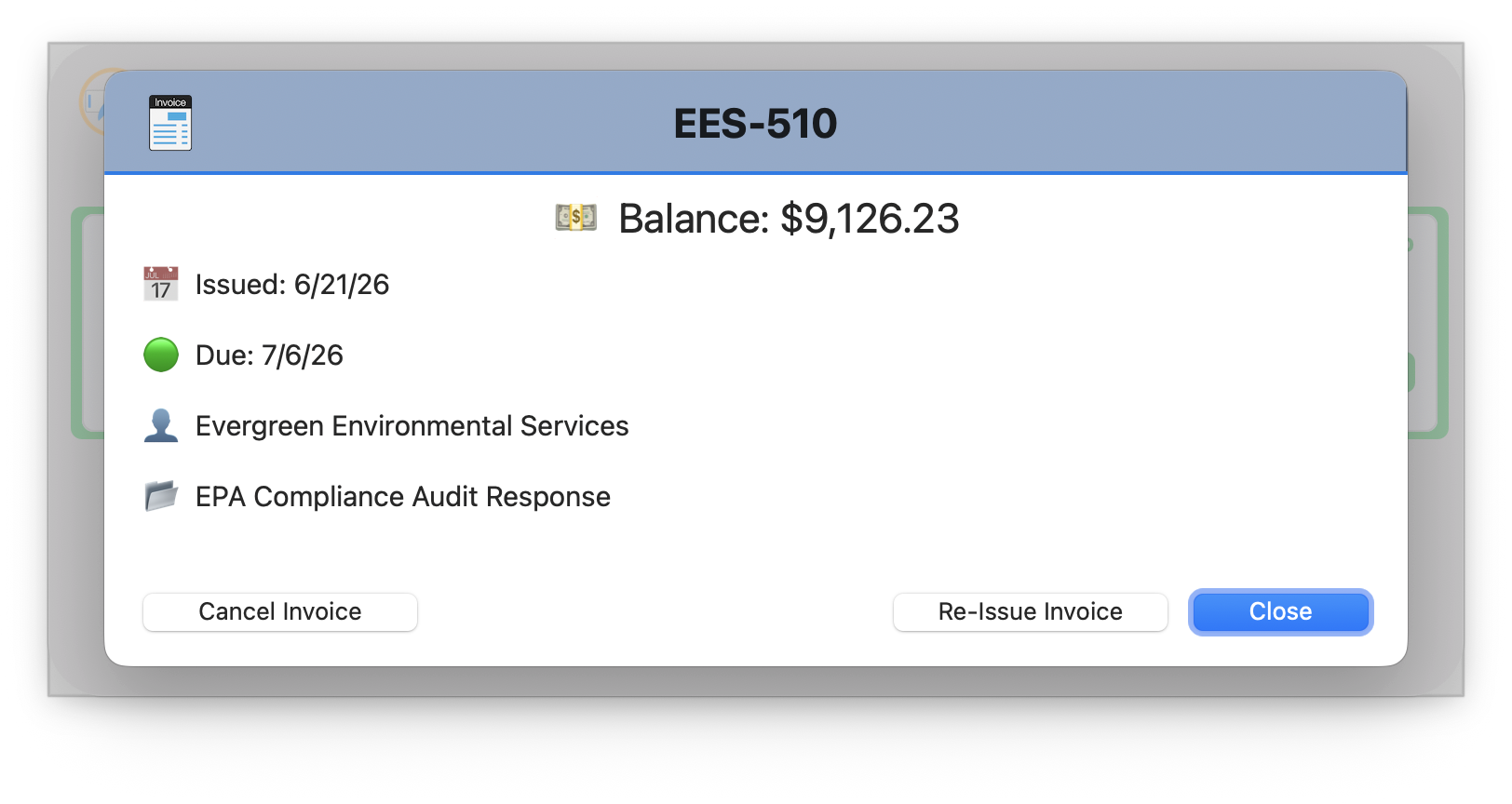
One keystroke, then type or talk. "Log 30 minutes researching prior art for Smith." "Apply check #9733 to invoice AF-360." "What's the balance on EES-510?" Twenty-plus commands across time, billing, payments, parties, and documents, with confidence scoring and disambiguation when it matters.
Run the entire firm without ever reaching for the mouse.
Natural language, with confidence and disambiguationAsk it anything: "what's the balance on EES-510?"
Launchpad · Firm Health · Needs Attention
The partner meeting, in five minutes.
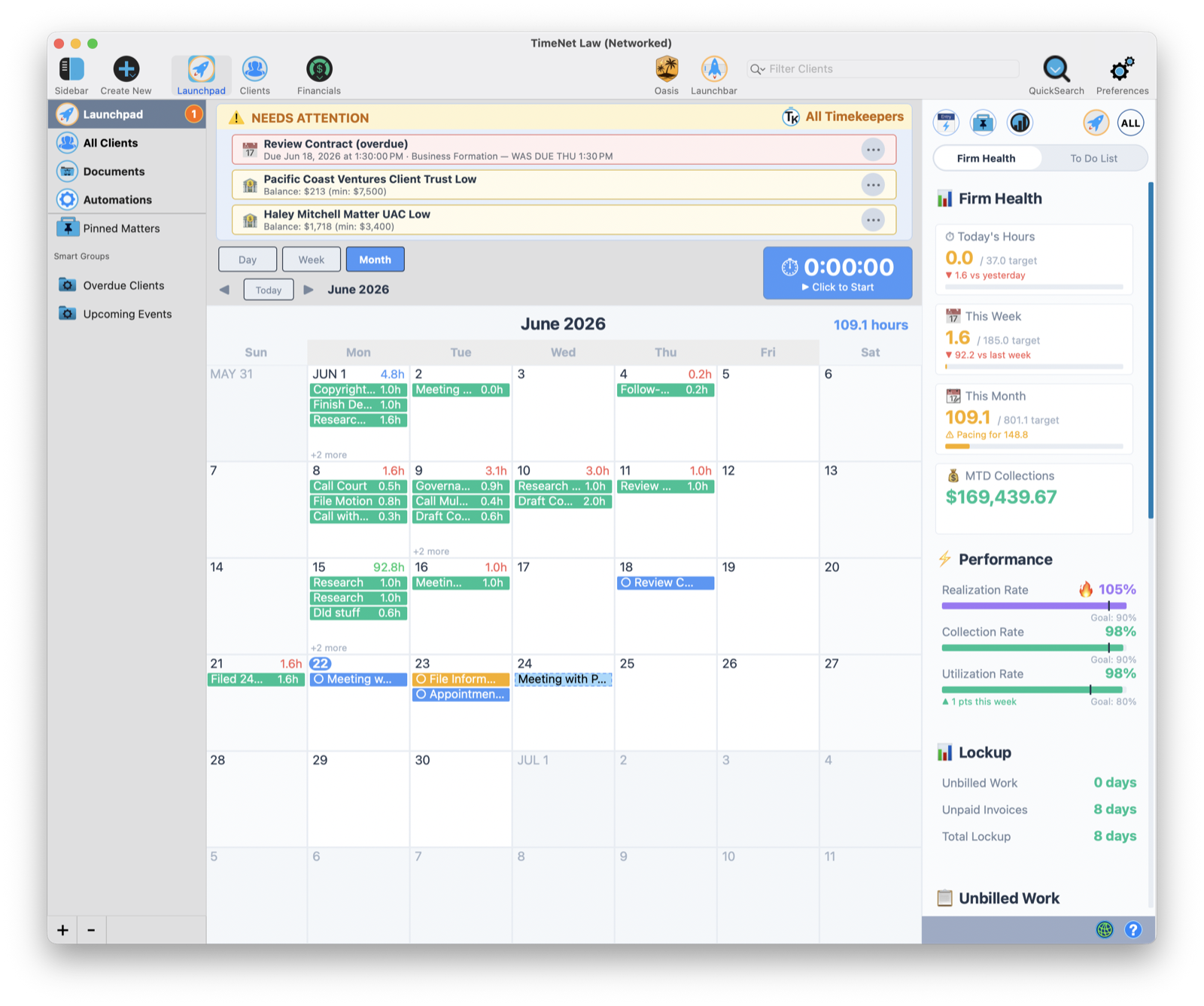
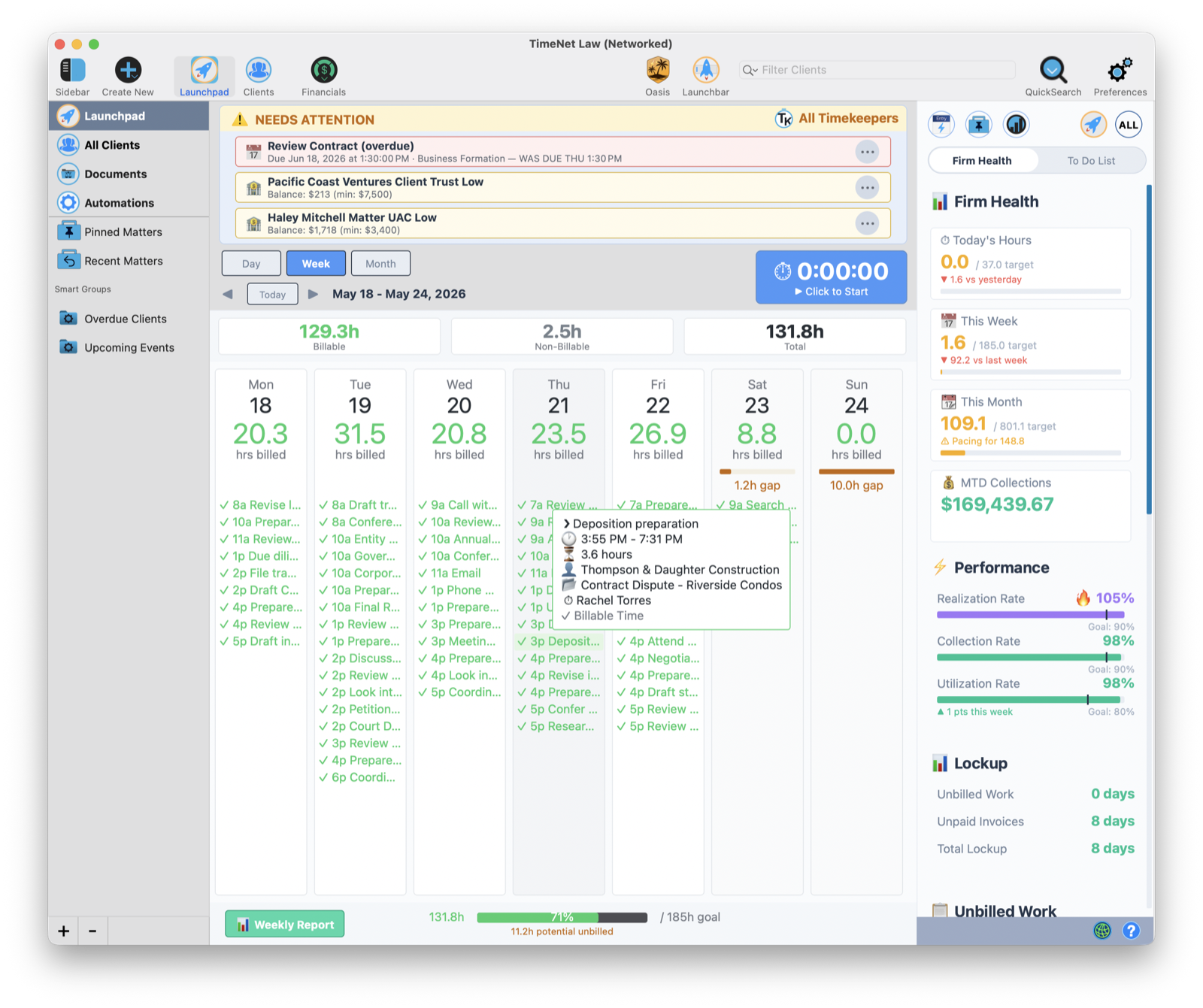
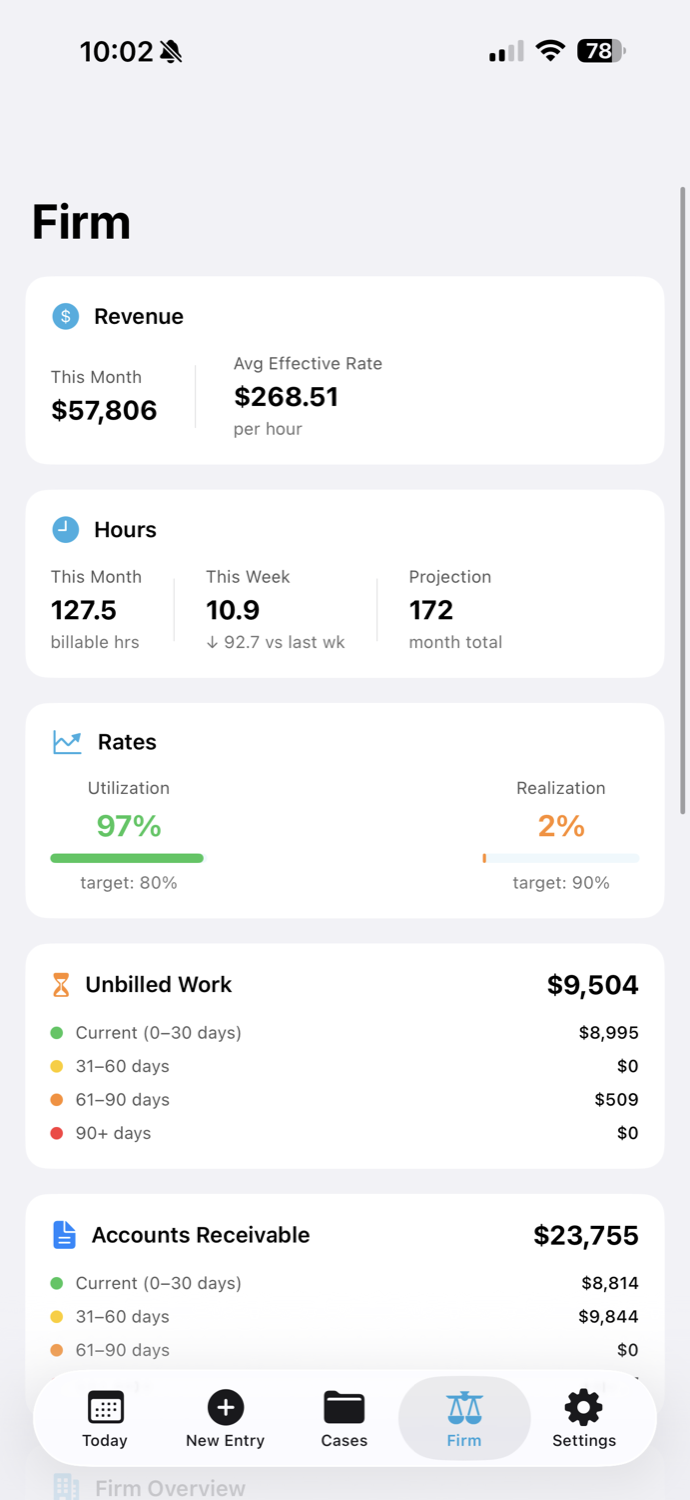
Realization, collection, and utilization against your goals, with trends. A/R aging, lockup days, month-to-date collections, click-to-call follow-ups. And a living Needs Attention banner: the three things that need you now, with new fires floating to the top as they start. Each one a click away from Oasis.
Know exactly where the firm stands the second you sit down.
The whole month, appointments, tasks, and Apple Calendar togetherOr zoom into the weekNeeds Attention surfaces the three things that can't wait
Wayfinder · flat-fee package builder
An AI that designs your pricing based on your actual billing data.
Point Wayfinder at your matter history and it engineers complete flat-fee packages: work items, timeline, expenses, scope. Each one arrives with a recommended price, a confidence score, and the reasoning behind it ("why this package, why this price, the pattern it's built on").
Your competitors are guessing at flat fees. You'll have seven of them, built from your own data, before lunch.
Oasis · Draft Document
Tell it what you need. It writes the document.
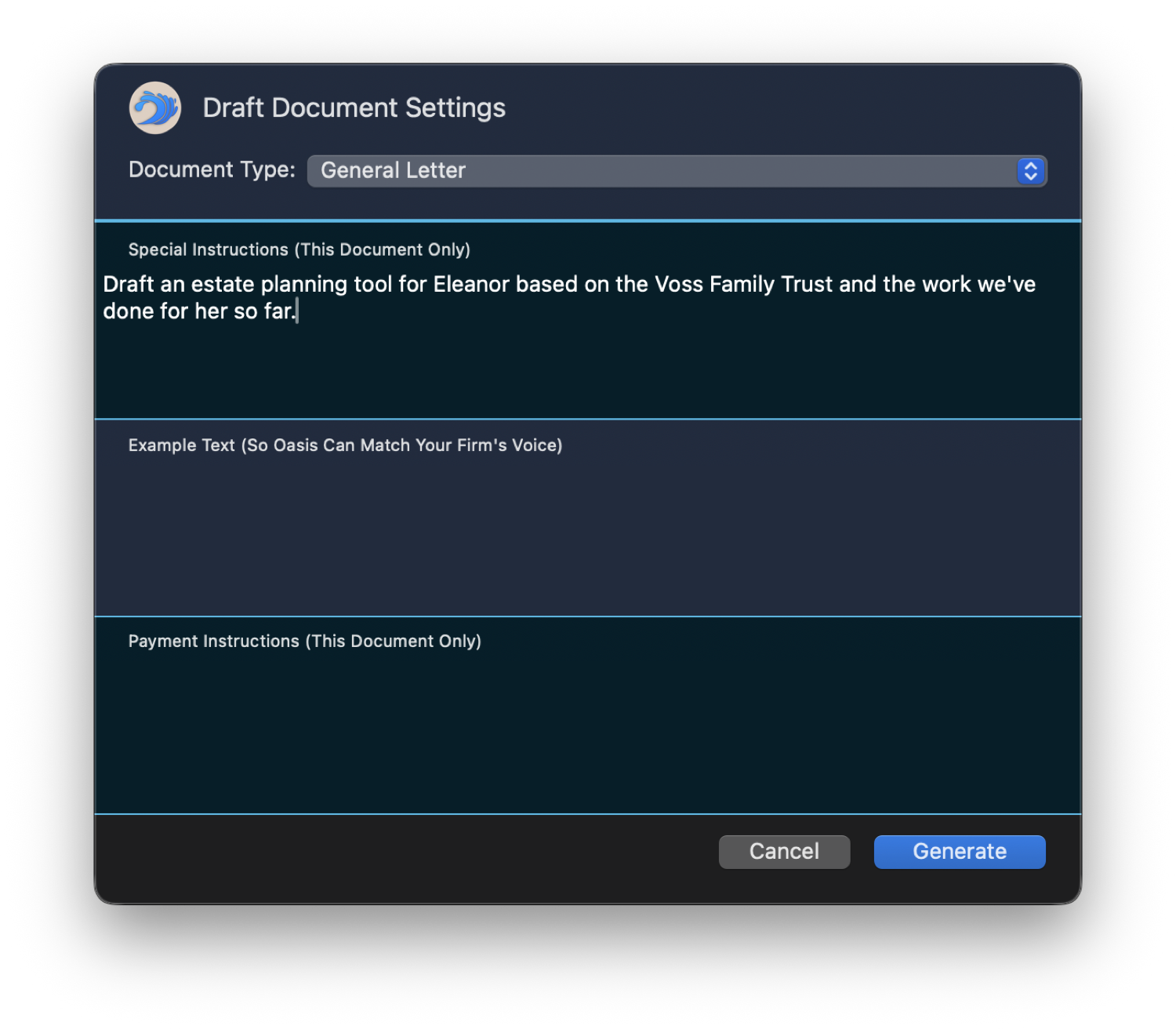
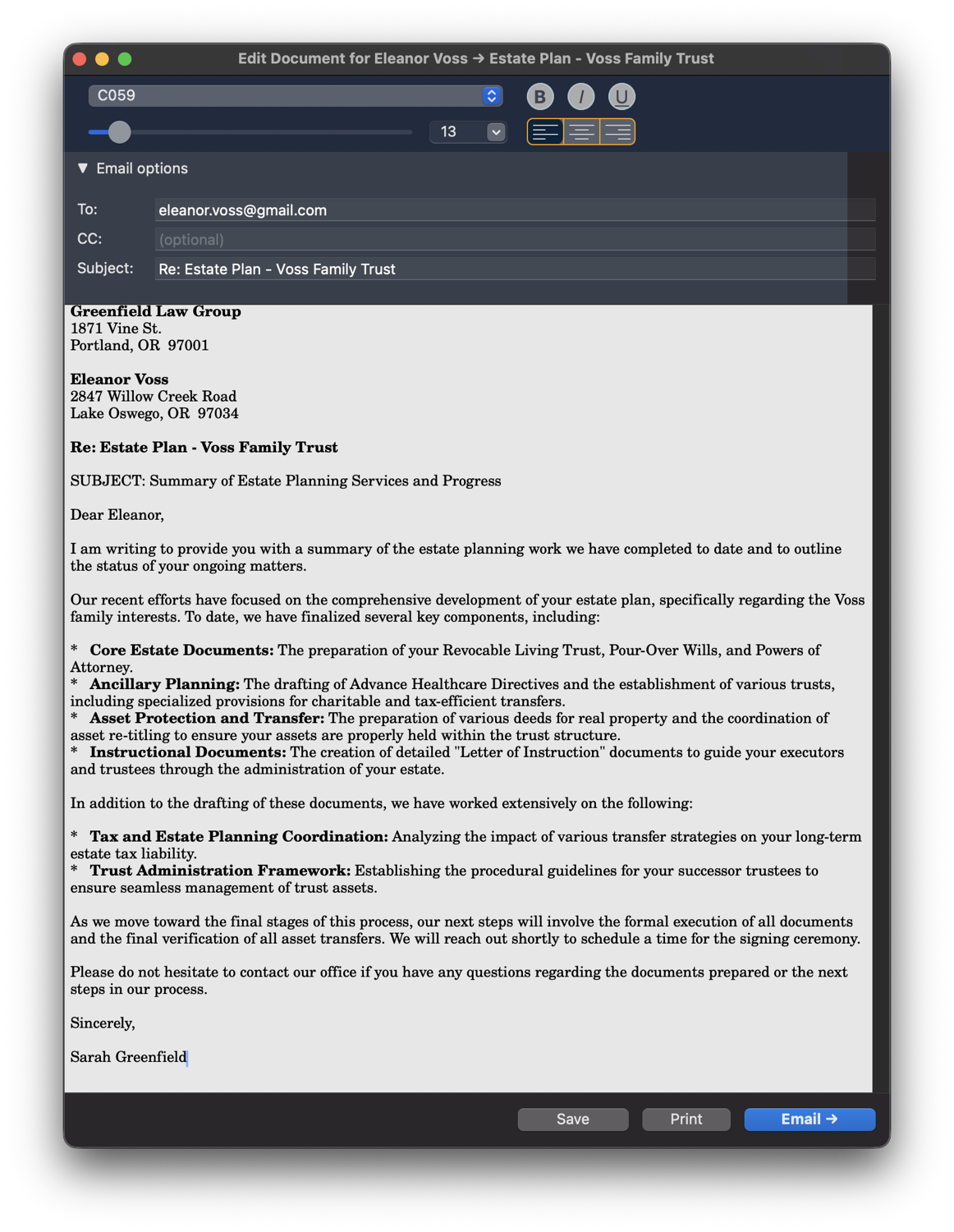
Say it in plain English: "Draft an estate-plan summary for the Voss family from the work we've done." Oasis reads the matter, writes the document in your firm's voice, and drops it straight into the editor, ready to edit, sign, and send. Hand it a sample of your writing and it matches your style.
The first draft, the part that eats your evening, written before you've finished describing it.
1 · Describe it in plain English2 · A finished draft, in your firm's voice
The reporting suite
Twenty-five reports. Ask for them in plain English.
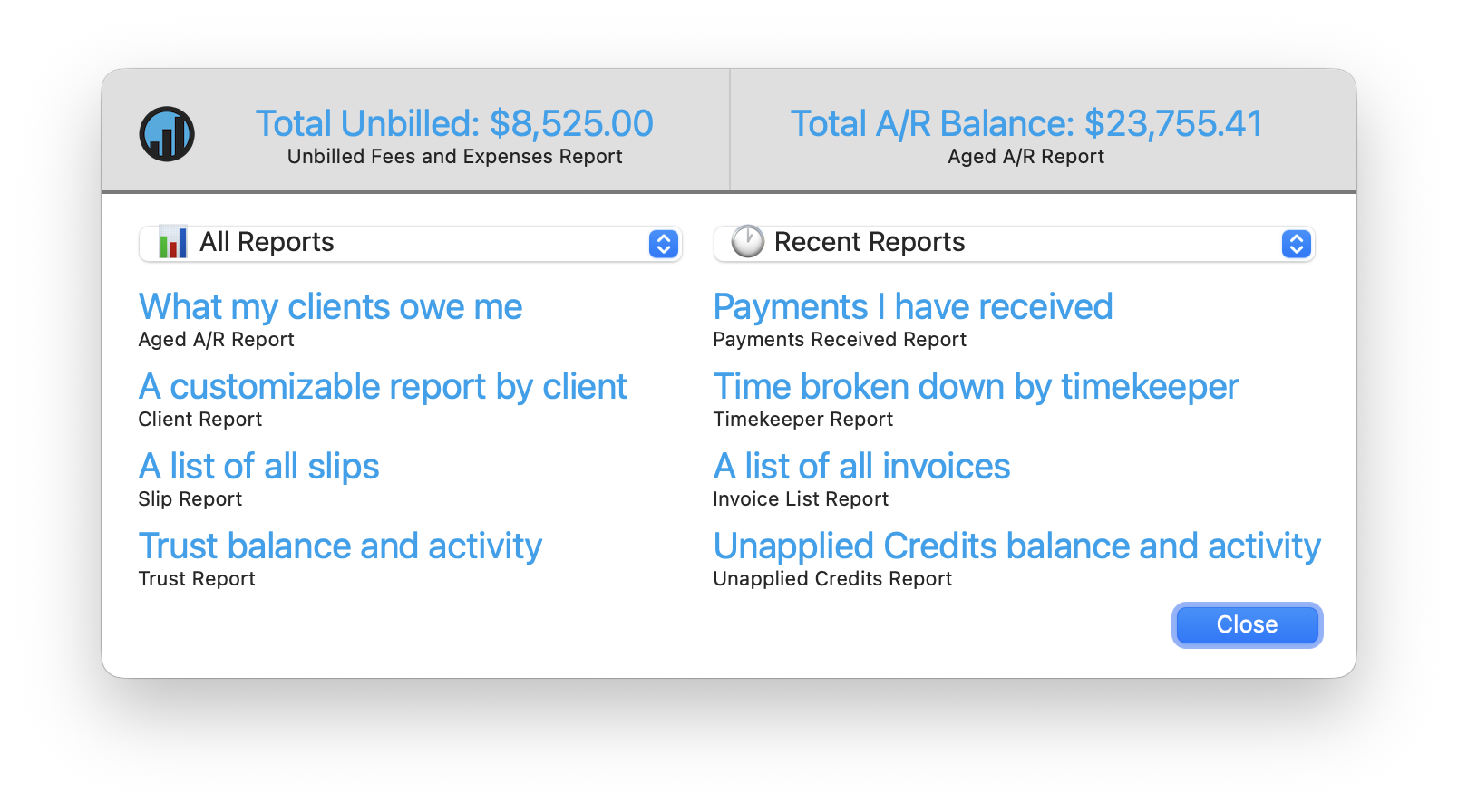
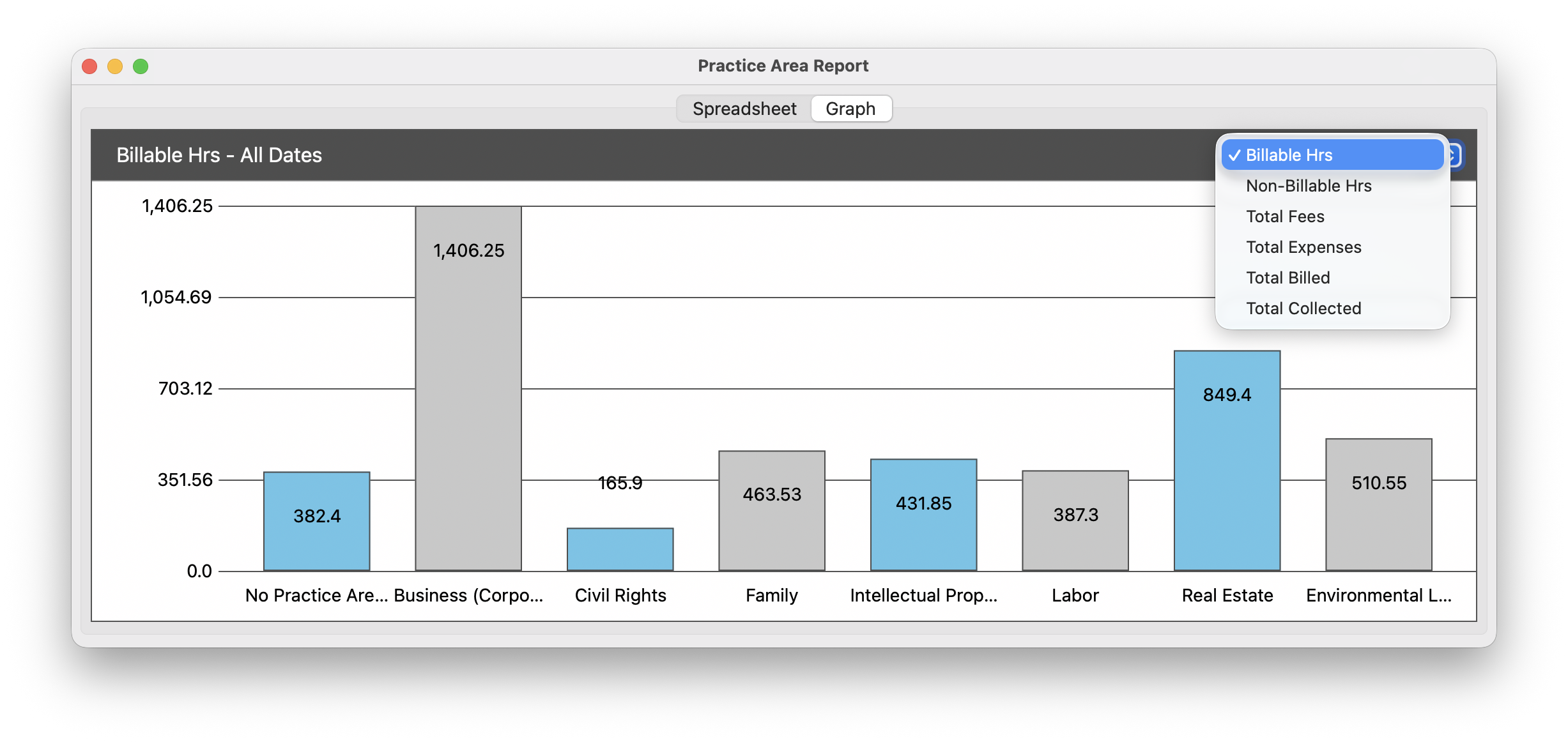
Performance, revenue allocation, aged A/R with custom buckets, referral-source ROI, trust funds, net investment, and twenty more. Every one with customizable columns, spreadsheet or graph, CSV or PDF. Don't know which you need? Type "what my clients owe me" and the Report Assistant finds it. Plus invoice open-tracking, so you know they saw it.
The business intelligence a managing partner pays a consultant for, built in.
Ask in plain English, it finds the reportEvery report as a spreadsheet or a graph
Document Library
Every document, filed and filled.
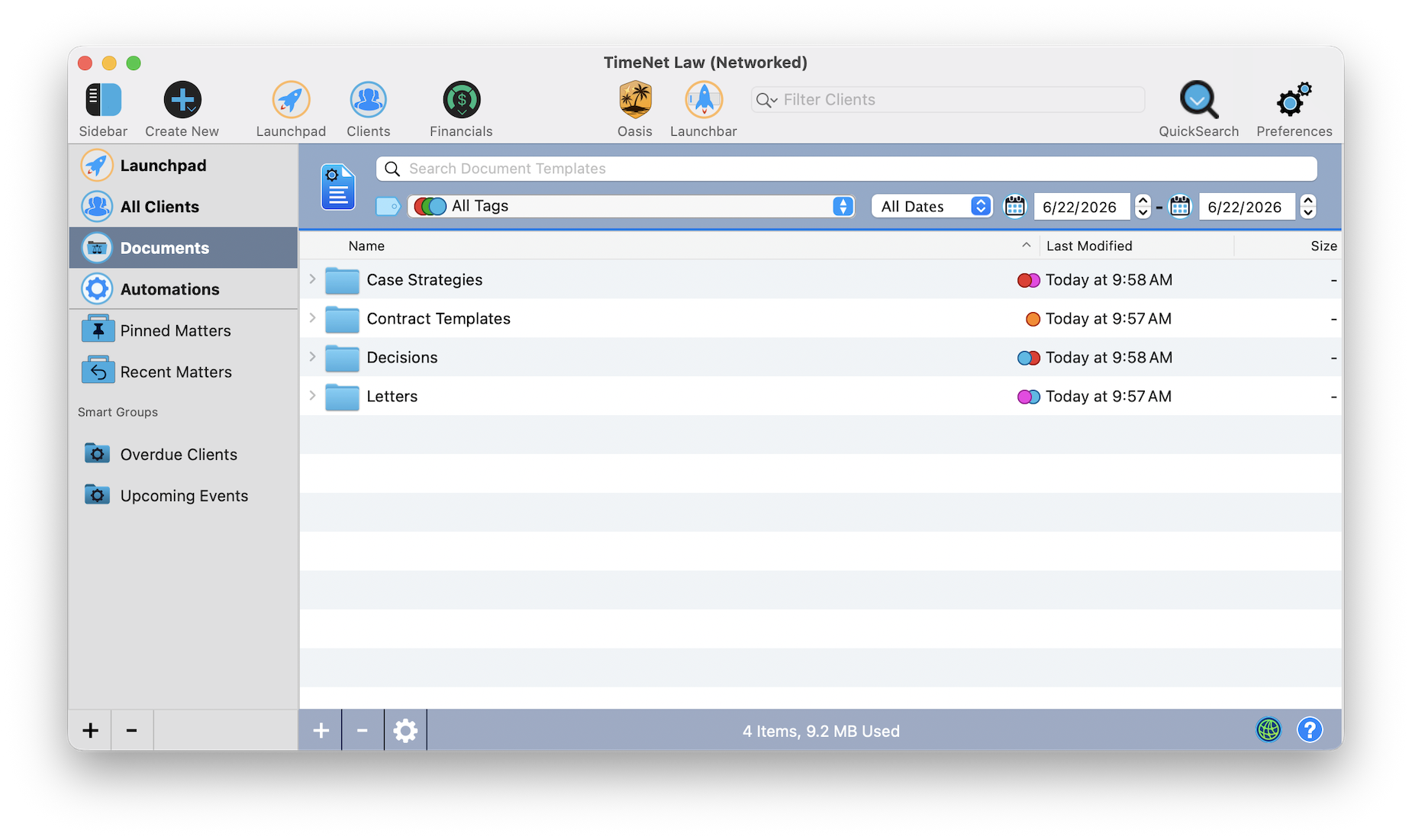
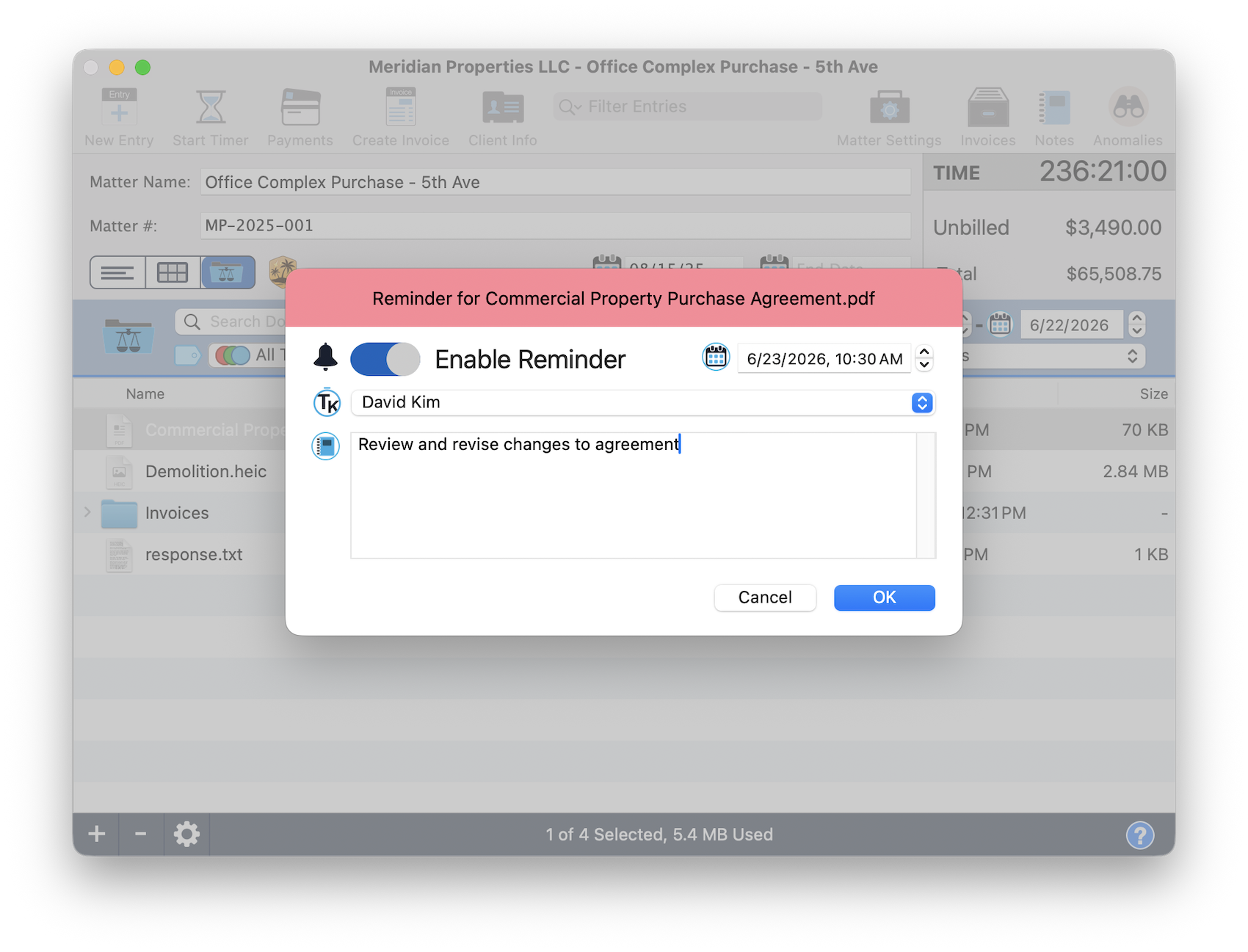
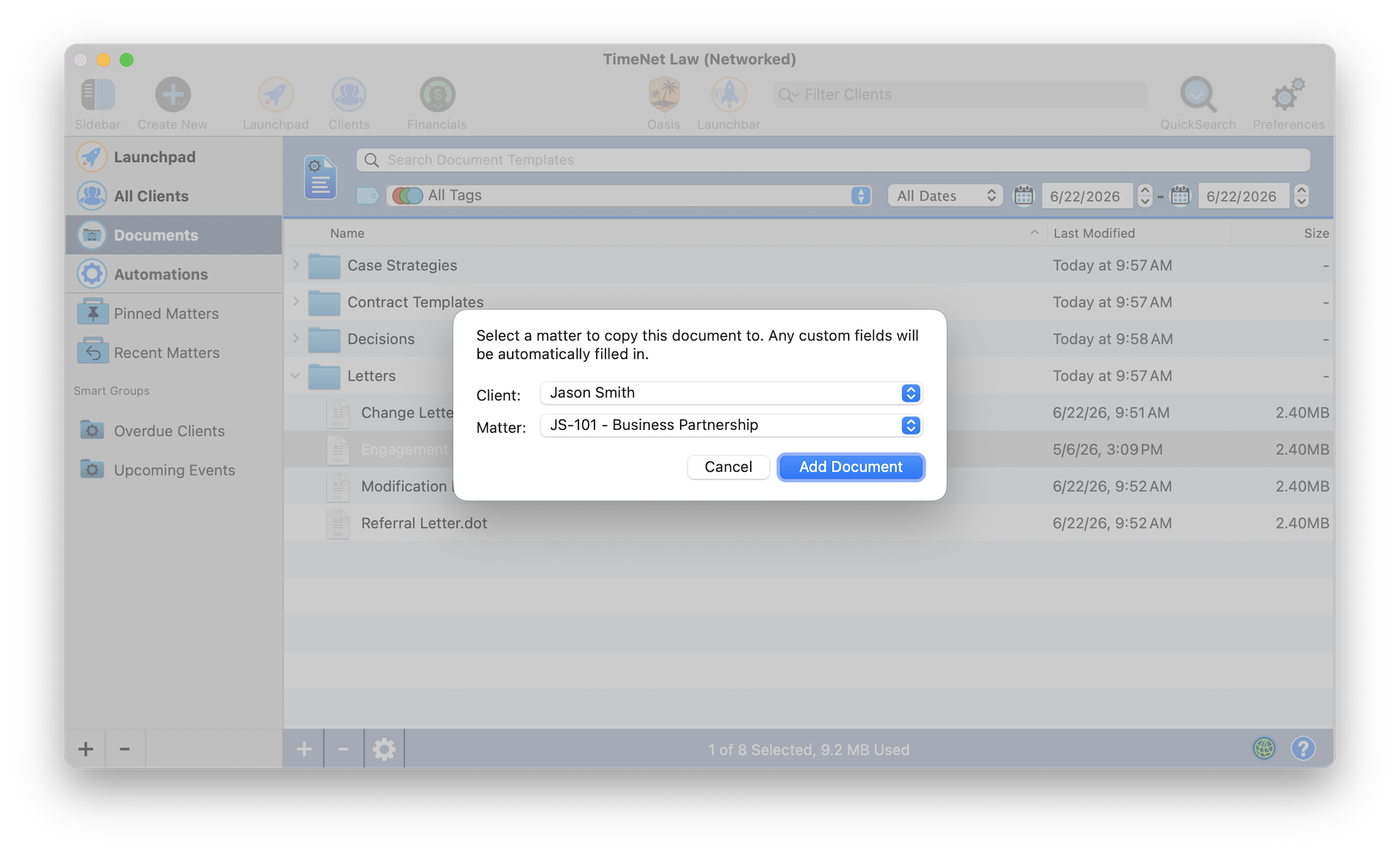
Build a library of templates, sort it with folders and tags, and drop any template into a matter with every merge field already filled in. Give a document a deadline and a timekeeper, and it shows up on your calendar and in Needs Attention.
Templates that fill themselves. Deadlines that find you.
Build and organize your Document LibraryAssign timekeepers to documents and set reminders and deadlinesImport any document template into a matter with automatic field merge
The System
Under the flagships, the firm itself. Six subsystems most apps would each sell you separately.
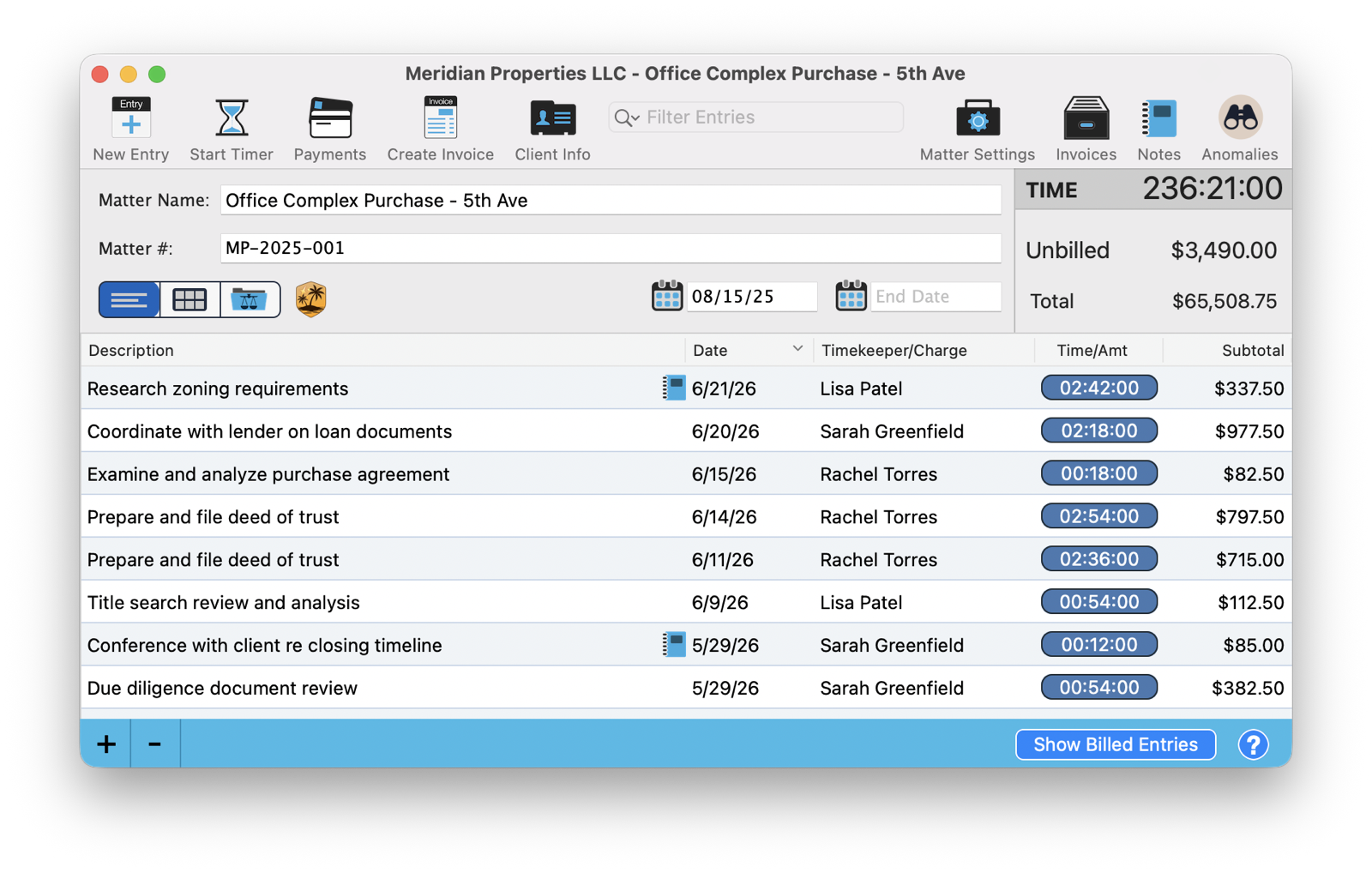
The matter workspace
Everything for a single matter, in one window.
Four viewsList, calendar, files, internal notes
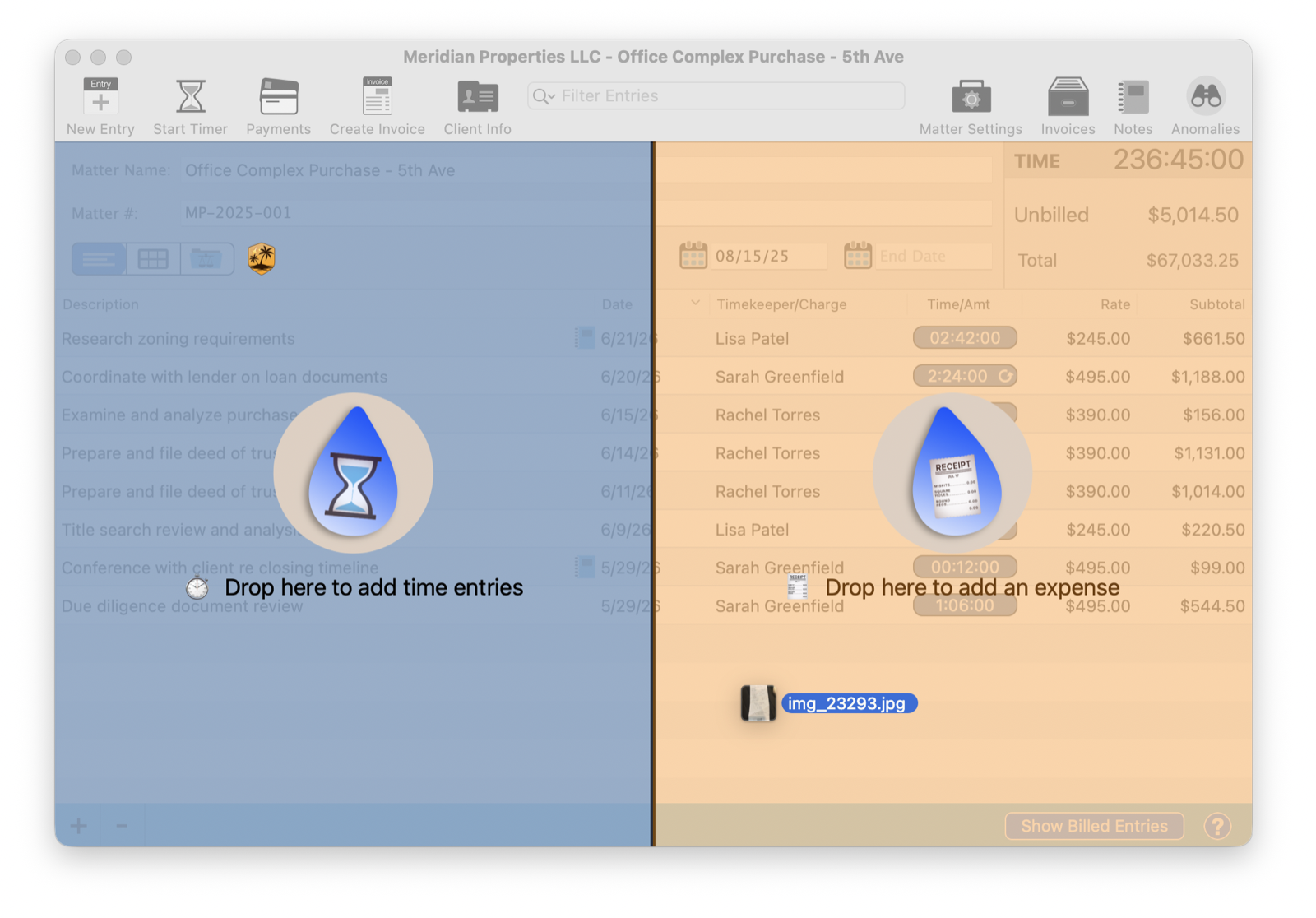
Every entry typeTime, flat-fee qty×rate, expense, discount
Live invoice previewDesign the bill as you build it
Anomaly detectionCatches the bad line before billing
Matter mirroringTwo matters in sync, billed apart
Fee enginesBudgets, holds, recurring, contingency
Capture, before it evaporates
The billable minute you'd have lost, kept.
QuickCaptureA lightning window for time or expense
The DropsTimesheet and receipt OCR to entries
Smart-rounding timerHonest elapsed, idle pause
Gap detectionSurfaces the unaccounted hour
Voice captureOn the Mac and the iPhone
AP detailVendor and invoice # on expenses
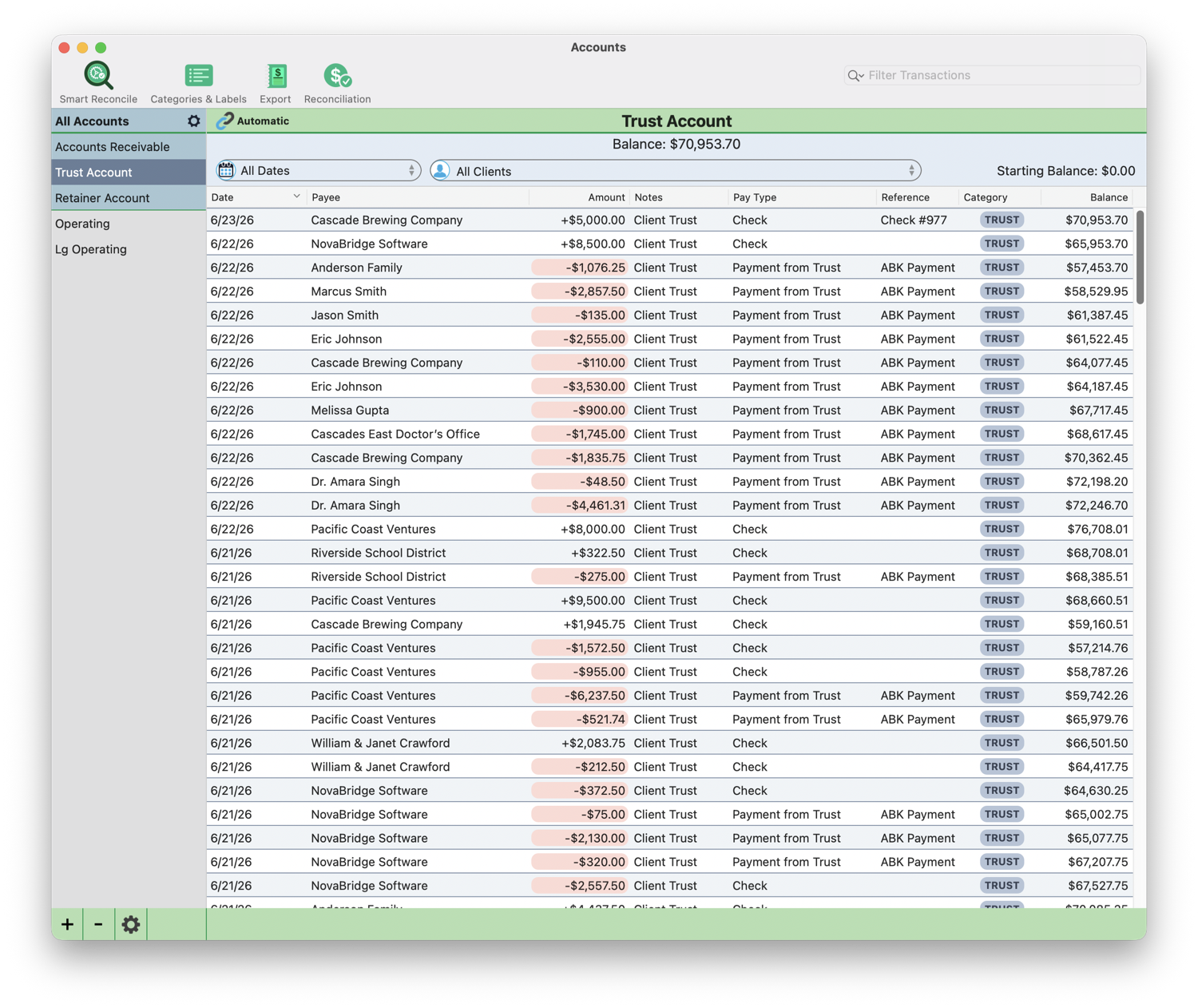
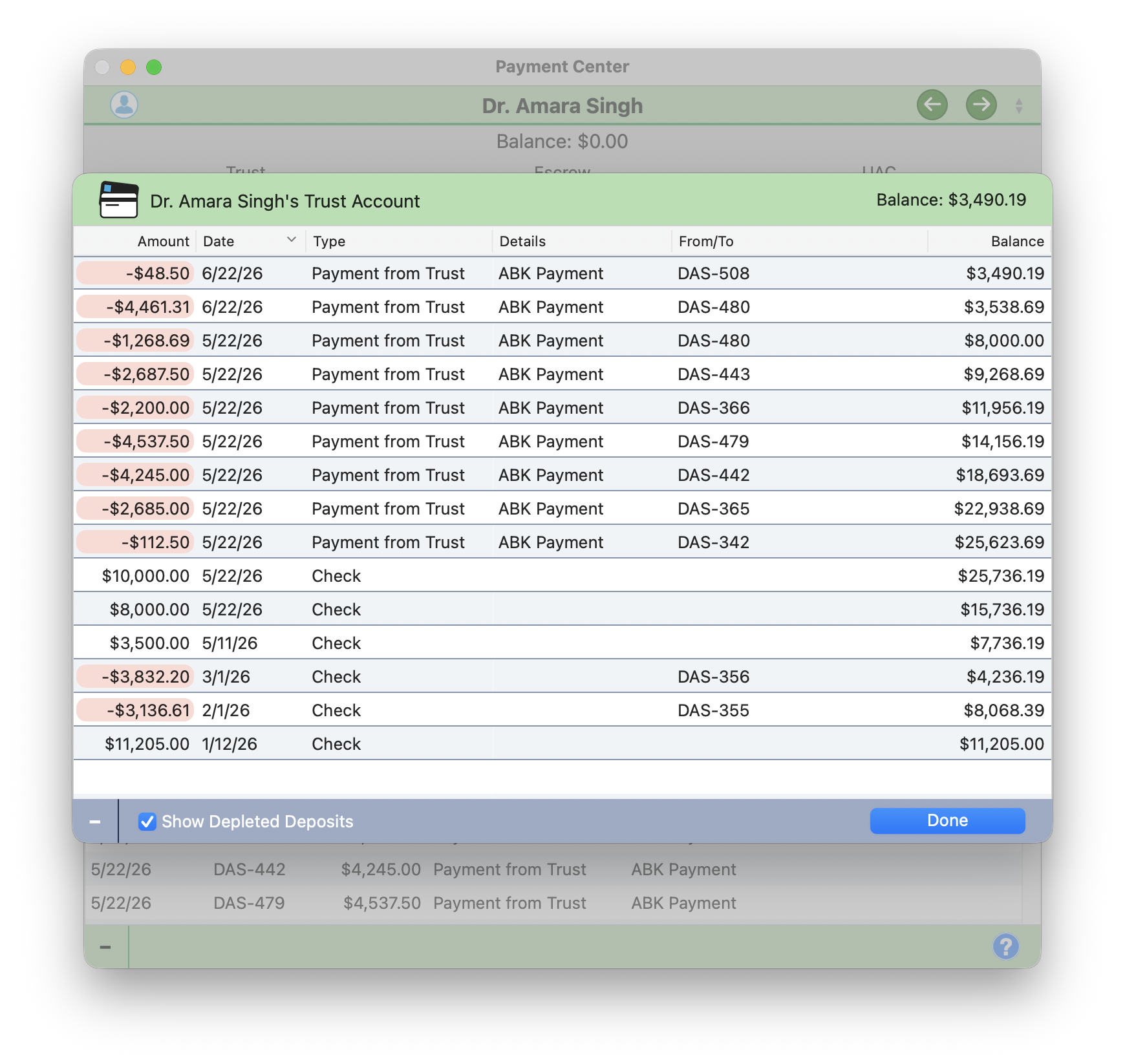
True double-entry, every account, the cardsSmart Reconcile, on-device, finds every discrepancyTrust ledger, evergreen minimums, IOLTA-clean
Money, trust, and the books
Real accounting. No QuickBooks.
True double-entryOperating, trust, retainer, A/R
IOLTA / trustEvergreen minimums, below-min alerts
Automatic BookkeeperApplies trust and credits for you
Smart ReconcileOn-device, line by line, to balanced
Transfers & autopayPer-client, across accounts
LEDES 98BUTBMS coding with validation
Clients, conflicts, and parties
The relationship and the risk, always current.
Client TimelineEvery event, multi-scope rollups
Live conflict checksFirm-wide, the instant a party lands
Conflict waiversCleared with a reason, on record
Split billingBy party, % responsible
Revenue allocationOrigination credit per timekeeper
Custom rulesRates, tax, late fees, branding
Run the whole firm
Multi-user, locked down, fully recoverable.
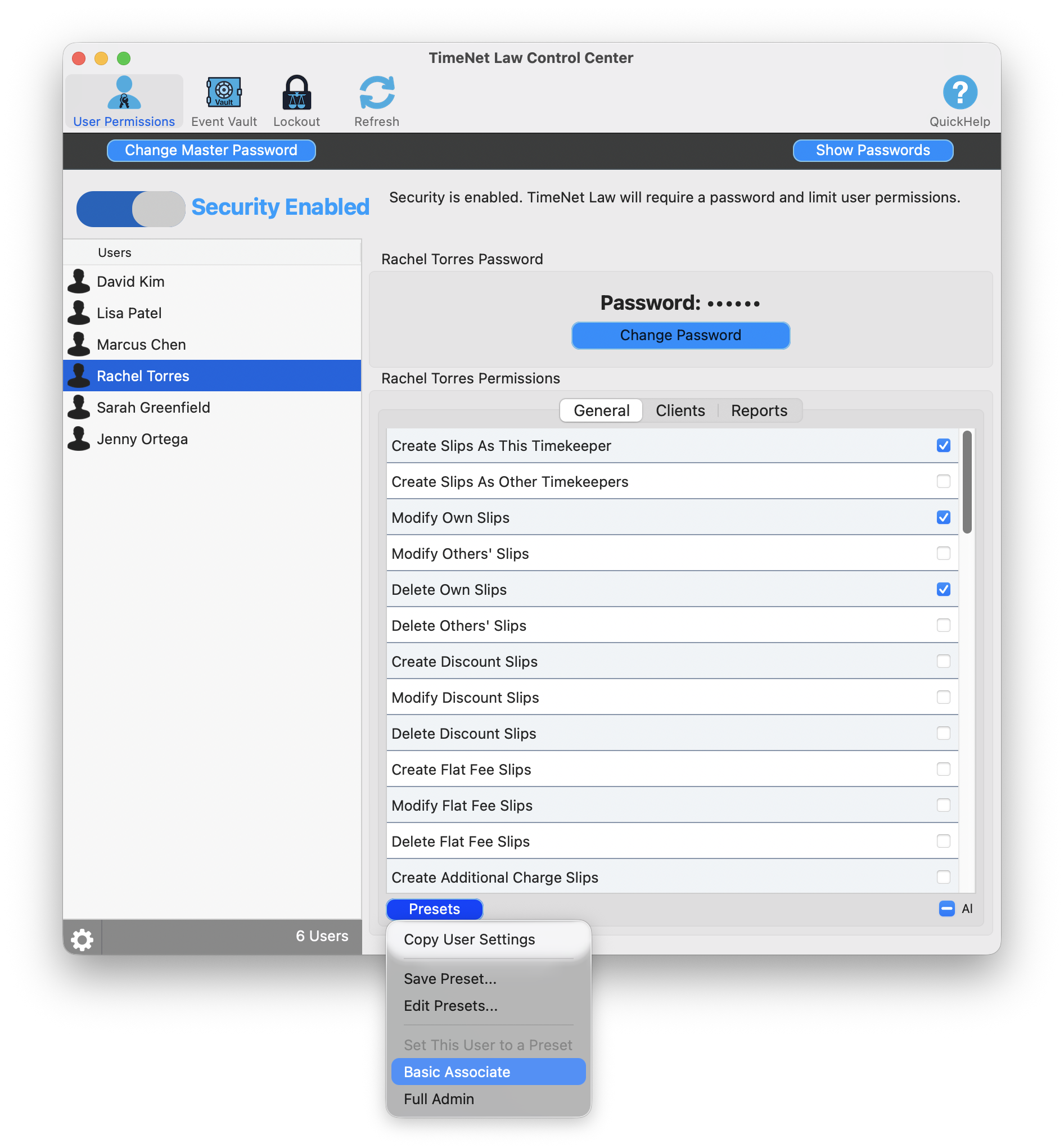
Granular RBACPer-user, per-client, per-report
Permission presetsAssociate to full admin, in a click
Version lockoutPush updates, force users current
Event VaultAudit log and one-click restore
AutomationsPersona briefings, draft invoices
Multiple databasesRun several practices from one app
The firm, in your pocket
iPhone and iPad-native. Not a stretched-up phone app.
Firm dashboardRevenue, effective rate, A/R aging
Voice capture"Log a two-hour call for Smith"
Full case accessClients, matters, invoices, entries
Face IDAnd a database lock
Your choice of synciCloud, Dropbox, or local files
iPad multi-panelA real sidebar, the full screen
The Complete Catalog
Everything, in one place. For once, nobody has to pretend the list is short.
Most firms rent four to six clouds to do what this does in one app: billing, accounting, AI, documents, calendar, and expenses. $179 to $434 a month, scattered across half a dozen servers you don't control.
Yes. Oasis, the built-in AI, runs entirely on your own Mac using a local model. Nothing is sent to the cloud and nothing is metered, so your clients' data never leaves your machine, which matters after US v. Heppner raised the question of whether cloud-AI chats stay privileged.
How much does TimeNet Law cost, and is it a subscription?
It's a one-time purchase you own forever, starting at $479.99, with a $39.99/month option also available. The Oasis AI unlock is a one-time $199.99, and the First Mate assistant is free for life. The free trial is fully functional with no time limit and no credit card. It's capped at three clients.
Can I bring my data over from Clio, Timeslips, or another app?
Yes. If your current app can export your data as CSV or plain text, and nearly all of them can, it comes into TimeNet Law. Send a sample export and the developer maps it for you personally. The one thing we can't do is read another vendor's proprietary database directly. How switching works.
Is TimeNet Law a good alternative to Clio, MyCase, CosmoLex, or Tabs3?
Yes, and it's the rare one not owned by the same private-equity firms. TimeNet Law is independent, sold as a one-time purchase instead of a rising subscription, runs natively on the Mac, and keeps your data and your AI on your own machine rather than in someone else's cloud. Side by side: vs. Clio, vs. MyCase, vs. CosmoLex.
Does TimeNet Law handle trust and IOLTA accounting?
Yes. It includes true double-entry accounting with operating, trust, retainer, and A/R ledgers, evergreen trust minimums, below-minimum alerts, and on-device bank reconciliation. No QuickBooks required.
Does TimeNet Law support LEDES e-billing?
Yes. It supports LEDES 98B with full UTBMS task and activity coding, and validates every field before submission so your files aren't rejected by the client's e-billing portal.
Can multiple users share one database over Dropbox?
Yes. Each timekeeper writes to their own entry file inside every matter, so several attorneys can work the same matter at once without creating sync conflicts. No server and no VPN required. Dozens of firms run TimeNet Law this way with 10 or more users, and some with over 50. How multi-user sync works.
Does TimeNet Law work offline?
Yes. Because the app and its AI run locally on your Mac, your core work, time capture, billing, accounting, and Oasis, keeps working without an internet connection, and your data stays on your device.
What platforms does TimeNet Law run on?
It's a native app for macOS on Apple Silicon, with native iPhone and iPad companions that sync via iCloud, Dropbox, or local files.